Event Manager: Add an Event
Last updated
You add an event by picking it from B2Brain's shared event list. You create a new event only when the list does not have it. Searching first keeps one record per event, so leads from every team land in the same place.
See your calendar
Open Events in the left menu. The Managed by me tab lists the events you run. The All company events tab lists every event anyone at your company runs. Each row shows the event's dates, location, team size, lead count and status, such as Upcoming or Past. Use the search box or the status filter to find an event fast.
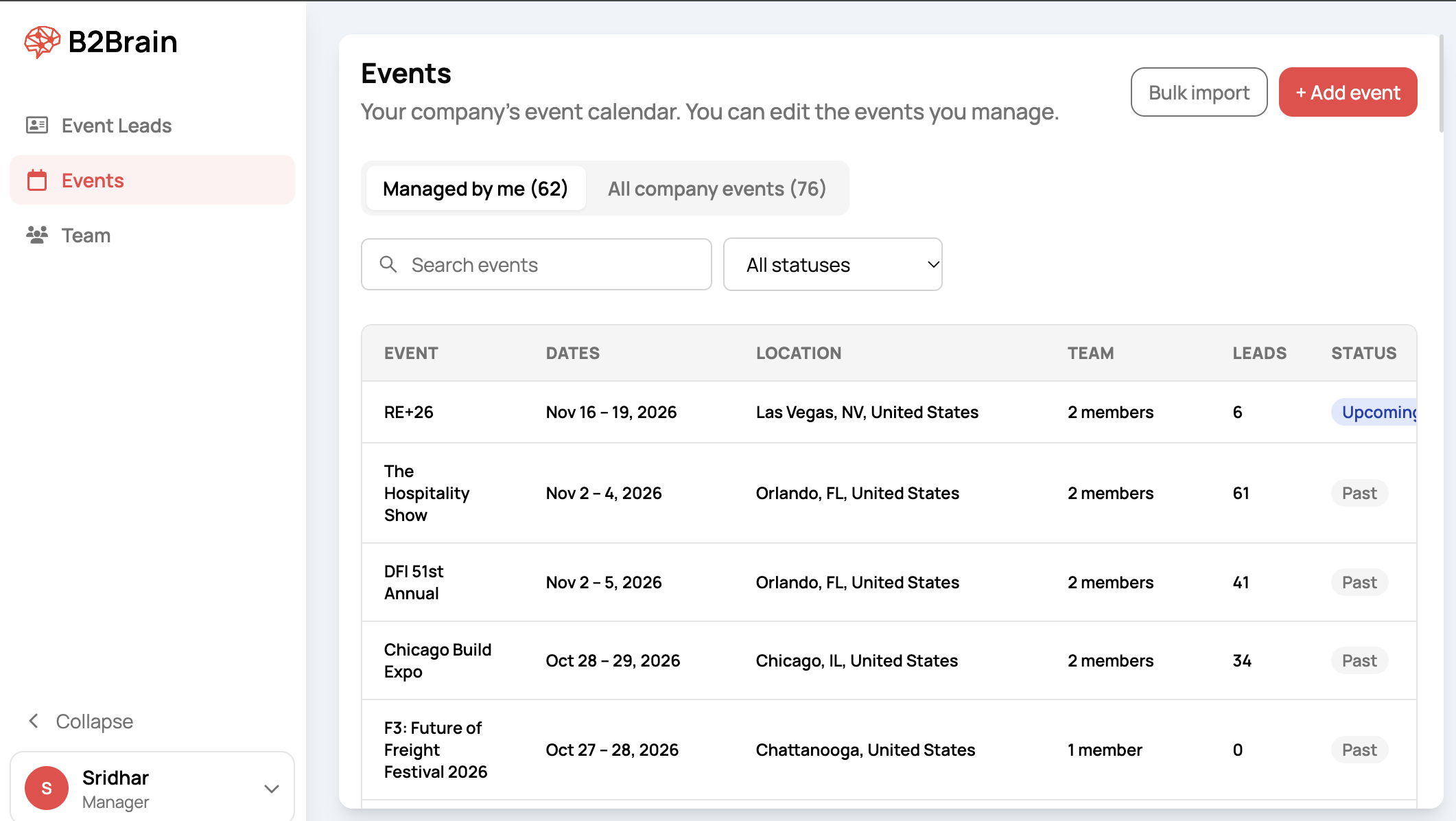
Pick an event from B2Brain's list
- On the Events page, click + Add event.
- Type the event's name or its short label in the search box. For example, type "issa" to find ISSA Show North America.
- Check the dates and the label on each result. Many shows run every year, so the same name can appear once per year.
- Click Select next to the right event.
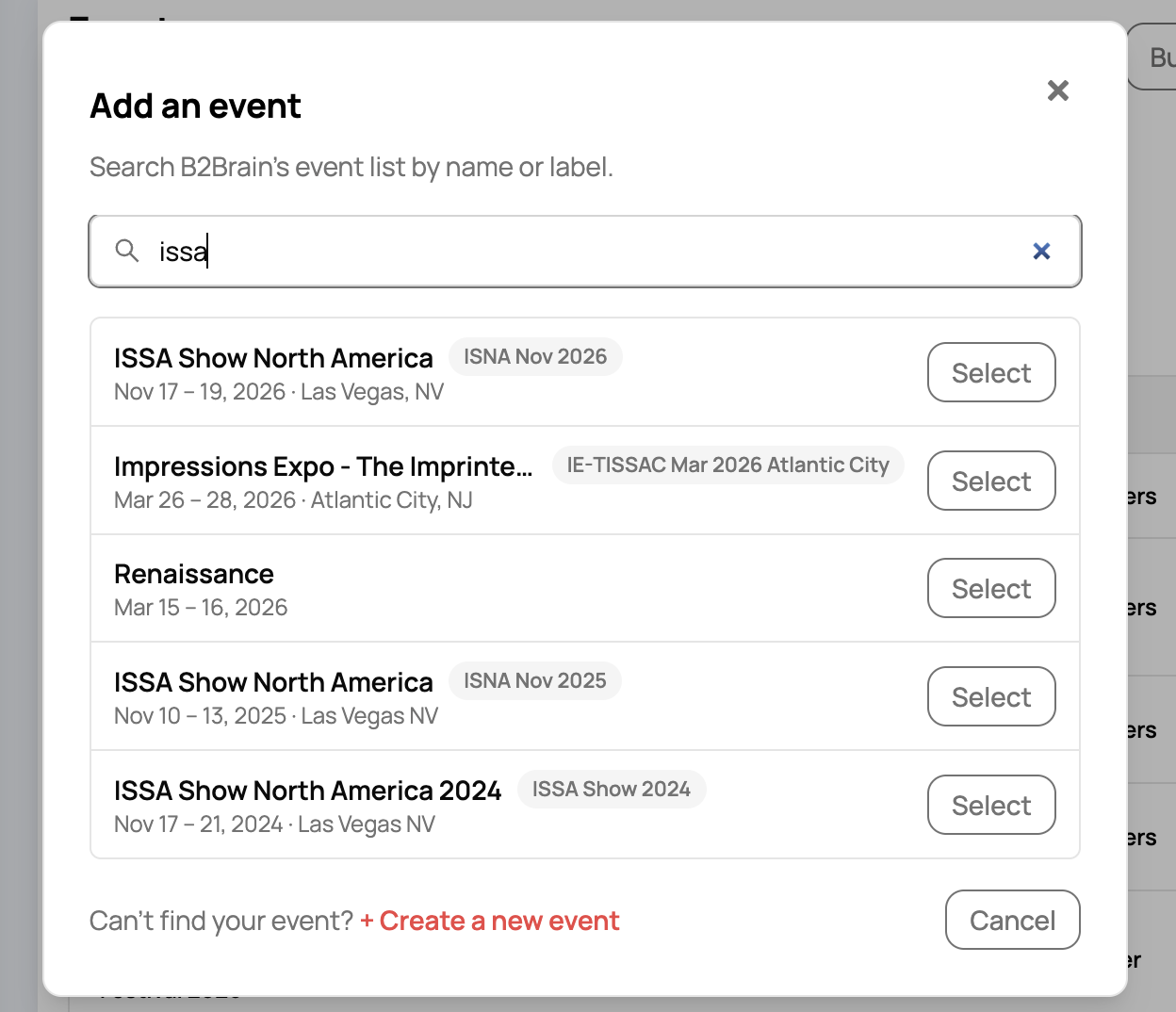
Events you already have are marked in green instead of showing Select. On your calendar means you manage it. On your company's calendar means a colleague already added it, so you do not need to add it again.

Choose who is going
After you click Select, B2Brain shows the event's dates, location and website. These details come from B2Brain's shared list and cannot be changed. If they are wrong for you, click Back and create a new event instead.
Under Who is going?, click a name to add that person, or search your team by name. People you add move to the bottom as tags. Click the x on a tag to remove them. This step is optional. You can also assign people later from the event page. Click Add event to finish.

Create a new event
If your event is not in the list, click + Create a new event at the bottom of the search dialog. Fill in the form and click Create event.
| Field | Required | What to enter |
|---|---|---|
| Event name | Yes | The full public name, with the year. Example: Acme Partner Summit 2027. |
| Label | Yes | A short code your team will recognise. Example: APX for Acme Partner Summit. |
| Website | No | The event's official web address. |
| Start date and End date | Yes | Pick both from the calendar. The date format follows your computer's settings. |
| City | Yes | Start typing and pick the city from the suggestions. |
| State | No | Add it for events in the United States, so the location reads clearly. |
| Country | Yes | The country where the event takes place. |
The new event goes onto your calendar. It also joins B2Brain's shared event list, so other teams attending the same event can find it.