
Booking Meetings & Automated Follow-Ups
Last updated
Booking a meeting on the spot
After capturing a lead and adding a note, you can send a one-tap calendar invite to the prospect and the correct teammate — before the prospect leaves the booth. If you've set up routing rules (by territory, vertical, or named account), B2Brain assigns the right person automatically and credits you as the source.
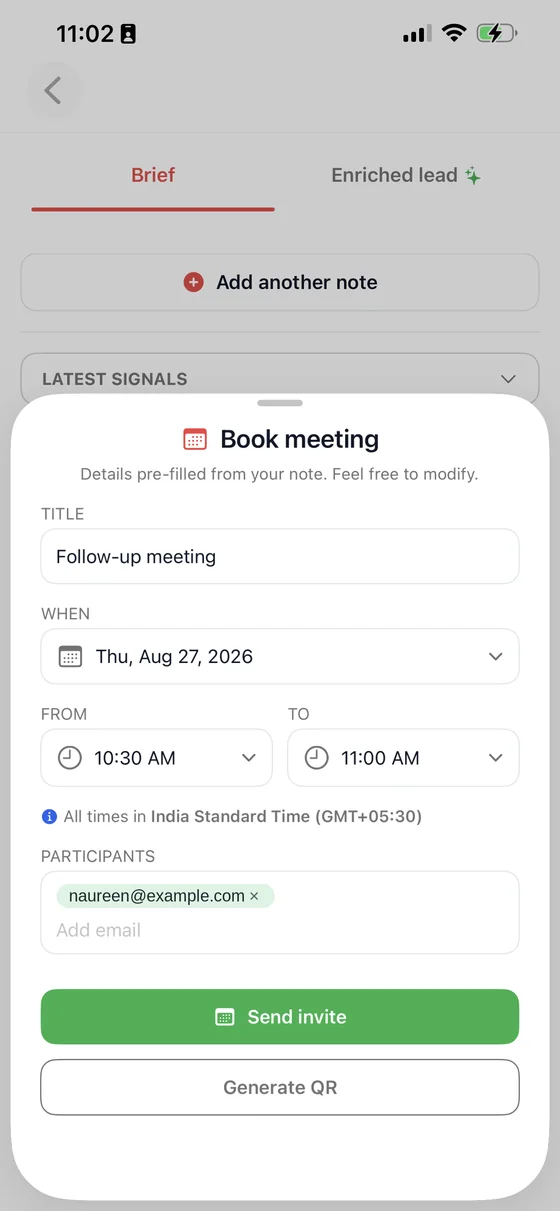
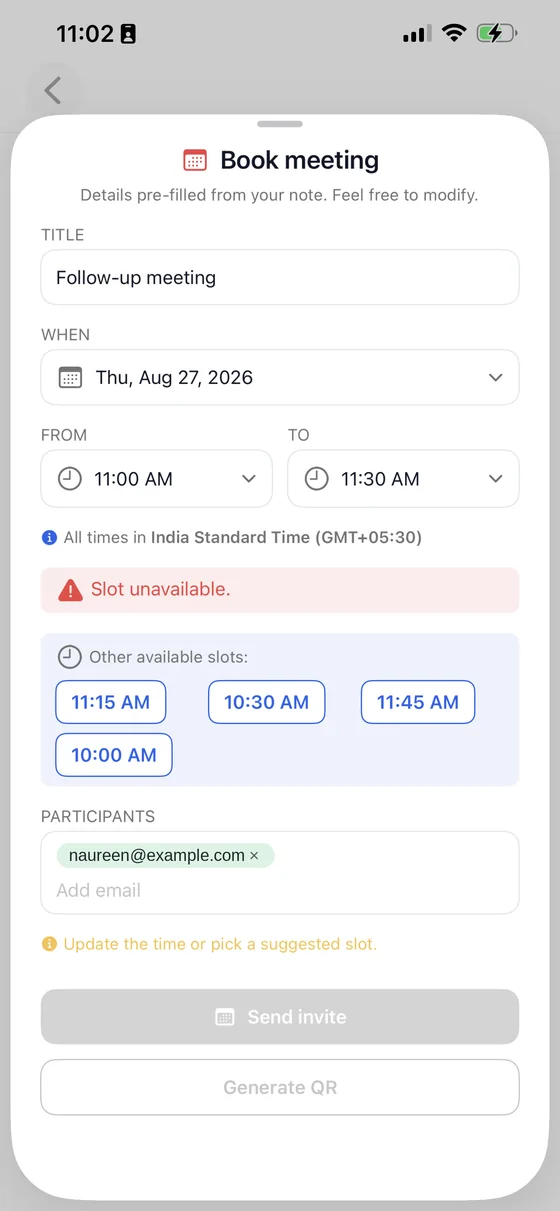
The time you pick is checked against your live calendar before the invite goes anywhere. If the slot is already taken, B2Brain says so and offers the nearest free times instead of letting you send a double booking you would have to unpick later.
Natural-language scheduling
B2Brain reads your notes for scheduling intent. If your note says something like "meeting next Tuesday at 11am," the app recognizes that, checks calendar availability, and pre-fills a calendar invite — no separate scheduling step required.
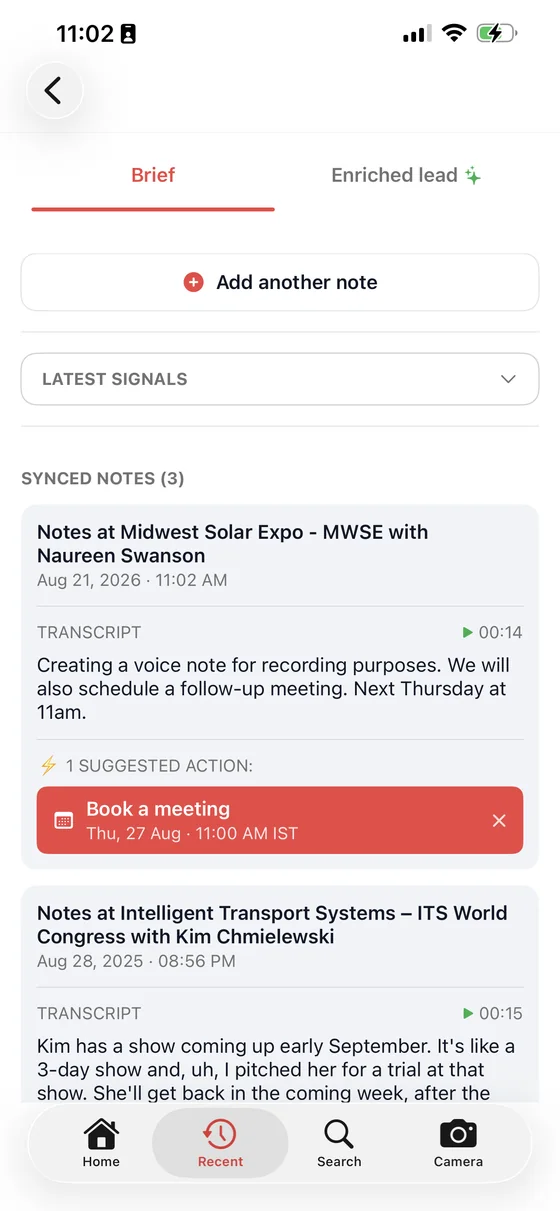
The suggestion appears on the note itself, with the date and time already filled in from what you said. Accepting it opens the invite; dismissing it leaves the note untouched.
Calendar delivery
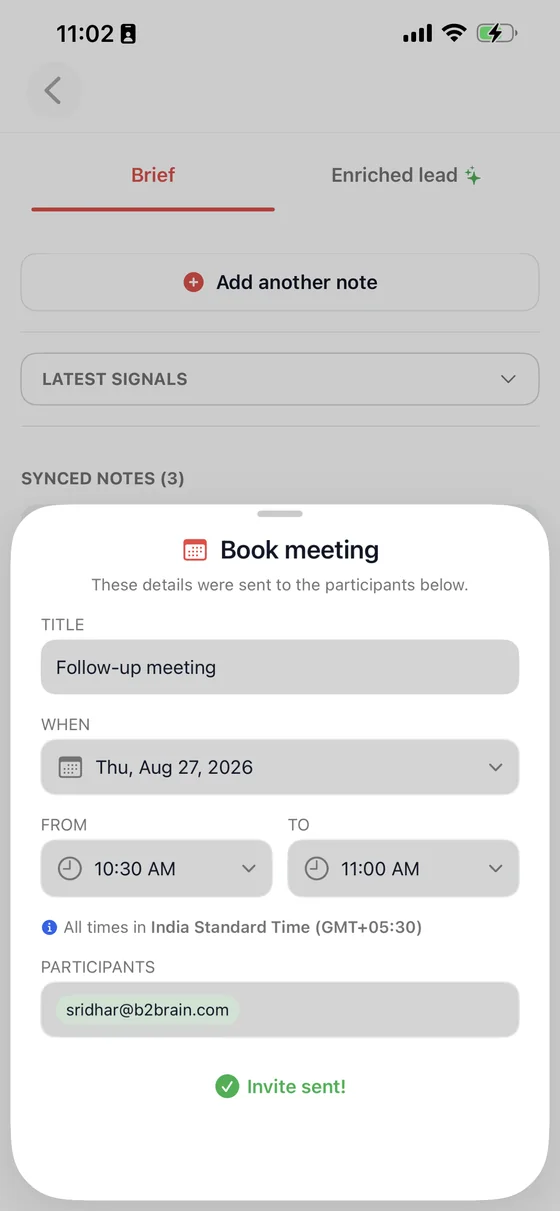
Invites are sent directly through your connected Google Calendar or Microsoft Outlook account.
Automated follow-up emails
B2Brain can generate and schedule a summary follow-up email from your own outbox — not a shared marketing inbox — referencing what was actually discussed, so the prospect gets something that reads like it came from the conversation they just had.





