The Best Way to Scan Business Cards: Apps, Workflow, and Getting Clean Contact Data Every Time
Written by
Sridhar Ranganathan
Last Updated :
July 28, 2026
Skim in:
13
mins
TL;DR
The scan is the easy part; the money at a trade show is made in the follow-up, not the photo, and most cards die because capture is treated as the finish line.
A great scanner nails five things: OCR accuracy, native real-time CRM sync, deduplication across reps, offline reliability, and a built-in follow-up or meeting-booking step.
Lead conversion falls from about 85% within two hours to roughly 9% after a week, so speed-to-lead and a same-hour touch decide the return.
Manual photo-and-transcribe wins under about 10 cards; automated CRM-synced capture wins clearly past roughly 31 scans a day when cleanup and dedupe matter.
The app fee is rounding error against a $35,000 booth; the real metric is cost per booked meeting, not cost per app.
Prove ROI by attributing every card to an event campaign in the CRM, then reporting sourced pipeline, meetings booked, and the Leads-to-Meeting rate, about 52% on the floor versus 8% for the post-event chase.
Q1. What is the best way to scan business cards in 2026? [toc=1. Best Way, Fast]
The best way to scan business cards in 2026 is a phone app that pairs 90%-plus OCR accuracy (optical character recognition, the tech that reads text off an image) with native CRM sync, deduplication, and a same-hour follow-up step. The scan itself is easy. Capturing clean contact data and acting within 48 hours is what turns a card into pipeline. Free tools like Google Lens work for a handful. Event teams need CRM-connected capture.
📇 The scan was never the hard part
Picture the cab ride back to the hotel on Day 1 of a show. A rep is thumbing 40 business cards into Salesforce, one at a time. Half the context is already gone. Who was the buyer? Who was just browsing?
I have watched this happen more times than I can count. The reason most people search for "the best way to scan business cards" is not curiosity about apps. It is dread. They have a stack of cards, or a rented scanner's CSV file, and a quiet fear that none of it becomes anything.
That fear is earned. As one honest 2026 review of scanner apps put it, most apps "get the scan right and lose at the follow-up." The photo is not your problem. The silence after it is.
✅ What "best" actually means: three pillars
Strip away the marketing and a good scanning method does three jobs, in order:
Accuracy. Modern OCR hits roughly 90% on clean, standard cards, then drops on decorative fonts, accents, and non-Roman scripts. Plan to eyeball the name and email every time.
Native CRM sync. The contact lands in Salesforce or HubSpot in real time, deduplicated, not exported as a CSV you import three days later.
A follow-up step. The method should push you to act while the prospect still remembers your booth.
Miss the third pillar and the first two are decoration. A perfectly scanned card sitting in a spreadsheet is a lead you have already started to lose.
💡 For a few cards versus a full booth
If you are a solo networker scanning five cards after a lunch, a free tool like Google Lens or Evernote Scannable is genuinely fine. Snap, save to contacts, done.
A five-rep booth at an industrial show is a different animal. You are capturing hundreds of conversations under bad Wi-Fi, and every one needs to route to the right AE and hit the CRM clean. That is not a "nice photo" problem. That is a pipeline problem.
This is the split the rest of this guide walks through. I will shortlist the tools honestly, show you the evaluation criteria, and spend real time on the follow-up gap where almost every option quietly fails. Because here is the operator truth I keep coming back to: the money at a trade show is made in the follow-up, not the scan.
At B2Brain, we build for that second world, where capture has to sync to your CRM the moment it happens and set up the meeting, not hand you a contact list to clean up later. You can see how event lead capture works across the booth day. Keep that lens as we go. The best scanning method is the one that respects what happens after the badge beeps.
Q2. Why do most scanned business cards never turn into pipeline? [toc=2. The Shoe-Box Problem]
Most scanned cards die because capture gets treated as the finish line. Roughly 87% of event leads are never properly followed up, up to 80% never reach the CRM, and conversion falls from about 85% within two hours to around 9% after a week. A clean scan sitting in a spreadsheet for three days is, functionally, a lost lead.
📦 Meet Jimmy and the shoe box
An old operator friend described his company's process to me once, and I have never forgotten it. Everybody dumps their business cards into a shoe box. Jimmy carries the box back to the office. Monday morning he pulls out the box, picks three cards, and works those. Six months later, somebody finds the shoe box.
That is not a story about laziness. It is a story about a broken system. When capture has no follow-up rail attached, human nature takes over, and the box goes on a shelf.
The rented badge scanner is the same shoe box with a battery. It saves the lead and loses the conversation. The workflow ends at a CSV that, as buyers on r/b2bmarketing will tell you, gets acted on "three months later," if at all. This is exactly why a conference badge scanner alone rarely produces pipeline.
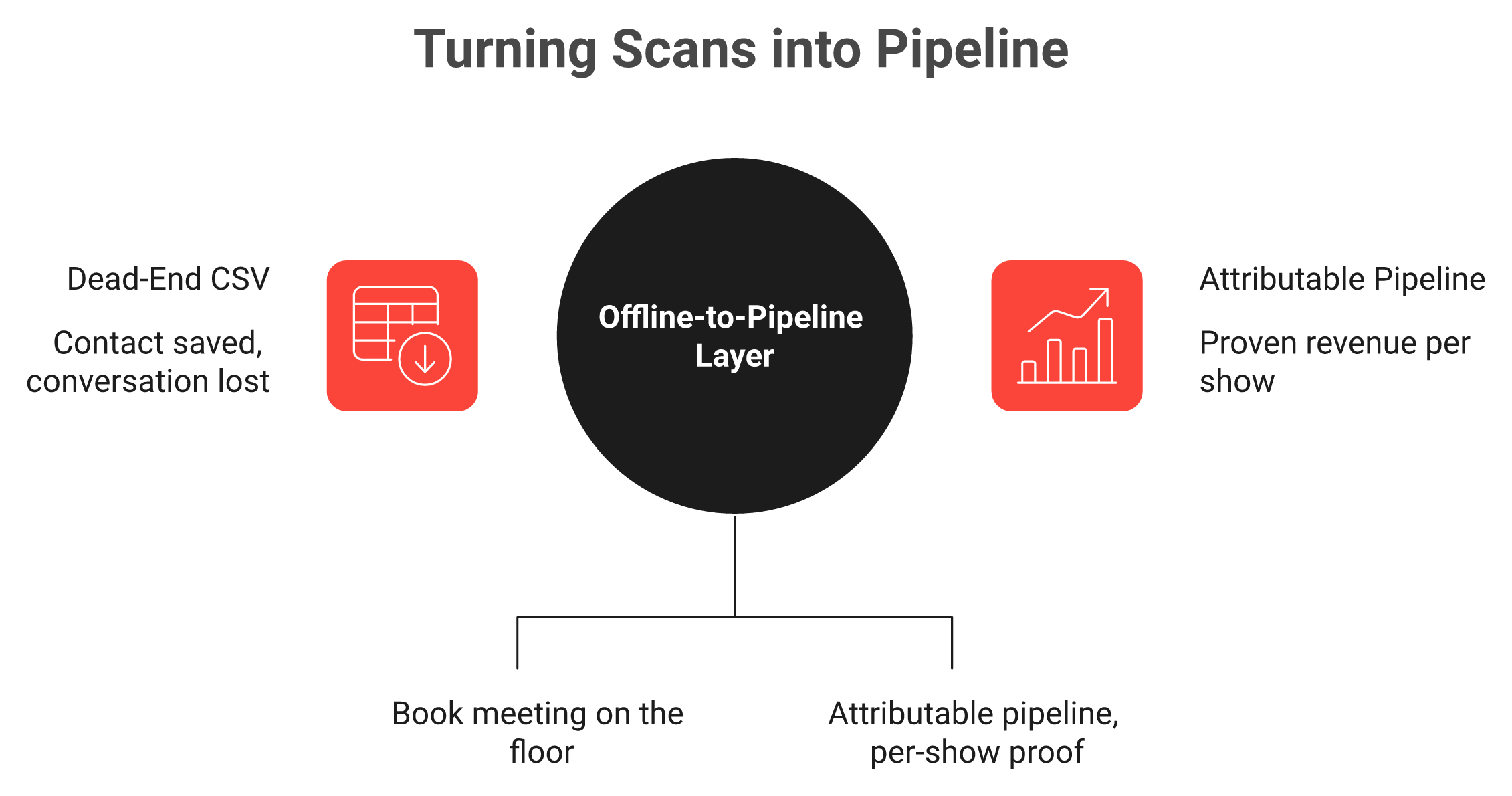
A badge scanner ends at a contact; the offline-to-pipeline layer ends at a booked meeting.
📉 The decay math nobody runs
Here is what makes the delay so expensive. Lead conversion is not a flat line. It falls off a cliff.
Reach out within about two hours and your odds of converting sit near 85%.
Wait a week and that collapses to roughly 9%.
So the "I'll follow up when I'm back and settled" instinct is the exact thing killing the return. And slow capture does not just hurt the first email. It stretches the whole cycle. The longest enterprise deal I have watched drag on ran past 500 days, and a chunk of that pain traced back to fuzzy, delayed first contact. You cannot accelerate a deal you never cleanly started.
The decay curve is why same-hour follow-up beats the Monday-morning shoe box every time.
🎯 The fix is owning the data in real time
The way out is not a better shoe box. It is owning your lead data the moment the conversation happens, with context attached, synced to your CRM before the rep walks to the next aisle. That is the heart of an offline to pipeline motion.
That shift has a name we use at B2Brain: Leads-to-Meeting, or LTM. It is the percentage of booth conversations that become a booked, qualified meeting. "We scanned 400 badges" is a vanity number. LTM is the real one.
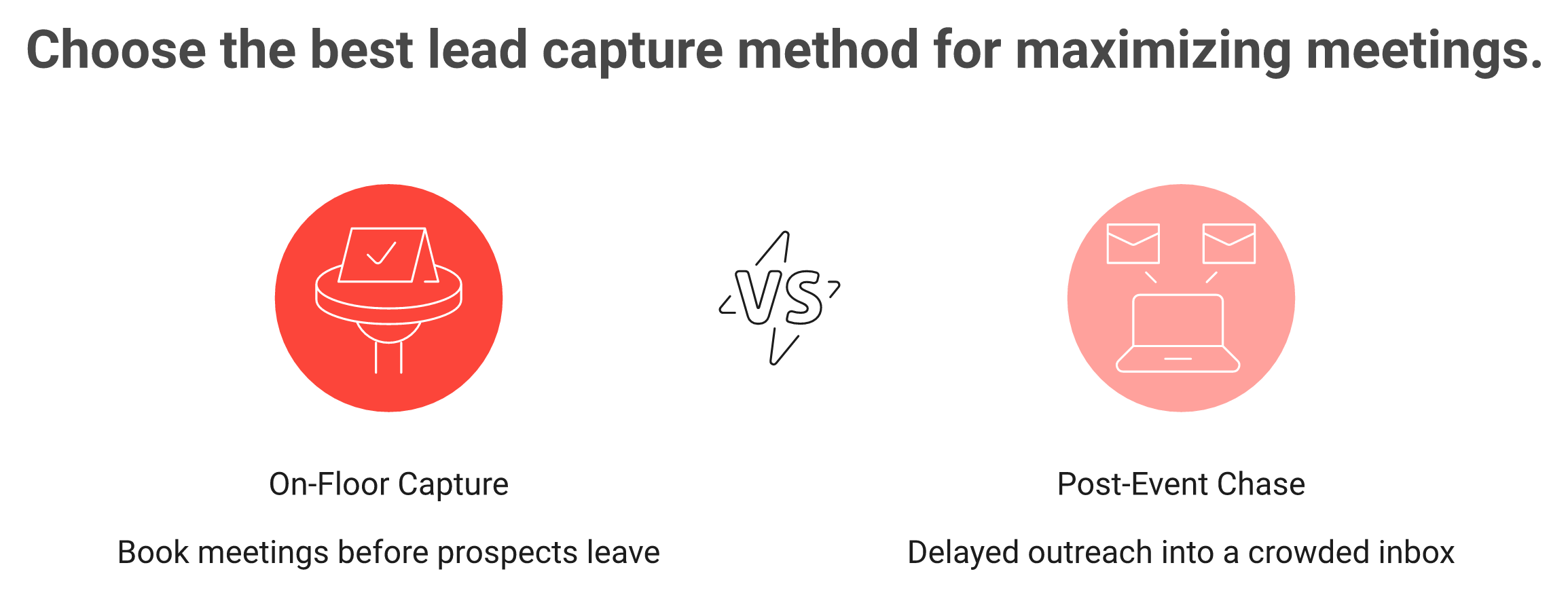
The gap is stark. On the floor, teams running a capture-and-book motion see LTM around 52%, against an industry average closer to 8% for the old post-event chase. No badge scanner tracks this at all, because a badge scanner's job ends at the contact.
I will be honest about where this can go wrong later in the guide. But the root cause is not the app you picked. It is treating the scan as the goal instead of the starting gun.
Q3. What separates a great business card scanner from a junk one? [toc=3. Evaluation Criteria]
A great scanner nails five things: OCR accuracy on messy real-world cards, native real-time CRM sync (not CSV export), deduplication when multiple reps scan the same person, offline reliability at rush hour, and a built-in follow-up or meeting-booking step. A junk one gets the photo right, then abandons you at the handoff to your CRM.
🧪 Why these criteria, not the shiny ones
Vendors love to show you gamification wheels and badge-design themes. None of that matters at 2pm on Day 2 when your booth is slammed and the app hesitates. When a tool stalls, reps do not troubleshoot. They revert to snapping photos on their phone, and your clean-data system is dead for the rest of the show.
So I judge scanning tools on the boring stuff that survives a real convention floor. Here is the rubric I would hand any Field Marketer building a shortlist, and it mirrors what a strong lead capture app for trade shows should deliver.
Business Card Scanner Evaluation Rubric
Criterion
What "good" looks like
Why it decides the outcome
OCR accuracy
~90%+ on standard cards, with a quick verify step
Bad email = dead lead, no matter how fast
CRM sync model
Native, real-time to Salesforce/HubSpot
CSV imports arrive days late and lose context
Deduplication
Merges when multiple reps scan one person
Duplicates poison CRM trust and reporting
Offline reliability
Captures with no signal, syncs on reconnect
Expo-hall Wi-Fi is hostile by design
Follow-up / booking
Books the meeting or queues the touch on-floor
This is where pipeline is actually made
Attribution
Per-show pipeline and LTM reporting
Answers the CFO's "what did we get?"
⚠️ The honest trade-offs
No tool aces every row, and anyone who claims otherwise is selling. There are two real tensions worth naming.
First, accuracy versus speed. Some seasoned operators argue app OCR is slower than snapping a photo and handing it to an assistant to transcribe. For low volume, they are not wrong, which is a debate I will settle in the next section.
Second, free versus CRM-native. Free apps cost nothing and give you nothing downstream. CRM-native tools cost money and save your RevOps team a week of cleanup. Your show volume decides which pain you would rather have, and a look at what B2Brain costs per event makes that trade concrete.
Two criteria on that list, in-booth meeting booking and per-show attribution, are where most scanners simply have no answer. A rented badge scanner has no concept of a booked meeting. That gap is the wedge, and it is exactly the layer B2Brain was built to fill for booth teams: capture with context, book the meeting on the floor, and report the pipeline. Judge every tool on this rubric, and the "best scanner" question starts answering itself.
Q4. Paper card, QR code, or NFC tap: which format should you capture? [toc=4. Paper vs Digital]
Paper cards still dominate industrial trade-show floors, but QR-code and NFC (near-field communication, the tap-to-share chip in most phones) digital cards are rising. Digital formats skip transcription errors. Paper is universal but needs OCR. Either way, format is the easy part. Without a context note and real-time CRM sync behind it, a tapped contact blends into the sea of others just like a paper card.
🃏 The format landscape, honestly
Walk the floor at MODEX or FABTECH and paper is still king. Manufacturing and supply-chain buyers hand you a card without thinking twice. At a SaaS or design conference, you will see more phone taps and QR scans.
Three formats show up in practice:
Paper cards. Universal, no app required, but you have to OCR them and accept the accuracy hit.
QR codes. The other person scans and lands on your details, or you scan theirs. No hardware needed.
NFC / tap. One phone touches another and shares a card instantly, when both phones cooperate.
🔧 Where each one breaks
Digital cards feel modern, then stumble in the exact moment you need them. The most common failure is app-gating, where the recipient is forced to download something just to save you. Buyers say it plainly.
"I find it problematic that Blinq requires the person receiving my information to download the app... it gives the impression of being intrusive or shady." Sarah H. Blinq G2 Verified Review
"Too many people had issues reading the QR code, either their phone requested a download of the app or the code just didn't register at all. It worked correctly maybe 1/5 times in practice." Verified User in Construction Blinq G2 Verified Review
Paper has its own tax: OCR misreads accents and stylized fonts, so you verify by hand. There is no free format.
🧠 The part that actually matters
Here is my contrarian take, and I could be wrong, but it is what surfaces every season. Reps obsess over the coolest exchange, the slick tap, the branded QR. The format is not the differentiator. What happens after the exchange is.
A tapped contact with no note attached is just a name that will blend into 200 others by Friday. The operators who win scribble one distinct detail while it is fresh, "runs three DCs in Ohio, frustrated with dock scheduling," so the person does not dissolve into the crowd. Contact information is not where anything happens. Pipeline is.
That is why format-agnostic capture matters more than picking a side in the paper-versus-digital war. At B2Brain, we capture from a badge, a paper business card, or just a name typed in, then enrich and attach the conversation context, the kind of universal lead capture a booth actually needs. Tap, scan, or snap. Whatever the prospect hands you, the job is the same: get it clean, get the context, and get it into the CRM before they walk away. If you want to see it live, Book a Demo.
Q5. What are the best business card scanner apps for teams and events in 2026? [toc=5. Best Apps Ranked]
The strongest options in 2026 are B2Brain, iCapture, Captello, Popl, Momencio, Blinq, BoothIQ, and Mobly for teams, with CamCard, HiHello, and free Google Lens or Evernote Scannable for individuals. They differ less on scanning than on what happens next: native CRM sync, deduplication across reps, offline reliability, and whether they book the meeting on the floor or just enrich a contact list.
🏗️ The structural split nobody names
Before you compare logos, understand the three camps. They are not the same product with different pricing.
Badge scanners (the organizer's rental) give the show organizer the data and hand you a contact list. The workflow ends at a CSV.
Capture-and-enrich tools (Popl, Mobly, Momencio) grab the contact and bolt meeting-booking on as a feature.
Meeting-first tools book the discovery call at the booth, then attach the pipeline.
That last camp is where I think the category is heading, and it is the lens for this table. It is also the shortlist you want in any best event lead capture software review.
📊 The 2026 team shortlist
The 2026 Team Business Card Scanner Shortlist
#
Tool
Best for
CRM sync model
Documented weakness
1.1
B2Brain
Events + CRM pipeline
Native Salesforce/HubSpot, real-time, dedupe
iOS-first, Android/web still maturing
1.2
iCapture
Fixed-booth reliability
Native, but delayed for some
CRM lag reported by buyers
1.3
Captello
Booth engagement/gamification
CRM import
Per-show API kits run $700 to $1,200
1.4
Popl
Digital business cards
Native + export
Recipient account-gating friction
1.5
Momencio
Post-capture microsites
Native
Slow logins, SSO gaps
1.6
Blinq
Digital card sharing
Contact export
QR/app-clip reliability complaints
1.7
BoothIQ
On-floor meeting booking
Native
Newer, thinner track record
1.8
Mobly
AI event capture + enrich
Salesforce
Sync misses, duplicates
🔍 What buyers actually report
The pattern in reviews is consistent. Scanning is rarely the failure. The handoff to your CRM is.
"Sometimes Mobly can be finicky, where it doesn't sync all the leads I've scanned... we end up with a lot fewer than we expected." Verified User in Events Services Mobly G2 Verified Review
"I didn't really use Popl because it didn't scan bar codes like I thought it would. Scanning badges should have given the name and contact info, but it didn't work." Drew D. Popl G2 Verified Review
"Every time we have a show with lead scanning, I have to purchase an API kit that costs between $700 to $1,200. It's become costly." RebeccaGrace K. Captello G2 Verified Review
💰 The badge-scanner trap
Here is my blunt take on the organizer's rented scanner, at roughly $600 per device per show. Do not trust it as your system. It collects leads for the organizer and does very little for you. The CSV lands, and the leads get acted on three months later, if ever. This is the core problem with any conference badge scanner used as your primary tool.
⭐ For individuals, not booths
If you are a solo networker, CamCard and HiHello are solid, and free Google Lens or Evernote Scannable handle a light stack fine. But none of these are built for a five-rep booth under hostile Wi-Fi. For that, you want a real lead capture app for trade shows.
That is the gap we built B2Brain for booth teams: capture with context, sub-30-second in-booth booking with a dual calendar invite, and a real-time synced record with dedupe. I will be honest, our Android and web experience still trails our iOS app. If your team is Android-heavy, weigh that. But on the outcome that matters, booking the meeting before the prospect walks away, this is the camp I would shortlist first. You can see how event lead capture works end to end.
Q6. Manual photo-and-transcribe vs automated OCR: which is actually faster? [toc=6. Manual vs Automated]
For one or two cards, snapping a photo and having an assistant transcribe it can beat fiddly app OCR (optical character recognition). But at a booth scanning 30-plus cards a day, manual transcription buries you in cleanup and a 48-hour lag. The rule: manual for low volume and odd cards; automated CRM-synced capture once speed-to-lead and deduplication matter.
📸 The rep who reverted to photos
You have probably lived this. Someone buys a scanner app, tries it at the booth, fights the OCR on a glossy card, and by lunch is just snapping photos again. That reversion is the real signal.
It does not mean OCR is bad. It means the tool lost the reliability test at rush hour, and reps always fall back to what never fails: the camera.
⚖️ Both sides are right, at different volumes
Seasoned operators make a fair case for manual. One direct-response marketer, Perry Belcher, describes his method plainly: take a photo of the front and back, send it to an assistant, done. At his volume, it is genuinely fast.
The other side, argued by operators like Accelevents' Jon Kazarian, is consolidation. Get everything in one house and integrate it with the CRM, so nothing lives in a camera roll waiting on a human. Think of it like debugging. Manual works until the volume scales, then the cracks show. This is the case for universal lead capture.
Here is the honest split:
Manual Transcription vs Automated OCR Capture
Factor
Manual photo + transcribe
Automated OCR capture
Low volume (under ~10)
Fast, flexible
Fiddly, overkill
High volume (30+/day)
Cleanup buries you
Wins clearly
Odd/foreign cards
Human handles nuance
Error-prone
CRM speed
48-hour lag typical
Real-time
Dedupe
Manual, painful
Automatic
⏰ The tipping point is volume
My read, and I could be wrong on the exact number, is that the crossover sits around 31 scans a day. That is roughly what a productive booth rep captures. Below it, manual is defensible. Above it, automation is not a luxury, it is the only way to keep speed-to-lead intact.
This is where I think the "OCR is slower" critique quietly gets it backwards at scale. The scan is not the slow part. The transcription, the cleanup, and the 48-hour delay are. At B2Brain, we built voice-first capture for exactly this moment: tap once, talk for about 30 seconds, and get a structured CRM record out in roughly 4.2 seconds, about a fifth of the time typed notes take. Automation only wins if it is faster than the camera. That is the bar.
Q7. How do you get clean contact data every time (accuracy, enrichment, dedup)? [toc=7. Clean Data Workflow]
Clean data comes from three habits: verify the name and email at capture (OCR misses accents and decorative fonts), enrich against a source you trust rather than a noisy third-party waterfall, and deduplicate when multiple reps scan the same person. Skip these and you hand RevOps (revenue operations, the team that owns CRM data) a CRM full of duplicates and dead emails.
🧹 Why "clean" is the whole game
I once watched a post-show mess where the rented scanner system did not talk to the sales system. The CRM was chaos. Names would not match, images were missing, and nobody trusted the file.
That is the outcome you are fighting. A scan is only useful if RevOps trusts it enough to route it. Here is the four-step workflow that keeps data clean at the source, the kind of discipline that makes lead capture into Salesforce actually usable.
✅ The four-step clean-data workflow
Verify at capture. Eyeball the name and email while the person is still in front of you. OCR misses accents, stylized fonts, and non-Roman scripts. Fifteen seconds now saves an hour later.
Enrich from a source you trust. A noisy third-party waterfall guesses. Enriching against your own CRM pipeline data, the records you already believe, beats a cold database. Buyers feel the difference on odd badges.
Deduplicate across reps. At a busy booth, two reps scan the same buyer. Without smart merge, that is two records and a confused follow-up. Dedupe at capture, not in a monthly cleanup.
Confirm the sync. The record should land in Salesforce or HubSpot with a visible "added" confirmation. No confirmation means no trust, and reps stop believing the tool.
⚠️ What buyers report going wrong
The complaints are specific and repeatable.
"The app is a little buggy! I think the contacts made a few duplicates." Verified User in Consumer Goods Mobly G2 Verified Review
"It was challenging to get it to sync with Salesforce. I also wish we were able to get more contact matches on attendee lists. The cost of matches per contact... is kinda high." Ece K. Mobly G2 Verified Review
I will be honest about our own gap here. Our third-party enrichment depth is lighter than Popl, Mobly, or Momencio. We made a deliberate bet: enrich from the customer's own CRM pipeline, which they already trust, rather than a noisy prediction database.
That bet is the point. At B2Brain, dedupe, verify, and native sync run on one shared intelligence layer before, during, and after the show. Clean contact data is not a post-show cleanup project. It is a capture-moment discipline, and the tool should enforce it so RevOps never inherits the mess.
Q8. What is the fastest follow-up workflow after you scan a card? [toc=8. Follow-Up Playbook]
The fastest workflow sends a personal, context-rich touch within minutes, while the prospect still remembers the conversation, and ideally books the meeting before they leave the booth. Waiting "a few days to let them settle" is how you land in an inbox with forty identical emails and convert almost none of them.
🏃 Speed-to-lead is the whole ballgame
I keep coming back to one operator truth: the money at a show is made in the follow-up. And follow-up is not a Monday task. It is a same-hour reflex.
The decay curve is brutal. Reach out inside two hours and you convert near 85%. Wait a week and it falls to around 9%. Speed is not a nice-to-have. It is the variable.
📋 The five-step booth follow-up playbook
The five-step playbook that books commitment at the booth instead of chasing cold inboxes.
Capture with context. Do not just save the badge. Attach one distinct detail, "runs three DCs, hates dock scheduling," so future-you knows why this person matters.
Verify within 15 minutes. Check the email while it is fresh. A dead email is a dead lead, and you cannot fix it from the plane home.
Send the same-hour touch. Within minutes of them walking away, a simple "great meeting you at booth 412" lands while your face is still in their memory. A selfie at the booth makes it stick.
Book the meeting on the floor. This is the step almost everyone skips. Do not promise to "circle back." Pull the AE's calendar and book the 30-minute discovery call before they leave.
Attribute it in the CRM. Route the booked meeting to the right AE and tag it to the show, so the pipeline is traceable later.
❌ Why the post-event email myth fails
Here is the popular playbook I would challenge. "Send a nice email sequence a few days after the show." My read is that it is mostly dead. Reply rates on those blasts sit under 5%, because your prospect is now home, buried, and staring at forty identical "great to connect" emails.
I watched this play out at a Chicago print expo experiment where the delayed-email approach failed roughly 95% of the time. The lesson stuck: commitment happens at the booth, not in a drip campaign.
🎯 Turning the scan into a number
This is the exact motion B2Brain was built around, what we call the Golden Workflow: Scan, Add Context, Execute the Next-Best-Action. Today the most common Next-Best-Action is booking the meeting, with a dual calendar invite to both the prospect and the right AE, synced to your CRM. If you want to see this on the floor, it is worth a walkthrough.
That workflow is what moves the metric we track, Leads-to-Meeting. On the floor, teams see LTM around 52%, against an industry average near 8% for the post-event chase. Speed becomes commitment, and commitment becomes pipeline. That is the difference between a stack of scanned cards and a Monday pipeline review where you can actually answer "where is the pipeline?" with a number. To see it on your own show, Book a Demo.
On the floor, teams book meetings at roughly 52% versus 8% for the post-event chase.
Q9. How much do business card scanners cost, and what's the real cost of a lost lead? [toc=9. Pricing vs Lost-Lead Cost]
Free apps cost nothing but leave you cleaning data by hand. Per-event and annual tools run from a few hundred to several thousand dollars, and organizer badge-scanner rentals average around $600 per device per show. Against a $35,000 booth, the expensive line item is not the app. It is the leads that never get followed up.
💰 What each tier actually costs
Pricing in this category comes in four shapes. Match the shape to how often you exhibit, not to the sticker price. If you want the full breakdown, see how free lead capture apps compare.
Business Card Scanner Pricing by Tier
Tool type
Cost shape
What you get
Free apps (Google Lens, Scannable)
$0
A scan, manual cleanup, no CRM sync
Individual apps (CamCard, HiHello)
~$5 to $15/user/month
Scanning, basic export
Organizer badge scanner
~$600/device/show
A CSV, owned by the organizer
Team event platforms
Several hundred to ~$8K/year
Sync, dedupe, booking, attribution
The organizer rental deserves a hard look. You are effectively renting a scanner to access your own leads, and the data lands late. That is the recurring complaint with any rented conference badge scanner.
🧮 The math that reframes the whole question
Here is the operator lens I would bring to any budget conversation. A booth can run $35,000 just on the build, before flights, staff, or the space itself. Cost per head at a show often lands between $300 and $450.
So the app fee is rounding error. The real cost sits in the leads you paid $400 a head to meet and then never worked.
Run it forward. A qualified event meeting tends to cost around 60% of an outbound meeting and roughly 40% of paid acquisition. When the follow-up works, a $100K event spend can point at $300K to $400K in pipeline, the kind of offline to pipeline return that justifies the show. When it does not, that spend just funds a shoe box. You can pressure-test your own numbers with an event ROI calculator.
⏰ Cost-per-booked-meeting, not cost-per-app
The honest metric is cost per booked meeting, not the monthly fee. A cheap app that produces zero meetings is the most expensive option on the table.
This is why we made B2Brain's first event free. My read is that you should not have to gamble budget to see whether the offline-to-pipeline motion, capture the context, book the meeting on the floor, produces a real number. Run one show, count the booked meetings, and compare that to what your last rented CSV actually converted. You can review what B2Brain costs per event before you commit. The pricing question answers itself once you measure the outcome instead of the tool.
Q10. How do you prove the ROI of the cards you scanned to your CFO? [toc=10. Prove the Pipeline]
You prove ROI by attributing every scanned card to an event campaign in Salesforce or HubSpot on day one, then tracking sourced and influenced pipeline through to closed revenue. "We scanned 400 badges" is not an answer. "This show sourced $380K in pipeline and 12 meetings" is the number a CFO can act on.
📉 The question that ends the QBR badly
Picture the Monday after an $80K show. The CFO asks a simple thing: what pipeline did we get? And the room goes quiet, because all anyone has is a badge count.
I have sat beside Field Marketers in that exact moment. A contact count is not an answer to a money question. It is the fastest way to lose next year's budget.
🧩 The attribution setup that works
The fix is a discipline, not a dashboard. Get it in place before the show, not after. Solid lead capture into Salesforce is the foundation.
Campaigns first. Every event should live in your CRM as a campaign. No campaign, no attribution.
Sourced versus influenced. Track which pipeline the event created (sourced) and which it helped move (influenced). Both count, differently.
LTM as the leading metric. Leads-to-Meeting, the share of conversations that became booked meetings, tells you within a day whether the show worked.
One operator framing I trust: all of your events should be living in Salesforce, organized by campaign, because tracking sourced versus influenced pipeline is how you know if that event was worth it. And qualification matters, since a large share of lost sales trace back to leads that were never properly qualified in the first place.
🎯 The report that earns renewal
The artifact that changes the QBR is a per-show pipeline report, delivered fast enough to matter. Numbers three weeks late are trivia. Numbers the next morning are ammunition.
This is the job B2Brain's morning-after offline-to-pipeline report was built for. By 9am, the Field Marketer can show the CMO pipeline sourced, meetings booked, LTM, and attribution broken out by show, booth area, rep, and segment, the kind of event intelligence that survives scrutiny. My honest view is that the category is shifting up the stack, away from "how many did we scan" and toward "what pipeline can you prove." We are the brain behind that report, so the Field Marketer walks into the review as the hero, holding a number instead of an apology. See how event lead capture works across the three motions.
Q11. Which business card scanning method should you choose? [toc=11. Quick Decision Guide]
Choose by scenario. Solo networkers want CamCard, HiHello, or free Google Lens. Small booths want a simple CRM-syncing app. Multi-rep B2B teams on Salesforce or HubSpot want an event lead-capture platform with deduplication, in-booth booking, and attribution. Enterprise programs want offline reliability at scale and per-show pipeline reporting.
🧭 Match the method to your reality
There is no single best tool. There is a best tool for your volume, your stack, and how often you exhibit. Here is how I would route it, and it lines up with most best app for events guidance.
Which Business Card Scanning Method to Choose
Your situation
Choose
Why
Solo networker, a few cards
CamCard, HiHello, Google Lens
Cheap, no CRM overhead needed
Small booth, occasional show
Simple CRM-syncing app
Sync without heavy setup
Multi-rep B2B team, CRM in stack
Event platform (booking + attribution)
Dedupe, on-floor booking, pipeline proof
Enterprise, many shows/year
Reliability-first platform
Offline scale, per-show reporting
⚠️ When NOT to use each
Honesty keeps you out of a bad purchase. Do not put an enterprise event platform behind a solo networker, it is overkill and overspend. And do not send a five-rep booth into a free app, it will collapse at rush hour and your reps will revert to phone photos. A purpose-built lead capture app for trade shows is the middle path.
The line I would draw is simple. If you exhibit 5 to 15 times a year, run Salesforce or HubSpot, and answer to a pipeline number, you are in meeting-first territory. That is the band B2Brain is built for booth teams, and frankly, if you are a consumer-facing solo booth with no CRM, we are the wrong call, and I would rather tell you that now.
🔮 Where I think this goes next
Here is the question I am sitting with as we head deeper into 2026. The scan has become a commodity, so differentiation is climbing up the stack toward pipeline activation, the booked meeting, and provable attribution.
My hypothesis is that within 18 months, "how many did you scan" stops being a serious question entirely, and "what was your Leads-to-Meeting rate" replaces it in every QBR. I could be wrong on the timeline. If you run booths for a living, I would genuinely like to hear whether that shift is already showing up in your own pipeline reviews, or whether the badge count still rules your Monday morning. If you want to test the meeting-first motion at your next show, Book a Demo.
FAQ's
What is the best way to scan business cards in 2026?
The best way pairs strong OCR accuracy with native CRM sync and a same-hour follow-up step. The scan itself is easy. Capturing clean data and acting within 48 hours is what turns a card into pipeline.
We judge any method on three jobs, in order:
Accuracy, roughly 90% on standard cards, with a quick verify for the name and email.
Native CRM sync, so the contact lands in Salesforce or HubSpot in real time, not as a CSV you import days later.
A follow-up step, ideally booking the meeting before the prospect walks away.
For a handful of cards, free tools like Google Lens are fine. A five-rep booth under hostile Wi-Fi is a pipeline problem, not a photo problem. That is where a real universal lead capture workflow earns its place, capturing context and syncing clean records the moment the conversation happens.
Why do most scanned business cards never turn into pipeline?
Most scanned cards die because capture gets treated as the finish line. Roughly 87% of event leads are never properly followed up, and a clean scan sitting in a spreadsheet for three days is functionally a lost lead.
The reason is decay:
Reach out within about two hours and your odds sit near 85%.
Wait a week and that collapses to roughly 9%.
The rented badge scanner is a shoe box with a battery. It saves the contact and ends at a CSV that gets acted on months later, if ever.
The fix is owning your lead data the moment the conversation happens, with context attached and synced before the rep walks to the next aisle. We track that outcome as Leads-to-Meeting, and you can see the offline to pipeline motion that moves it, capture with context, then book the meeting on the floor.
Is manual photo-and-transcribe faster than automated OCR scanning?
For one or two cards, snapping a photo and handing it to an assistant can beat fiddly app OCR. At a booth scanning 30-plus cards a day, manual transcription buries you in cleanup and a 48-hour lag.
Here is the honest split:
Under about 10 cards, manual is fast and flexible.
Past roughly 31 scans a day, automation wins clearly on speed, dedupe, and CRM sync.
Odd or foreign cards, a human still handles nuance better than OCR.
The scan is rarely the slow part. Transcription, cleanup, and the delay are. Automation only wins if it is faster than the camera, which is the bar we set. Our voice-first capture takes a tap and about 30 seconds of talking, producing a structured CRM record in roughly 4.2 seconds, about a fifth of the time typed notes take. See how event lead capture works at booth volume.
How do you get clean contact data and avoid CRM duplicates from scans?
Clean data comes from three habits done at the moment of capture, not in a monthly cleanup that RevOps dreads.
Verify at capture, eyeball the name and email while the person is in front of you, since OCR misses accents and stylized fonts.
Enrich from a source you trust, your own CRM pipeline beats a noisy third-party waterfall that guesses.
Deduplicate across reps, because two reps scanning one buyer creates two records and a confused follow-up.
Then confirm the sync. The record should land in Salesforce or HubSpot with a visible confirmation, or reps stop trusting the tool.
We are honest that our third-party enrichment depth is lighter than some rivals; we bet on enriching from the customer's own CRM instead. Dedupe, verify, and native sync run on one shared layer, which is how lead capture into Salesforce stays clean enough to route without cleanup.
How much do business card scanners cost, and how do you prove ROI?
Free apps cost nothing but leave you cleaning data by hand. Individual apps run about $5 to $15 a user per month, organizer badge-scanner rentals average around $600 per device per show, and team platforms run from a few hundred dollars to about $8,000 a year.
Against a $35,000 booth, the app fee is rounding error. The real cost is the leads you paid $300 to $450 a head to meet and never worked.
To prove ROI, we attribute every card to an event campaign in the CRM, then report:
Sourced versus influenced pipeline.
Meetings booked and the Leads-to-Meeting rate, about 52% on the floor versus 8% for the post-event chase.
The honest metric is cost per booked meeting, not cost per app. You can pressure-test the numbers with an event ROI calculator, then review what B2Brain costs per event before committing budget.
Enjoyed the read? Join our team for a quick 30-minute chat — no pitch, just a real conversation on how we’re rethinking Event Intelligence in B2b.

.png)


.webp)

.png)





