8 Best Lead Capture Apps for Events: Badge Scanning, CRM Integration, Custom Qualifying Forms, and Offline Reliability
Written by
Sridhar Ranganathan
Last Updated :
July 21, 2026
Skim in:
13
mins
TL;DR
The eight lead capture apps we compare (B2Brain, iCapture, Captello, Popl, Momencio, Blinq, BoothIQ, Mobly) barely differ on scanning; they split on what happens after the scan.
Offline reliability is the adoption-killer, since expo Wi-Fi collapses at peak hours and reps abandon any app that lags mid-rush.
Native, real-time Salesforce and HubSpot sync with dedup and attribution beats a CSV import, and bad enrichment (60 to 70% correct emails) is worse than none.
Custom qualifying forms and in-booth meeting booking turn a badge into revenue pipeline, since a meeting booked on the floor beats post-show outreach with sub-5% reply rates.
Judge cost per booked meeting, not sticker price, against the roughly $600 per-device organizer scanner rental and a $70K booth ROI target.
Prove trade-show ROI with the Leads-to-Meeting metric (about 52% on the floor versus roughly 8% post-event) and match the tool to the metric your team owns.
Q1: What Are the 8 Best Lead Capture Apps for Events in 2026 (and Why an App Beats a Rented Scanner)? [toc=1. Best Lead Capture Apps]
The best lead capture apps for events in 2026 are B2Brain, iCapture, Captello, Popl, Momencio, Blinq, BoothIQ, and Mobly. They barely differ on badge scanning. They differ sharply on what happens after the scan: real-time CRM sync, custom qualifying forms, offline reliability, in-booth meeting booking, and whether a scan becomes attributable pipeline. An app you own beats the organizer's rented scanner, which hands back a cold CSV days late.
The scene most exhibitors know too well
It's 4pm on Day 2 of a show like MODEX. The booth is slammed. A rep scans a badge, means to write a note later, and never does. That night, forty conversations blur into a list of names.
Three days after the show, the organizer emails a CSV file. Nobody remembers who was hot. The boss asks a simple question in the Monday pipeline review: "Where is the pipeline?" The team has a contact list, not meetings.
I have watched this play out at dozens of booths. The problem was never the scan. The problem is that a scan saves a contact and loses the conversation. That gap is what a real lead capture app for trade shows closes.
Why this decision is high-stakes
You already spent the money. A single booth runs anywhere from $20,000 to $200,000 per show once you add space, travel, and build. That cash is sunk before a single lead is scanned.
Lead value decays fast. Conversion runs around 85% within two hours of a conversation and falls to roughly 9% after a week. The badge-scan dump that arrives 72 hours later is already most of the way dead.
So the app you pick is not a small tooling choice. It decides whether that sunk booth spend turns into meetings your CFO can see through a proper offline to pipeline workflow, or a spreadsheet nobody acts on.
Our Evaluation Criteria
I picked criteria that actually move the buying decision for an event lead capture app. Nice-to-haves got cut.
On-floor capture speed: Scan-to-note latency at a busy booth. Slow apps get abandoned mid-show.
Offline reliability: Whether the app keeps working when expo-hall Wi-Fi dies, then syncs on reconnect.
CRM sync model: Native real-time sync to Salesforce or HubSpot, versus a CSV you import by hand later.
Custom qualifying forms: Whether reps can score a lead hot, warm, or cold and add context at the booth.
In-booth meeting booking: Whether the tool books the follow-up meeting before the prospect walks away.
Pipeline attribution: Per-show pipeline reporting the CMO or CFO will accept.
Pricing model: Per-event, annual, seat-based, or organizer per-device rental (about $600 per device per show as the reference).
Vertical fit: Whether it holds up for industrial buyers at shows like IMTS, ProMat, or DISTRIBUTECH.
Who This Guide Is For
Field and Event Marketing heads who must prove per-show pipeline to the CMO or CFO.
VP Sales and CROs running the booth-ROI math, whose reps are paid on meetings booked.
Founders taking a growth-stage B2B company to its first major US show.
RevOps leads who own CRM hygiene, dedup, and attribution.
Teams switching off an organizer conference badge scanner, iCapture, Captello, Popl, Momencio, or Blinq.
Simple Provider List
B2Brain: Best for field marketers and revenue teams who need on-floor booked meetings and per-show pipeline, not just a contact list.
iCapture: Best for enterprise exhibitors who want proven offline reliability and high-volume CRM routing across many shows.
Captello: Best for teams that want booth gamification and interactive lead capture with deep integrations.
Popl: Best for sales reps who want fast contact exchange built on digital business cards.
Momencio: Best for teams that want post-scan content microsites and engagement scoring.
Blinq: Best for teams that value universal scanning, AI enrichment, and the largest review base for social proof.
BoothIQ: Best for teams shopping specifically for AI-assisted, follow-up-focused lead retrieval.
Mobly: Best for field-revenue teams that want AI-powered capture with email-on-scan follow-up.
Master Comparison Table
8 Best Lead Capture Apps for Events Compared
Provider Name
Best For
Key Strength
Pricing Model
B2Brain
Field marketers proving per-show pipeline to the CMO
On-floor meeting booking plus the owned LTM metric on one Before/During/After layer
Per-event (Show Pass) and annual (Pipeline plan); first event free
iCapture
Enterprise teams routing high lead volume across many shows
Teams wanting booth gamification and interactive capture
Gamification plus 6,000+ integrations
Custom quote; seat and module based
Popl
Reps wanting fast contact exchange
Digital business card core with NFC/QR scan
Freemium plus per-user subscription
Momencio
Teams wanting post-scan content microsites
LiveMicrosite content delivery and scoring
Subscription; not fully publicly disclosed
Blinq
Teams valuing review-backed social proof
Universal scanning and AI enrichment
Freemium plus per-user paid tiers
BoothIQ
Teams shopping AI-assisted follow-up
AI-positioned lead retrieval and follow-up
Pricing not publicly disclosed
Mobly
Field-revenue teams wanting email-on-scan
AI capture with immediate follow-up email
Pricing not publicly disclosed
I ranked from 1.1, but read this as a shortlist, not a verdict. The right pick depends on the metric your team is measured on. Now, the detail behind the top two entries.
1.1 B2Brain [toc=1.1 B2Brain]
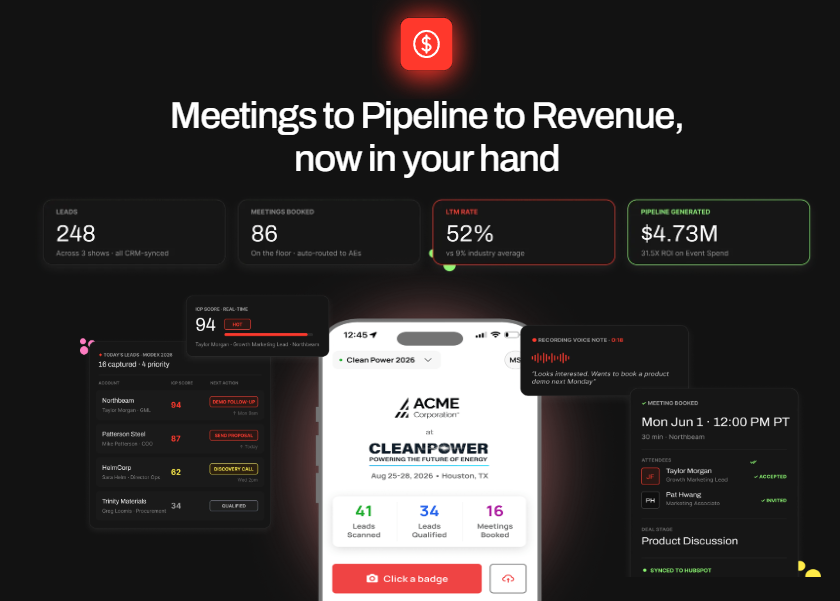
B2Brain turns booth scans into booked meetings, a 52% LTM rate, and attributable pipeline.
📍 Overview
B2Brain is an event lead capture app built for B2B teams whose pipeline comes from trade shows and industry events. It is not a badge scanner and it is not "lead retrieval" as an identity. We built it as an offline-to-pipeline layer: capture the conversation with context, book the meeting at the booth, and prove the pipeline afterward.
It serves field marketers, VP Sales, RevOps, and founders who run 5 to 15 shows a year and sell into industrial verticals like manufacturing, supply chain, and energy. You can see how event lead capture works across the full workflow.
🧰 Core Services
Voice-first capture: tap once, talk for about 30 seconds, and a structured CRM record comes out in roughly 4.2 seconds.
On-spot meeting booking that pulls the AE's live calendar and sends a dual invite before the prospect leaves.
Salesforce-native and HubSpot-native sync with show attribution and deduplication.
Pre-event briefings grounded in the customer's own CRM pipeline, not a cold prediction database.
A morning-after offline-to-pipeline report showing pipeline sourced, meetings booked, and LTM.
✅ Key Features
On-floor capture speed: Voice capture runs at about one-fifth the time of typed notes, so reps keep up during a booth rush.
Offline reliability: The iOS app works in hostile expo-hall Wi-Fi and syncs on reconnect.
CRM sync model: Native to both Salesforce and HubSpot, not "integrates with."
Custom qualifying forms: Context is captured by voice, then structured against ICP criteria live on the floor.
In-booth meeting booking: Books the 30-minute follow-up on the right AE's calendar before the prospect walks away.
Pipeline attribution: Per-show pipeline, LTM, and multi-touch attribution by show, booth area, rep, and segment.
🤔 Why Companies Consider B2Brain
The decision usually comes down to one question a field marketer dreads: "Where is the pipeline?" A badge scanner cannot answer it, because the workflow ends at the CSV. B2Brain answers it with a number.
The core idea is simple. Contact information is not where anything happens. Pipeline is where the buyer's world moves. So we score the tool on meetings booked and pipeline sourced, not scans collected, which is exactly what our booth-day workflow is built to do.
The owned number is the LTM (Leads-to-Meeting) metric, which is the share of booth conversations that become booked meetings. We see about 52% on the floor versus roughly 8% for typical post-event follow-up. No competitor tracks LTM at all.
👤 Ideal Customer Profile
Company size: 50 to 1,500 employees, Salesforce or HubSpot in the stack.
Vertical: manufacturing, supply chain and logistics, energy, and construction.
Buyer role: Field/Event Marketing head as champion; VP Sales and RevOps as co-buyers.
Shows per year: 5 to 15, with $20K to $200K spend per show.
Booth: 2 or more reps staffing the floor.
💰 Pricing
B2Brain uses a per-event Show Pass and an annual Pipeline plan, and the first event is free. You can review the Show Pass and Pipeline plans in detail. The natural comparison is the organizer's scanner rental at roughly $600 per device per show, which returns only a contact list.
🎯 When to Shortlist
You must report per-show pipeline and LTM to a CMO or CFO.
Your reps are paid on meetings booked, not leads scanned.
You sell into industrial verticals with long, multi-stakeholder cycles.
You want to test it cheaply first, using the first-event-free trial.
⚠️ When Not to Shortlist
You run solo booths or attend one-off events with no repeat program.
You are consumer-facing or have no CRM to sync into.
You need a native Android app today; the native app is iOS-only (Android runs as a web app).
You need the deepest third-party enrichment; Popl, Mobly, and Momencio push harder there.
You want a rep-side digital business card; B2Brain deliberately does not ship one.
I would rather name those gaps than pretend they don't exist. If you need a digital card and heavy enrichment above everything else, we are not your best fit, and I'll say so. If you want to see the fit for yourself, Book a Demo.
💬 Customer Reviews
"It doesn't just give data, but turns that data into actionable, revenue-driving work for our reps. The AI Conversation Summarization and Auto-CRM Entry feature is a standout, significantly better than other tools we've tried." Ole O. B2Brain G2 Verified Review
"Reporting is basic. We can see usage and lead stats, but there are no rep performance dashboards, no clear ROI reporting like time saved or deals influenced, and no team productivity trends." Ole O. B2Brain G2 Verified Review
1.2 iCapture [toc=1.2 iCapture]
Cvent iCapture unifies trade-show capture with standardized forms and no extra rental hardware.
📍 Overview
iCapture is a well-established lead capture and lead retrieval tool built for exhibitors who attend many shows and need dependable scanning at scale. It serves enterprise field and marketing teams that value proven reliability over an AI narrative.
It sits in the "capture and route" lane: scan the badge or business card, apply a qualifier, and push the lead into the CRM.
🧰 Core Services
Badge and business card scanning, including offline capture.
Custom qualifier questions per event.
CRM and marketing automation routing.
Multi-event, multi-rep lead management for large teams.
✅ Key Features
On-floor capture speed: Fast, purpose-built scanning trusted at high lead volumes.
Offline reliability: Long-standing strength; works without a live connection and syncs later.
CRM sync model: Deep integrations for routing leads into enterprise CRMs.
Custom qualifying forms: Configurable qualifier questions, a genuine strength.
In-booth meeting booking: Not a core function; iCapture centers on capture and routing, not on booking the meeting.
Pipeline attribution: Reports on capture and lead flow, but does not track an on-floor meeting-conversion metric.
🤔 Why Companies Consider iCapture
Buyers pick iCapture when reliability is the whole point. If you scan thousands of badges across a show season, an app that never drops a lead is worth a lot.
The structural trade-off is where the workflow stops. iCapture is excellent at getting the lead into the CRM, but the pipeline question, whether that lead became a booked meeting, is left to the SDR team afterward. If you want that meeting booked on the floor instead, compare it against a head-to-head breakdown of iCapture.
👤 Ideal Customer Profile
Company size: mid-market to enterprise exhibitors.
Vertical: broad, with strength in high-volume trade-show programs.
iCapture uses an annual subscription, commonly referenced around $8,000 per year, with custom quotes for larger deployments. It is priced as a season-long platform, not a single-event rental.
🎯 When to Shortlist
You attend many shows and need battle-tested offline capture.
You want strong custom qualifier fields for personalized follow-up.
You are standardizing capture across a large, multi-rep team.
⚠️ When Not to Shortlist
You need the follow-up meeting booked at the booth; that is not iCapture's design.
You want a single on-floor meeting-conversion metric like LTM.
You attend only a couple of shows and cannot justify an annual platform cost.
💬 Customer Reviews
"iCapture is easy to use, connects to every event, and syncs to our CRM. Setup for each show is straightforward and the offline mode has never let us down on the floor." Verified User iCapture G2 Verified Review
1.3 Captello [toc=1.3 Captello]
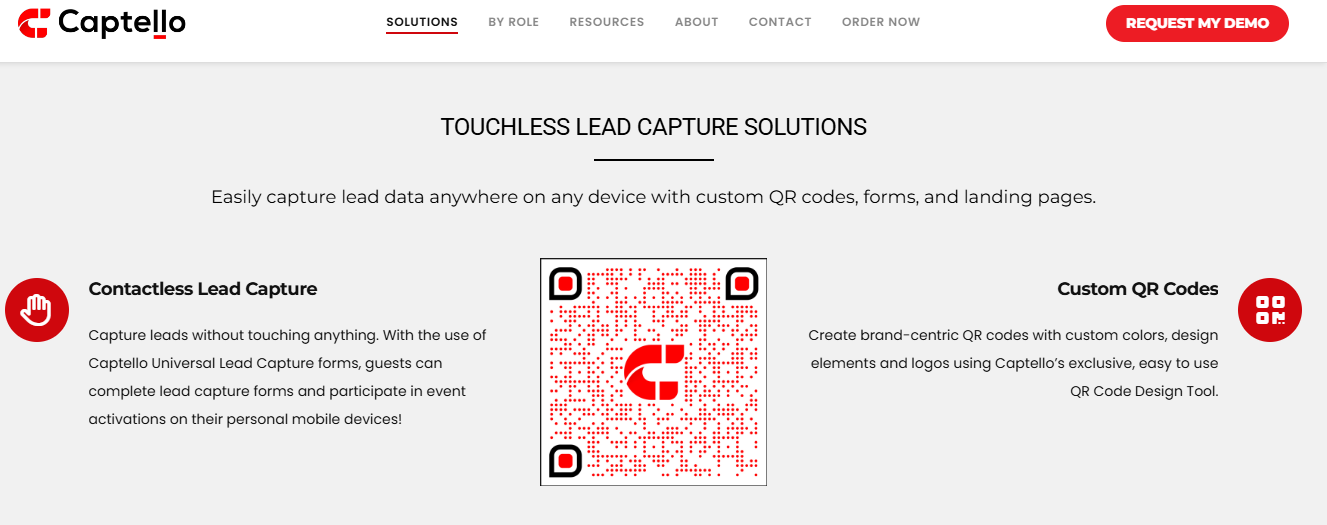
Captello enables touchless event lead capture through custom QR codes, forms, and branded landing pages.
📍 Overview
Captello is a lead capture and event engagement platform built around booth games, interactive activations, and universal lead capture. It serves marketing teams that want to draw a crowd at the booth and route the captured leads into a CRM.
It sits in the engagement lane, where the pitch is attention first, capture second. If your real goal is turning that traffic into pipeline, see how offline to pipeline works.
🧰 Core Services
Universal badge and business card scanning across events.
Booth gamification, like spin-to-win and trivia, to pull traffic.
Custom lead capture forms and qualifiers.
Integrations into major CRM and marketing automation tools.
✅ Key Features
On-floor capture speed: Fast capture, with the engagement layer sitting on top.
Offline reliability: Supports capture at events; performance can depend on the venue's API kit.
CRM sync model: Broad integration library, with over 6,000 connectors advertised.
Custom qualifying forms: A genuine strength; buildable forms map into the CRM.
In-booth meeting booking: Not the core focus; the platform centers on engagement and capture.
Pipeline attribution: Reports on capture and engagement, not on-floor meeting conversion.
🤔 Why Companies Consider Captello
Buyers pick Captello when foot traffic is the problem. A well-run game gets people to stop, and the capture form does the rest.
The trade-off is cost shape and focus. One reviewer flagged repeated per-show API-kit fees, and the tool leads with engagement, not the booked meeting or the pipeline story.
👤 Ideal Customer Profile
Company size: mid-market to enterprise event teams.
Vertical: broad, strong in high-traffic consumer-adjacent and expo settings.
Buyer role: event marketing and brand teams.
Shows per year: several, often large booths.
Booth: staffed booths that need traffic and activations.
💰 Pricing
Captello uses a custom quote, typically seat and module based. Note the reviewer-reported add-on: an API kit per lead-scanning show, quoted between $700 and $1,200 in one review.
🎯 When to Shortlist
You need booth traffic and interactive activations.
You run large expo booths where a crowd matters.
You want buildable qualifier forms into your CRM.
⚠️ When Not to Shortlist
Your core need is booking the meeting at the booth, not drawing a crowd.
You want per-show pipeline and an on-floor conversion metric.
You dislike variable per-show hardware or API fees.
💬 Customer Reviews
"It has helped us capture leads faster. Every time we have a show with lead scanning, I have to purchase an API kit that costs between $700 and $1,200. It's become costly." RebeccaGrace K. Captello G2 Verified Review
"I like how it imports into our CRM and has a buildable form that we can create. It does not always work with every conference, if the conference does not provide an API kit for integration." Verified User in Consulting Captello G2 Verified Review
1.4 Popl [toc=1.4 Popl]
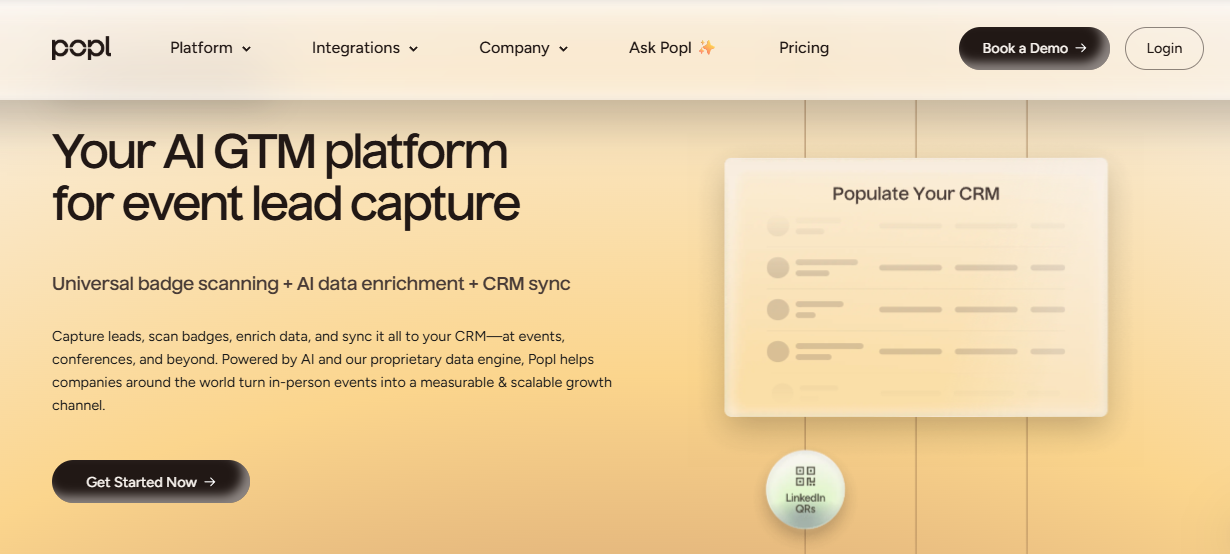
Popl pairs universal badge scanning with AI enrichment and CRM sync for event lead capture.
📍 Overview
Popl started as a digital business card tool and later added event lead capture. It serves reps who want to share their own contact details fast, then collect leads through QR forms.
It leads with the rep-side card, so event capture is a newer, secondary motion. Teams weighing it against dedicated capture often review Popl alternatives first.
🧰 Core Services
Digital business cards over NFC tap and QR scan.
Lead capture forms at events.
Contact enrichment and CRM export.
Team card management for larger orgs.
✅ Key Features
On-floor capture speed: Fast contact exchange, though some users report a clunky save flow.
Offline reliability: Not clearly a strength; several reviewers report scan and sync trouble.
CRM sync model: Exports to CRM, but reviewers flag friction and account gates.
Custom qualifying forms: Lead capture forms exist; qualification depth is limited.
In-booth meeting booking: Bolted on, not the core design.
Pipeline attribution: Not a focus; the workflow centers on contact sharing.
🤔 Why Companies Consider Popl
Buyers pick Popl for the digital card. It looks modern, and reps like tapping a phone instead of handing out paper.
The structural gap is intent. Popl is built to share your card, not to qualify a booth conversation and turn it into pipeline. Several reviewers describe the recipient flow as cumbersome.
👤 Ideal Customer Profile
Company size: individuals to mid-market sales teams.
Vertical: broad, networking-heavy roles.
Buyer role: individual reps and sales managers.
Shows per year: variable; also used for daily networking.
Booth: works for small teams and solo reps.
💰 Pricing
Popl uses freemium plus a per-user subscription. Several reviewers call the annual cost high for what is largely a digital card.
🎯 When to Shortlist
Your reps mainly need a fast digital business card.
You network year-round, not just at booths.
You want a low-cost entry for individual users.
⚠️ When Not to Shortlist
You need deep lead qualification and booth context capture.
You want native, reliable CRM sync without account-gate friction.
Your goal is per-show pipeline, not contact exchange.
💬 Customer Reviews
"Lead capture is likely the most positive element of Popl. However, it's far too cumbersome when all someone wants is your contact information. Rather than simply adding a contact, Popl forces the recipient to complete numerous steps." Vadim E. Popl G2 Verified Review
"I didn't really use Popl because it didn't scan bar codes like I thought it would. Scanning badges should have given the name and contact info, but it didn't work when I tried it." Drew D. Popl G2 Verified Review
1.5 Momencio [toc=1.5 Momencio]
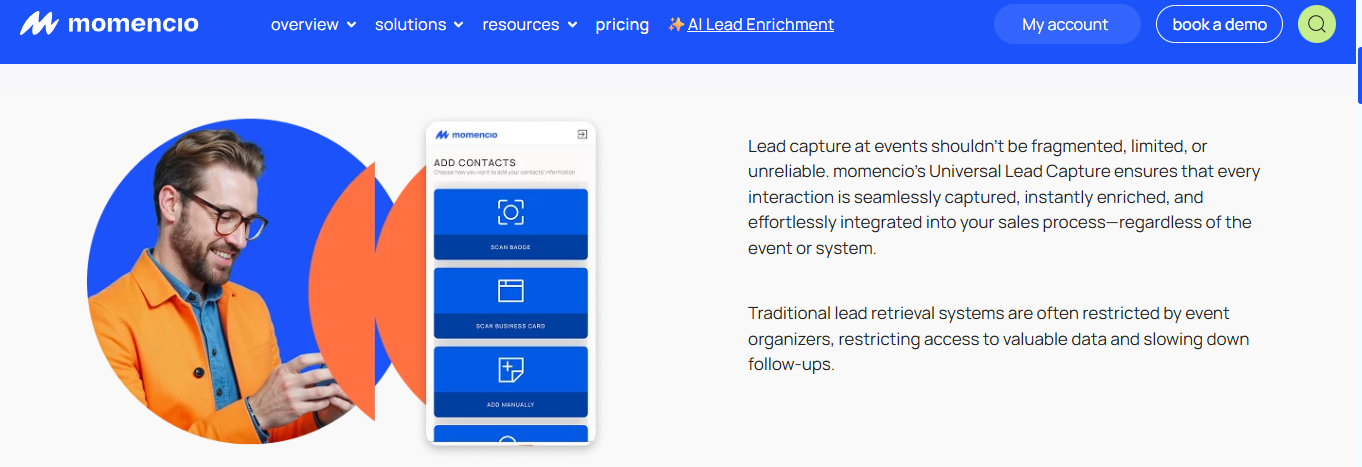
Momencio universal lead capture scans badges and cards, then enriches and syncs every interaction.
📍 Overview
Momencio is an event lead capture and engagement tool known for its LiveMicrosite feature, which sends prospects branded content after a scan. It serves marketing teams that want to nurture a lead with content right after the conversation.
It sits in the microsite and engagement lane.
🧰 Core Services
Badge and business card capture.
LiveMicrosite content delivery after capture.
Automated follow-up emails.
CRM integration and lead scoring.
✅ Key Features
On-floor capture speed: Effective capture with an automated follow-up email on scan.
Offline reliability: Not clearly detailed in available sources.
CRM sync model: Integrates with CRMs; one reviewer notes slow logins and SSO issues.
Custom qualifying forms: Supported, with content and engagement scoring.
In-booth meeting booking: Not the core focus; the emphasis is content follow-up.
Pipeline attribution: Engagement scoring, not an on-floor meeting-conversion metric.
🤔 Why Companies Consider Momencio
Buyers pick Momencio to keep the conversation warm with content. The microsite gives a prospect something useful to open right after they leave the booth.
The trade-off is that content follow-up is not the same as a booked meeting. The workflow still leaves the pipeline question to the sales team afterward, so it helps to know how event ROI is measured before you commit.
👤 Ideal Customer Profile
Company size: mid-market marketing teams.
Vertical: broad, content-driven B2B.
Buyer role: field and content marketers.
Shows per year: several.
Booth: staffed booths that lead with content.
💰 Pricing
Momencio uses a subscription model. Full pricing is not clearly disclosed in public sources.
🎯 When to Shortlist
You want branded content delivered right after capture.
You value post-event nurture and engagement scoring.
You need CRM integration for a content-led motion.
⚠️ When Not to Shortlist
Your goal is booking the meeting at the booth.
You need a single on-floor pipeline-conversion metric.
You need documented offline behavior before you commit.
💬 Customer Reviews
"The lead capture is benefitting me and making my work faster. Business card capture, once captured, it sends a follow up email. Logins are a little slow, and the single sign on does not work." Jia Li T. Momencio G2 Verified Review
"Lead scanning at events. Quick followups from sales team. Lead engagements. All of these things increase revenues for us and speed up deal closing cycles." Martin D. Momencio G2 Verified Review
1.6 Blinq [toc=1.6 Blinq]
📍 Overview
Blinq is a digital business card and relationship-intelligence tool that also offers event scanning. It holds the largest review base in the category, which buyers often read as social proof.
It serves teams that value a polished card, universal scanning, and enrichment. For a closer head-to-head, compare it in this Blinq comparison breakdown.
🧰 Core Services
Digital business cards.
Universal badge and QR scanning.
AI contact enrichment.
CRM integration and team management.
✅ Key Features
On-floor capture speed: Fast when it works, though some reviewers report QR and load issues.
Offline reliability: A weak point per reviewers, who cite failures in poor connectivity.
CRM sync model: Integrations exist; contacts can scatter across a phone's address book.
Custom qualifying forms: Basic lead forms; qualification depth is limited.
In-booth meeting booking: Not a core function.
Pipeline attribution: Not a focus; the tool centers on cards and enrichment.
🤔 Why Companies Consider Blinq
Buyers pick Blinq for the review wall and the clean card experience. With 8,800-plus G2 reviews, it feels like the safe, popular choice.
The honest trade-off surfaces in those same reviews: connectivity failures, app-clip friction for recipients, and contacts that get lost after a big show. Popularity is not the same as pipeline.
👤 Ideal Customer Profile
Company size: individuals to enterprise networking teams.
Vertical: broad, networking-heavy roles.
Buyer role: individual professionals and sales teams.
Shows per year: variable.
Booth: works for solo reps and teams.
💰 Pricing
Blinq uses freemium plus paid per-user tiers.
🎯 When to Shortlist
Your team mainly needs a strong digital card.
You want AI enrichment on scanned contacts.
Review-count social proof matters to your buying committee.
⚠️ When Not to Shortlist
You need reliable capture in weak convention-hall Wi-Fi.
You want booth conversations turned into booked meetings.
You need per-show pipeline reporting.
💬 Customer Reviews
"Blinq looks great and when it works it's a good user experience. Using the backend panel as an administrator is buggy and unreliable. If staff can't rely on it to work for all recipients then it's easier to use a different solution." Verified User in Hospitality Blinq G2 Verified Review
"It doesn't always work reliably when scanning the barcode, especially in places with poor internet connectivity. This has made it necessary for me to consider purchasing printed business cards as a backup." Kasha A. Blinq G2 Verified Review
1.7 BoothIQ [toc=1.7 BoothIQ]
📍 Overview
BoothIQ is an AI-positioned lead retrieval and follow-up tool for exhibitors. It serves teams shopping specifically for smarter capture and faster post-show follow-up.
It sits among the meeting-booking and follow-up challengers. Teams comparing this lane often start with the lead retrieval app landscape.
🧰 Core Services
Event lead capture and retrieval.
AI-assisted follow-up.
CRM export.
Lead organization across shows.
✅ Key Features
On-floor capture speed: Positioned for fast AI-assisted capture.
Offline reliability: Not clearly disclosed in available sources.
CRM sync model: Exports to CRM; native-sync depth not clearly disclosed.
Custom qualifying forms: Not clearly disclosed.
In-booth meeting booking: Marketed within the follow-up angle, though the three-phase workflow is not evident.
Pipeline attribution: Not clearly disclosed.
🤔 Why Companies Consider BoothIQ
Buyers look at BoothIQ when they want an AI-flavored alternative to the organizer scanner. The follow-up angle is the draw.
The gap is transparency. Much of the detail buyers need, offline behavior, native CRM depth, and pricing, is not publicly disclosed, so it belongs in a demo, not an assumption.
👤 Ideal Customer Profile
Company size: small to mid-market exhibitors.
Vertical: broad B2B.
Buyer role: sales and event teams.
Shows per year: variable.
Booth: small to medium booths.
💰 Pricing
Pricing is not publicly disclosed.
🎯 When to Shortlist
You want an AI-assisted capture-and-follow-up tool.
You are comparing meeting-booking challengers.
You can validate the gaps in a live demo.
⚠️ When Not to Shortlist
You need documented offline reliability up front.
You need proven native CRM sync depth.
You require a public, predictable pricing model.
1.8 Mobly [toc=1.8 Mobly]
📍 Overview
Mobly is an AI-powered event marketing and lead capture tool that emphasizes fast scanning and immediate follow-up, often an email on scan. It serves field-revenue teams that want capture plus enrichment in one flow.
It sits in the capture-and-enrich lane alongside Popl. For a deeper look, see this Mobly review.
🧰 Core Services
Badge and business card scanning.
Voice notes on capture.
AI data enrichment.
Salesforce and CRM export.
✅ Key Features
On-floor capture speed: User-friendly and quick, with a voice-notes feature reviewers like.
Offline reliability: A reported weak point; reviewers cite sync misses on weak Wi-Fi.
CRM sync model: Salesforce export, though some reviewers found setup difficult.
Custom qualifying forms: Customizable fields per market and persona.
In-booth meeting booking: Bolted on, not the core design.
Pipeline attribution: Not an on-floor meeting-conversion metric.
🤔 Why Companies Consider Mobly
Buyers pick Mobly to replace the legacy conference scanner with something that enriches data and keeps the conversation flowing. The voice-notes feature is a real plus at a busy booth.
The trade-offs are sync reliability and match cost. Reviewers report leads that silently fail to sync and per-contact match fees that add up.
👤 Ideal Customer Profile
Company size: mid-market field-revenue teams.
Vertical: broad B2B.
Buyer role: field marketing and sales.
Shows per year: several.
Booth: staffed booths.
💰 Pricing
Pricing is not publicly disclosed; reviewers note per-contact match costs on top.
🎯 When to Shortlist
You want AI enrichment and voice notes on capture.
You are replacing a legacy organizer scanner.
You value a clean, simple booth interface.
⚠️ When Not to Shortlist
You need rock-solid offline sync on a busy floor.
You want booth conversations converted into booked meetings.
You dislike per-contact match fees on top of the subscription.
💬 Customer Reviews
"I like that the interface is very user friendly. Sometimes Mobly can be finicky, where it doesn't sync all the leads I've scanned, or it's not syncing with the wifi. This can really affect the overall success of our event." Verified User in Events Services Mobly G2 Verified Review
"It was challenging to get it to sync with Salesforce. The cost of matches per contact, I think, is kinda high. The integration process was difficult for my team and took a long time." Ece K. Mobly G2 Verified Review
How We Evaluated These Providers
Sources consulted: Provider documentation and pricing pages, the "B2Brain Competitor Reviews" file (G2 verified reviews), and CEIR lead-decay data.
Criteria selected: On-floor capture speed, offline reliability, CRM sync model, qualifying forms, in-booth meeting booking, pipeline attribution, and pricing, because they map directly to trade-show buying intent.
Criteria de-prioritized: General networking and personal-branding features, since they do not decide a booth-pipeline purchase.
Data gaps stated honestly: BoothIQ pricing and offline behavior are not publicly disclosed. B2Brain's own gaps are also real: the native app is iOS-only, third-party enrichment depth is lighter than Popl, Mobly, or Momencio, and it ships no digital business card.
Which Provider Should You Shortlist?
The field marketer who must prove per-show pipeline to the CMO: Start with B2Brain, since it reports LTM and per-show pipeline as a number.
The VP Sales whose reps get paid on meetings booked: Test tools that book the meeting at the booth, led by B2Brain, since on-floor booking is the booth-day workflow, not a bolt-on.
The founder taking a 5-rep booth to a first MODEX: Try B2Brain's first-event-free trial, and shortlist iCapture if season-long reliability matters more than booking.
The RevOps lead burned by a silent CRM-sync break: Prioritize native Salesforce lead capture or HubSpot sync; validate B2Brain and iCapture, and demo Mobly's sync carefully given reviewer reports.
The team that wants a strong digital card plus enrichment: Look at Popl, Blinq, or Mobly, and accept that pipeline reporting is not their job.
The team running high-traffic activations: Consider Captello for gamification, with eyes open on per-show API-kit costs.
If you want to see the pipeline story end to end before deciding, Book a Demo.
Q2: How Fast Do These Apps Scan Badges, and Do They Stay Reliable Offline? [toc=2. Scan Speed & Offline]
Badge scanning is largely commoditized. Most apps read badges, QR codes, and business cards in seconds. The real differentiator is offline reliability. Convention Wi-Fi collapses at peak hours, so the strongest apps store scans locally and sync when the connection returns. If an app spinner-lags at 2pm on Day 2, reps abandon it and revert to phone photos, which is where lead data goes to die.
⚠️ Why offline is the failure mode that kills adoption
Here is the thing nobody tells you when they demo an app on office Wi-Fi. Expo-hall internet is hostile. Ten thousand people share the same signal, and it buckles right when the booth gets busy.
I have watched this at 4pm on Day 2 of an industrial show. The booth is slammed, the app throws a spinner, and the rep gives up. They snap a phone photo instead and promise to log it later. That photo becomes a name nobody remembers.
A field marketer running roughly 100 shows a year told me the same thing. The app has to be less work than a notebook, or reps quietly stop using it. That is why the booth-day workflow has to survive a dead connection.
✅ How the shortlist handles offline capture
Not every tool treats offline as a first-class case. The pattern below comes from reviewer reports, not marketing pages.
Offline-strong: B2Brain and iCapture are built to capture without a live connection, then sync on reconnect. B2Brain's app queues scans locally and pushes them once Wi-Fi returns.
Reliability complaints: Blinq reviewers report the QR code failing in poor connectivity, forcing them to carry paper cards as backup.
Silent sync misses: Mobly users describe scans that never make it through, so the lead count comes up short after the show.
That last failure is the worst kind. A silent sync miss looks fine at the booth and only shows up as a hole in your pipeline later. A reliable conference badge scanner should never drop a lead quietly.
⏰ The pre-purchase test you can run Monday
Do not trust the demo Wi-Fi. Run one simple test before you buy.
Put a test phone in airplane mode.
Scan five badges or cards and add a note to each.
Turn the connection back on and confirm all five sync cleanly into the CRM.
One honest caveat on scanning accuracy. Some seasoned operators still snap a photo of the prospect holding their card, because optical character recognition (OCR, the tech that reads text from an image) can misread a badge in a rush. Belt and suspenders beats a wrong email.
Speed matters too, but treat sub-5-second scan-to-note as the usability floor, not the finish line. On large industrial floors like MODEX or IMTS, offline reliability is what separates a tool your reps keep using from one they quit by lunch. This is exactly why we built the B2Brain lead capture app for trade shows offline-first, with a local sync queue for the connectivity reality of a big convention center.
💬 What reviewers say about scanning and sync
"It doesn't always work reliably when scanning the barcode, especially in places with poor internet connectivity. This has made it necessary for me to consider purchasing printed business cards as a backup." Kasha A. Blinq G2 Verified Review
"Sometimes Mobly can be finicky, where it doesn't sync all the leads I've scanned, or it's not syncing with the wifi. This can really affect the overall success of our event." Verified User in Events Services Mobly G2 Verified Review
Q3: How Well Do These Apps Sync With Salesforce and HubSpot? [toc=3. CRM Integration Depth]
CRM integration is where these apps separate most. The strongest offer native, real-time, two-way Salesforce and HubSpot sync with deduplication and event attribution intact. Weaker tools export a CSV you import by hand, which puts back the delay you paid to remove. Watch enrichment accuracy too. Some apps push emails only 60 to 70% correct, which corrupts your CRM faster than manual entry ever would.
❌ Why "has an integration" is not enough
Every vendor claims CRM integration. The word hides a wide range of quality, and the gap costs you real pipeline.
A bad sync is worse than no sync. It creates duplicate contacts, overwrites good data, and buries event attribution. A RevOps lead (revenue operations, the team that owns CRM hygiene) then spends days cleaning up after a single show.
I have seen the siloed-data version of this pain up close. Systems that do not talk to each other leave names that will not match and records missing half their fields. The CRM turns into a mess nobody trusts, which is why native Salesforce lead capture matters so much.
✅ Native real-time versus CSV import
Here is how the shortlist splits on sync depth. This is the axis that should decide your RevOps vote.
CRM Sync Depth Across the Shortlist
Sync Approach
Tools (by pattern)
What it means for you
Native, real-time
B2Brain, iCapture
Leads, notes, and meetings land in the CRM live, with attribution kept
Export or import friction
Popl, Blinq
Contacts move, but reviewers report account gates and scattered records
Enrichment with match cost
Mobly, Momencio
Data gets enriched, though sync setup and per-match fees add friction
Enrichment accuracy is the quiet trap. If a tool pushes emails that are only two-thirds correct, your follow-up bounces and your sender reputation drops. Mobly reviewers, for instance, flag both hard Salesforce setup and outdated phone numbers.
⭐ The RevOps demo checklist
Before you sign, make the vendor prove four things live in your own sandbox.
Dedup: Scan a contact already in the CRM and confirm it merges, not duplicates.
Field mapping: Check that custom qualifier fields land in the right CRM fields.
Attribution: Confirm the lead is tagged to the show as a campaign, so you can track sourced and influenced pipeline.
SSO: Test single sign-on, since login friction kills rep adoption.
That attribution step is not optional. Organizing events as campaigns in Salesforce is how you later answer whether the show actually worked, and it feeds the offline to pipeline story.
For our part, B2Brain is Salesforce-native and HubSpot-native at parity, not "integrates with." Every lead, note, and booked meeting syncs with show attribution and smart dedup, and our pre-event briefings are grounded in the customer's own CRM pipeline, which no rented scanner can offer. You can see how event lead capture works across all three phases.
💬 What reviewers say about CRM sync
"It was challenging to get it to sync with Salesforce. The integration process was difficult for my team to accomplish and took a long time." Ece K. Mobly G2 Verified Review
"I like how it imports into our CRM and has a buildable form that we can create. It does not always work with every conference, if the conference does not provide an API kit for integration." Verified User in Consulting Captello G2 Verified Review
Q4: After the Scan, Which Apps Qualify Leads and Book the Meeting at the Booth? [toc=4. Qualifying & Meeting Booking]
The scan captures a name. What happens next captures the pipeline. Apps with custom qualifying forms let reps score a lead hot, warm, or cold at the booth. A smaller subset can book the meeting on the spot, sending a calendar invite before the prospect walks away. A meeting booked at the booth converts at several times the rate of post-show outreach, because it captures intent at its peak.
❌ The raffle problem and the personalization miss
Most exhibitors leave the biggest lever untouched. They run the organizer's default qualifier questions and never customize them.
That is a missed ticket to personalize follow-up. Custom questions are how you remember why you talked to someone, not just who they were.
The raffle habit makes it worse. Give away a free iPad, and the person who signs up is often the non-decision-maker hunting for swag. You fill the CRM with names that will never buy.
✅ Scoring the lead at the booth
The apps that earn their price let a rep qualify in the moment, not three days later. A simple field-level score does the work.
Mark the lead hot, warm, or cold as the conversation ends.
A hot lead wants a demo now and should trigger a meeting.
A cold lead, often a vendor or a browser, should never clog the sales queue.
Captello and iCapture support buildable qualifier forms, which is a real strength. Mobly offers customizable fields and voice notes reviewers like. The gap is that most of these tools stop at capturing the score. They do not act on it while the prospect is still standing there.
⏰ Who books the meeting versus who bolts it on
This is the line that separates a contact list from pipeline. Booking the meeting on the floor beats any post-show email sequence, where reply rates often sit under 5%.
Bolted on: Popl and Mobly can attach a booking step, but it is a feature added to a capture tool, not the core design.
Booking-first: B2Brain scores the lead against your ideal customer profile (ICP) live, attaches voice or text context, and fires a calendar invite while the prospect is at the booth.
The timing math is brutal. Lead value decays from roughly 85% conversion within two hours to about 9% after a week. A meeting booked at the booth beats the drift because it locks intent in before it decays, which is the heart of how event ROI is measured.
💰 Consent and vertical fit
Two things get skipped by horizontal roundups. Both matter for real buyers.
First, consent capture. For European shows, the app must record GDPR consent (the EU rule requiring permission before you process someone's data) at the point of scan, or the lead is a legal liability.
Second, vertical fit. Manufacturing, supply-chain, and energy floors like IMTS or DISTRIBUTECH have their own buyer qualification and badge formats. A tool tuned for those shows beats a generic one, so it helps to shortlist a purpose-built trade show app.
Here is the reframe I keep coming back to. Lead capture is only the starting point. The missing bridge is the booked meeting, and pipeline is where the buyer's world actually moves. That bridge is why B2Brain tracks its owned metric, LTM, at about 52% on the floor versus roughly 8% for typical post-event follow-up, with per-customer next-best-actions that mirror each team's sales process. I will be honest about the trade-off: if you need deep third-party enrichment or a rep-side digital card, we are not built for that, and other tools here are. If you want to see the booked-meeting workflow live, Book a Demo.
💬 What reviewers say about qualifying and follow-up
"We really like the voice notes feature because when you're short on time between talking to people, it's very easy to get information on a lead so you can refer back to it later." Ece K. Mobly G2 Verified Review
"Lead scanning at events. Quick followups from sales team. Lead engagements. All of these things increase revenues for us and speed up deal closing cycles." Martin D. Momencio G2 Verified Review
Q5: How Much Do Lead Capture Apps Cost, and What Should You Actually Pay For? [toc=5. Pricing & Cost]
Lead capture pricing ranges from roughly $500 per event to $8,000-plus per year across per-event, usage-based, and flat-annual models. The right frame is not sticker price, but cost per booked meeting. An organizer scanner rents at about $600 per device per show and hands back a cold list. A per-event app should be judged on the attributable pipeline it creates. A qualified event meeting costs roughly 60% of an outbound meeting and about 40% of paid acquisition.
💰 Why sticker price is the wrong anchor
Buyers stare at the monthly fee and miss the real number. The question is not "what does the app cost." It is "what does one booked meeting cost through this app."
Your anchor should be the organizer scanner. It rents at around $600 per device per show and returns a context-free CSV file days later. If an app costs a bit more but books meetings on the floor, it is cheaper per outcome, which is the whole point of an event lead capture app.
Think about the surrounding spend. Reps already cost $300 to $450 per head at a show once you add travel. The capture tool is a rounding error next to that; underspending on it is a false economy.
💸 Pricing models across the shortlist
Vendors price in three shapes. Match the shape to how often you exhibit.
Lead Capture App Pricing Models
Pricing Model
Fits This Buyer
Tools (by pattern)
Per-event / Show Pass
Teams at fewer shows a year
B2Brain, some usage plans
Annual subscription
High-volume programs, 8 to 15 shows
iCapture (~$8K/yr reference)
Per-user / freemium
Individual reps and small teams
Popl, Blinq
Custom quote plus add-ons
Large expo activations
Captello, Momencio, Mobly
Watch the hidden add-ons. Captello reviewers report an API-kit fee of $700 to $1,200 per lead-scanning show, and Mobly users flag per-contact match costs on top of the base plan. Over a 12-show season, those extras can double the real bill.
⭐ The ROI math to bring to your CFO
Here is the frame I use. Assume a $70,000 booth and a boss who wants 10x pipeline, so $700,000.
Work it backward. At a 20% close rate you need about $1M in pipeline, which is roughly 50 opportunities and about 180 discovery calls. That means roughly 1 in 5 booth visitors has to become a qualified meeting, which you can model with an event ROI calculator.
If you do not know this math, you do not really know if the show worked. We built B2Brain pricing around it: per-event and annual plans, with the first event free, so you can measure cost per booked meeting before you commit budget. You can review the Show Pass and Pipeline plans in detail. I will be candid, if you attend one show a year, a cheap organizer scanner may be all you need.
💬 What reviewers say about cost
"The price, $140 a year? No way, I would rather print thousands of business cards. It seems to need the other person to also make a card, not efficient." Fabian T. Popl G2 Verified Review
"It has helped us capture leads faster. Every time we have a show with lead scanning, I have to purchase an API kit that costs between $700 and $1,200. It's become costly." RebeccaGrace K. Captello G2 Verified Review
Q6: What Do Verified Reviews Reveal About Each App's Strengths and Limitations? [toc=6. Verified User Reviews]
Verified reviews reveal consistent patterns. Buyers praise fast setup, AI conversation summaries, and real-time CRM sync. They flag weak contact-data accuracy, basic reporting, and lag on high-traffic floors. No tool wins on every axis. Popl's recipient flow frustrates users, Blinq struggles on weak Wi-Fi, and several apps lack rep-performance dashboards. Read the one-star reviews for sync and offline complaints before you commit.
❌ Read the complaints, not the star average
A 4.6 average tells you almost nothing. The signal lives in the one-star and three-star reviews, where people describe how the tool broke at a real booth.
I have learned to sort by lowest rating first. That is where you find the sync failures, the account gates, and the enrichment misses that a sales demo will never show you.
⚠️ Strengths and limitations by tool
The patterns below come straight from verified G2 reviews, not vendor pages.
Popl: Liked as a digital card. Reviewers repeatedly call the recipient save-flow cumbersome and the account requirement a barrier.
Blinq: Clean and easy to set up. Reviewers report QR failures in poor connectivity and a buggy admin backend.
Mobly: User-friendly, with voice notes people value. Reviewers cite silent sync misses and hard Salesforce setup.
Captello: Strong service and CRM import. Reviewers flag per-show API-kit costs and conference-dependent compatibility.
Momencio: Fast lead capture and follow-up emails. Reviewers note slow logins and broken single sign-on.
Even the strong tools show a common gap. They capture and enrich well, but reviewers rarely mention pipeline outcomes, because these tools were not built to report them. A true universal lead capture layer should close that gap.
🔍 Red flags to test in the demo
Turn the review complaints into a test list. Make the vendor prove each one live.
Offline sync: Capture in airplane mode, reconnect, confirm nothing drops.
Recipient friction: Check whether the other person must download an app or make an account.
Data accuracy: Scan 10 known contacts and count how many emails come back correct.
Reporting depth: Ask to see a rep-performance and pipeline view, not just a lead count.
Software is commoditizing, so the data and the outcome are the real moat. B2Brain gets praised in reviews for AI conversation summaries and real-time sync, and I will name the honest gaps too: reporting some reviewers call basic, thinner third-party enrichment than Popl or Mobly, and lighter contact data on very small accounts. You can see how event lead capture works end to end before deciding. Weigh reviews about pipeline outcomes over feature checklists.
💬 A balanced look at the reviews
"It doesn't just give data, but turns that data into actionable, revenue-driving work for our reps. The AI Conversation Summarization is a standout, significantly better than other tools we've tried." Ole O. B2Brain G2 Verified Review
"Reporting is basic. We can see usage and lead stats, but there are no rep performance dashboards, no clear ROI reporting like time saved or deals influenced." Ole O. B2Brain G2 Verified Review
Q7: How Do You Prove Trade-Show ROI and Choose the Right App for Your Team? [toc=7. Proving ROI & Choosing]
Capturing leads is worthless if you cannot tie them to pipeline. The apps that prove ROI push every lead into your CRM with show attribution intact and report per-show pipeline, not scan counts. They use Leads-to-Meeting, or LTM, the share of booth conversations that become booked meetings. There is no single best app. Match the tool to the metric your team is measured on, then verify offline behavior and CRM sync in a live demo.
⚠️ "We scanned 500 badges" is not an answer
Picture the Monday pipeline review. The CEO asks where the pipeline is, and the field marketer holds up a scan count.
That answer does not survive the room anymore. A badge count is a vanity number, because scans do not close deals and meetings do.
The fix is attribution. Organize each event as a campaign in your CRM, then track sourced and influenced pipeline from it. That is how you convert activity into a number the CFO respects, and it is the core of the offline to pipeline motion.
✅ The buyer's ROI chain
Every good app decision runs backward from a revenue target. Here is the chain.
Start with the booth cost, say $70,000.
The goal is 10x pipeline, so $700,000, or about $1M to be safe.
At a 20% close rate, that is roughly 50 opportunities.
That needs about 180 discovery calls.
So roughly 1 in 5 booth visitors must become a qualified meeting.
LTM measures exactly that conversion. Tracking it turns "we had a good show" into "we booked X meetings that became Y pipeline."
⭐ Quick picks by buyer
There is no universal winner. Pick by the metric you are graded on.
Field Marketing head proving ROI to the CMO: Prioritize per-show pipeline and LTM reporting. B2Brain is the only shortlist tool with a named LTM metric and a morning-after pipeline report.
VP Sales whose reps are paid on meetings: Prioritize on-floor booking as a core design, not a bolt-on. B2Brain and the meeting-booking challengers fit here.
RevOps owning CRM hygiene: Prioritize native, real-time sync with dedup. Validate B2Brain and iCapture, and test Mobly's Salesforce sync carefully.
Founder at a first MODEX: Start cheap and measurable. Use a per-event trial like B2Brain's first-event-free, or a low-cost scanner for a one-off.
⏰ The two demo tests everyone should run
Before you sign anything, run these two. They take 15 minutes and save a season.
The airplane-mode test: Capture offline, reconnect, and confirm every lead syncs.
The attribution test: Book a meeting in the demo and confirm it lands in the CRM tagged to the show.
Here is where I think the category goes next. Differentiation is shifting up the stack, from capturing contacts to activating pipeline, and the winning tools will own a metric, not a scan count. That belief is why we built B2Brain as one Before/During/After booth-day workflow that books the meeting on the floor and reports LTM at about 52% versus roughly 8% for post-event follow-up. So the real question I would sit with is this: at your next show, will your team walk out with a contact list, or a number you can defend on Monday? Tell me which metric your CEO actually asks about, and I will tell you where to start, or you can just Book a Demo.
FAQ's
What is a lead capture app, and how is it different from the organizer's badge scanner?
A lead capture app records the people you meet at a trade show and pushes them into your CRM. The organizer's rented badge scanner does the bare minimum: it saves a contact, then hands back a cold CSV file days later.
The difference is what happens after the scan. A real app captures context, qualifies the lead, and can book the follow-up meeting before the prospect walks away.
Badge scanner: saves the contact, loses the conversation, ends at the CSV.
Lead capture app: captures why you talked to someone, syncs to Salesforce or HubSpot, and ties the lead to pipeline.
We built B2Brain as the offline-to-pipeline layer on top of universal capture, so you can see how event lead capture works across before, during, and after the show. Contact information is not where anything happens; revenue pipeline is where the buyer's world moves.
Which lead capture app features actually matter at a busy booth?
Most apps read badges in seconds, so scanning is not the differentiator. The features that decide adoption and pipeline are the ones tested at 4pm on Day 2, when the booth is slammed.
Offline reliability: the app must capture without live Wi-Fi and sync on reconnect, since convention internet collapses at peak.
Native CRM sync: real-time Salesforce and HubSpot sync with dedup, not a manual CSV import.
Custom qualifying forms: score a lead hot, warm, or cold and add context on the spot.
In-booth meeting booking: fire a calendar invite before the prospect leaves.
Pipeline attribution: per-show reporting a CFO will accept.
We designed the booth-day workflow around these, capturing context by voice in about 4.2 seconds. The test is simple: if an app is more work than a notebook, reps quietly revert to phone photos, and that is where lead data goes to die.
How much does a lead capture app cost, and what should we actually pay for?
Pricing runs from roughly $500 per event to $8,000-plus per year across per-event, per-user, and flat-annual models. The right frame is not sticker price, but cost per booked meeting.
Anchor it against the organizer scanner, which rents at about $600 per device per show and returns only a contact list. Watch the hidden add-ons too.
Captello reviewers report a $700 to $1,200 API-kit fee per lead-scanning show.
Mobly users flag per-contact match costs on top of the base plan.
Run the ROI math: a $70K booth targeting 10x pipeline needs roughly 1 in 5 booth visitors to become a qualified meeting. We price for that reality with per-event and annual plans, and the first event is free, so review the Show Pass and Pipeline plans before committing. A qualified event meeting costs roughly 60% of an outbound meeting and about 40% of paid acquisition.
Which lead capture apps sync natively with Salesforce and HubSpot?
CRM integration is where these apps separate most, and "has an integration" is not enough. A bad sync creates duplicate contacts, overwrites good data, and buries event attribution, which is worse than no sync at all.
Native, real-time: leads, notes, and meetings land in the CRM live, with attribution kept.
Export or import friction: contacts move, but reviewers report account gates and scattered records.
Enrichment with match cost: data gets enriched, though per-match fees and setup add friction.
Watch enrichment accuracy, since some tools push emails only 60 to 70% correct and corrupt your CRM fast. We are Salesforce-native and HubSpot-native at parity, so every lead, note, and booked meeting syncs with show attribution and smart dedup. See how we handle lead capture into Salesforce. Our pre-event briefings are grounded in your own CRM pipeline, which a rented scanner cannot offer.
How do we prove trade-show ROI from a lead capture app?
Capturing leads is worthless if you cannot tie them to pipeline. A scan count is a vanity number, since scans do not close deals and meetings do.
The apps that prove ROI push every lead into the CRM with show attribution intact and report per-show pipeline, not badge totals. The metric that matters is Leads-to-Meeting, or LTM, the share of booth conversations that become booked meetings.
Organize each event as a campaign in your CRM to track sourced and influenced pipeline.
Book the meeting on the floor, since lead value decays from about 85% within two hours to roughly 9% after a week.
Report LTM as a number your CFO can defend at the QBR.
We track LTM at about 52% on the floor versus roughly 8% for typical post-event follow-up, and deliver a morning-after report that turns a good show into a defensible pipeline number. That is the heart of our offline to pipeline approach.
Enjoyed the read? Join our team for a quick 30-minute chat — no pitch, just a real conversation on how we’re rethinking Event Intelligence in B2b.

.png)

.webp)

.png)





