8 Best Lead Retrieval Apps and Software 2026
Last Updated :
June 29, 2026
Skim in:
12
mins
.png)
The 8 Best Trade Show Lead Retrieval Apps for B2B Exhibitors [toc=1. The 8 Apps]
Trade show lead retrieval apps capture booth conversations and turn them into pipeline, but they split into three camps that work very differently. Scanner-and-CSV tools save the contact and end at the export. Capture-and-enrich tools add data for later follow-up. Meeting-booking platforms book the discovery call while the prospect is still at the booth, which is where attributable pipeline actually starts.
The honest way to read this list is by your own constraint, not by a ranking. A solo rep at a networking mixer needs something different from a four-rep booth team at an industrial show like MODEX or IMTS. Below, each app is scored on the same seven criteria, with verified reviews and a clear "best for" verdict, so you can shortlist two tools and test them live rather than trust a leaderboard. For context on how event lead capture works across before, during, and after the show, the platform breakdown sets the frame.
How the 8 Apps Compare at a Glance
1.1 B2Brain: Best for teams that must prove per-show pipeline
Overview
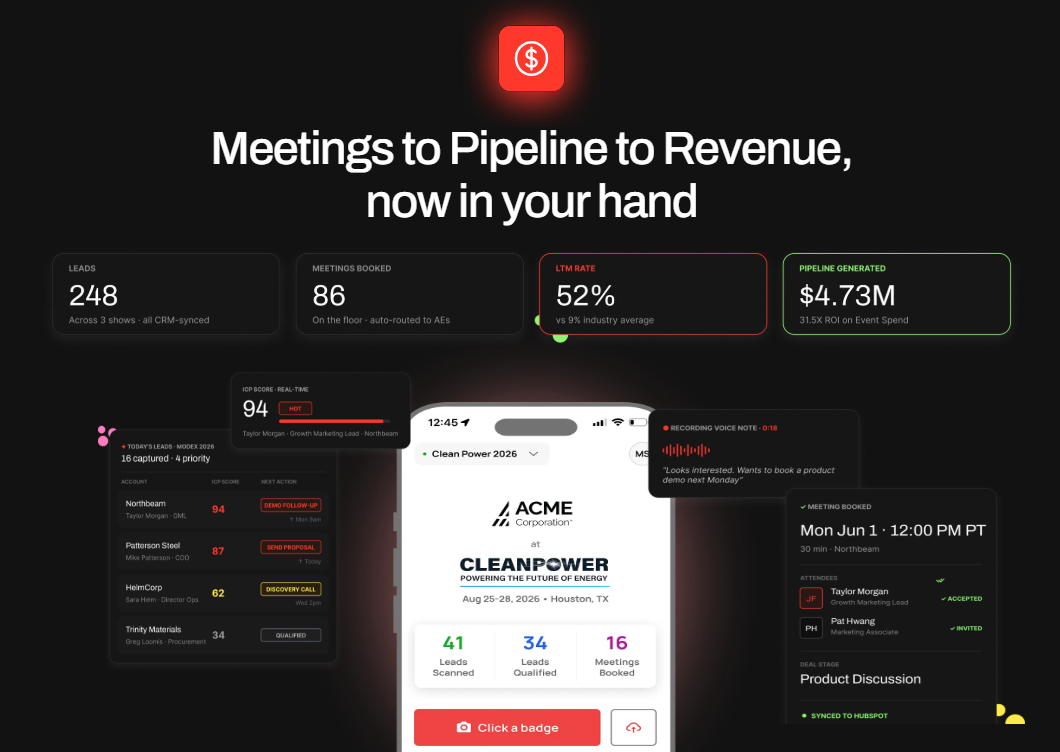
B2Brain is the offline-to-pipeline layer that sits on top of universal lead capture. It captures every booth conversation with context, books the discovery meeting on the floor, and writes an attributable record to the CRM. We built it for booth teams that have to answer one question on Monday morning: where is the pipeline?
Core Services
- Voice-first lead capture with context, roughly 4.2 seconds per structured record.
- On-spot meeting booking against the AE's live calendar.
- CRM-grounded pre-event briefings built from your own pipeline.
- Morning-after offline-to-pipeline report with multi-touch attribution.
Key Features
- Capture speed: tap once, talk about 30 seconds, structured record out fast.
- Offline reliability: offline-ready for hostile expo-hall Wi-Fi, syncs on reconnect.
- In-booth meeting booking: dual invite to prospect and the right AE.
- CRM sync model: Salesforce-native and HubSpot-native, not "integrates with".
- Pipeline and LTM reporting: publishes Leads-to-Meeting, 52% on the floor vs 8% industry average.
- Vertical fit: pre-built show intelligence for industrial floors.
Why Companies Consider B2Brain
Teams pick B2Brain when contact capture is not enough and the pipeline number is the goal. The logic is the Golden Workflow: scan, add context, then execute the next-best action. Booking the meeting is simply today's most common next-best action, configurable to each customer's sales process. You can see how the offline to pipeline motion works end to end.
Ideal Customer Profile
- Company size: growth-stage to enterprise B2B.
- Buyer role: Field Marketing head, VP Sales, RevOps, or Founder.
- Shows per year: several, with real pipeline targets.
Pricing
Per-event Show Pass with no lock-in, plus an annual Pipeline plan, with a first-event-free trial. See Show Pass and Pipeline plans for current figures.
When to Shortlist
- You must prove per-show pipeline and LTM to a CMO or CFO.
- Your reps are paid on meetings booked, not leads scanned.
When Not to Shortlist
- You run a solo booth, sell consumer-facing, or have no CRM.
- You need a digital business card or Android-native app today.
Customer Reviews
"The lead capture is benefitting me and making my work faster."
Jia Li T. B2Brain G2 Verified Review
We will be straight about our own gaps. B2Brain is iOS-only natively, our third-party enrichment is lighter than Popl or Mobly, and we have no digital business card. Our public review count is small, 17, against larger walls elsewhere. The counter is the owned outcome, the LTM number, not the review tally. For the booth-day workflow, that distinction is the whole point.
1.2 iCapture: Best for enterprise multi-show capture reliability
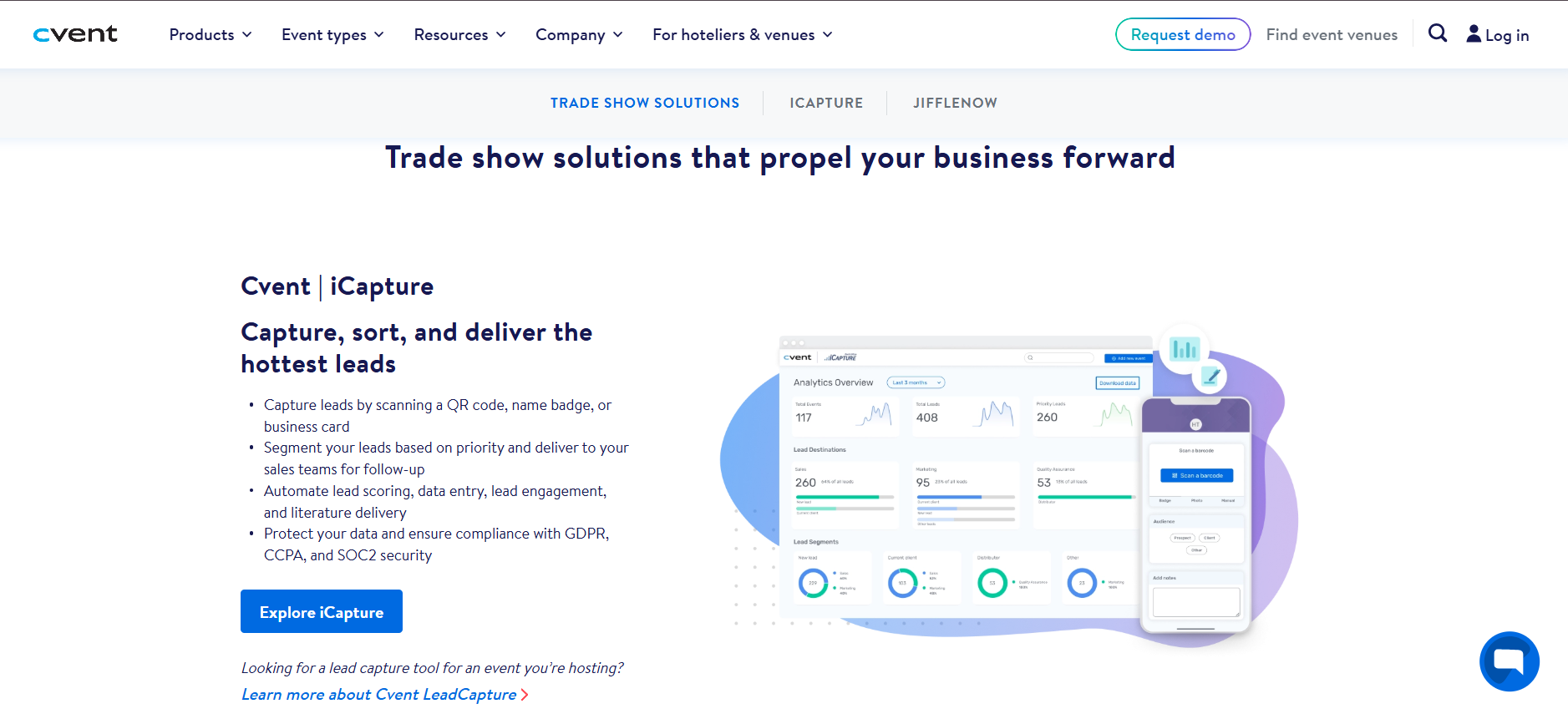
Overview
iCapture is the enterprise-reliability lane of lead capture. It captures contact data cleanly at scale across many floors, with strong event ROI metrics and staff accountability, and no AI narrative attached.
Core Services
- Reliable badge and QR capture across many shows.
- Customizable qualification forms.
- Event ROI and staff-accountability reporting.
- CRM integrations.
Key Features
- Capture speed: reliable at scale.
- Offline reliability: built for the floor, confirm specifics.
- In-booth meeting booking: not a core feature.
- CRM sync model: integrations, with some reviewer friction.
- Pipeline and LTM reporting: event metrics, no LTM concept.
- Vertical fit: broad enterprise.
Why Companies Consider iCapture
Large programs choose iCapture for consistency across dozens of shows. The trade-off is structural: the workflow ends at clean capture and a report, not a booked meeting or a Leads-to-Meeting number. Teams weighing what gets captured on the floor against what gets booked should note that gap.
Ideal Customer Profile
- Company size: enterprise.
- Buyer role: events operations, marketing operations.
- Shows per year: many.
Pricing
Annual subscription, reported around $8,000 per year. Confirm with the vendor.
When to Shortlist
- You run many shows and need dependable capture at scale.
- You have a strong central follow-up engine already.
When Not to Shortlist
- You need the meeting booked at the booth.
- You need a per-show LTM number for the QBR.
Customer Reviews
"It does not natively integrate with our CRM."
Mcallaster M. iCapture G2 Verified Review
1.3 Captello: Best for booth gamification and engagement
Overview
Captello leads with booth engagement and gamification, layered on top of lead capture. It draws attendees in with games and activations, then captures the resulting leads into the CRM.
Core Services
- Lead capture with buildable forms.
- Gamification and booth activations.
- CRM import and integration.
- Multi-show lead consolidation.
Key Features
- Capture speed: solid, tied to activations.
- Offline reliability: depends on conference API kit availability.
- In-booth meeting booking: not a core feature.
- CRM sync model: imports and integrations.
- Pipeline and LTM reporting: engagement metrics, no LTM concept.
- Vertical fit: broad, engagement-led.
Why Companies Consider Captello
Teams pick Captello when foot traffic is the problem and a game pulls a crowd. The honest limit is the same as the camp: it captures the lead, but the workflow does not book the meeting or report Leads-to-Meeting. Reviewers also flag per-show API-kit costs that add up.
Ideal Customer Profile
- Company size: mid-market to enterprise.
- Buyer role: event marketing.
- Shows per year: several, traffic-focused.
Pricing
Subscription, with reviewers citing per-show API-kit fees of roughly $700 to $1,200. Confirm with the vendor.
When to Shortlist
- You need to drive booth traffic with activations.
- Engagement matters as much as capture.
When Not to Shortlist
- You need on-floor meeting booking and pipeline attribution.
- Per-show API-kit costs would strain your budget.
Customer Reviews
"Every time we have a show with lead scanning, I have to purchase an API kit that costs between 700 -1200. It's become costly."
RebeccaGrace K. Captello G2 Verified Review
"I like how it imports into our CRM and has a buildable form that we can create. It does not always work with every conference, if the conference does not provide an API kit for integration."
Verified User in Consulting Captello G2 Verified Review
1.4 Popl: Best for individual reps who lead with a digital business card
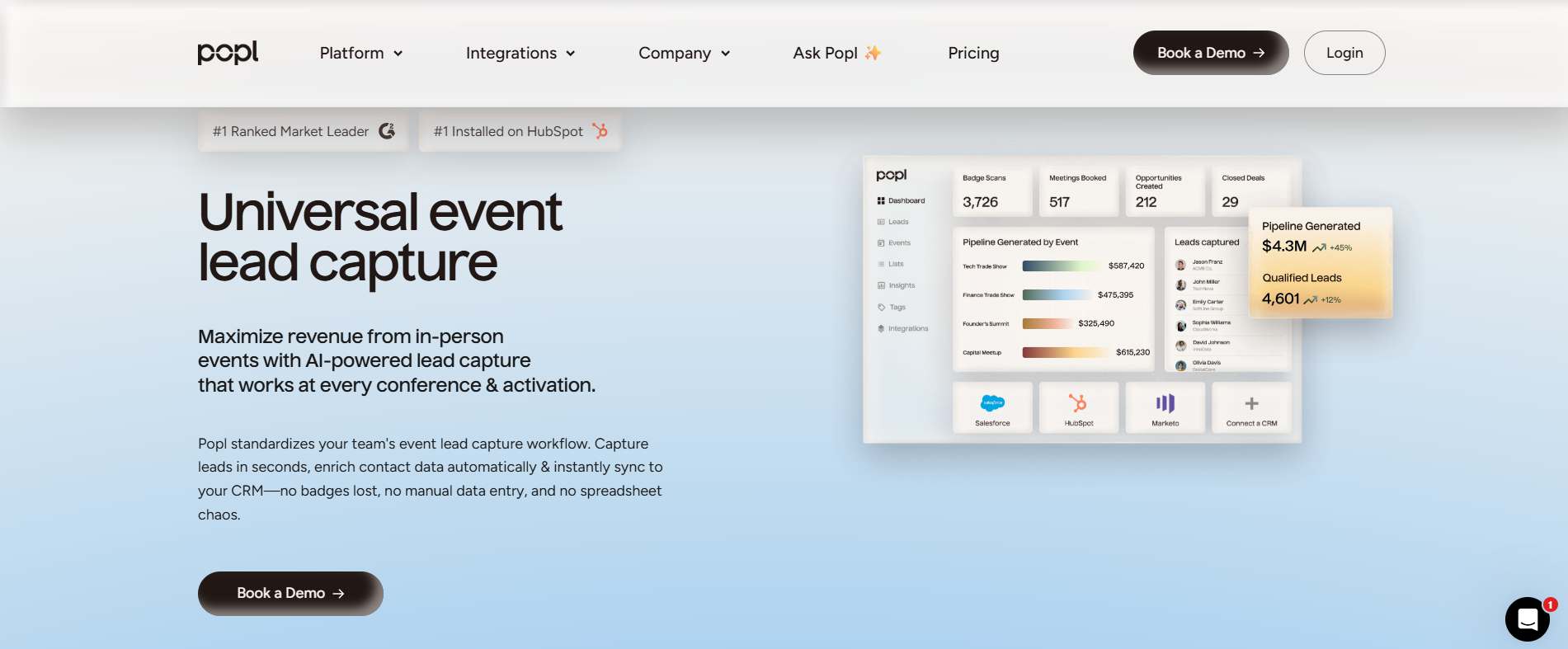
Overview
Popl started as a digital business card: tap a phone or scan a QR code and share your details. It has since added event lead capture forms and badge scanning. It serves individual reps and small teams who want a personal sharing tool first, with lead capture second.
Core Services
- Digital business card sharing via tap or QR code.
- QR-based lead capture forms.
- Contact export and basic CRM sync.
- Team card management for larger groups.
Key Features
- Capture speed: quick for card sharing, less reliable for badge scanning per reviewers.
- Offline reliability: not clearly stated, verify with the vendor.
- In-booth meeting booking: not a core feature.
- CRM sync model: exports and integrations, depth varies by plan.
- Pipeline and LTM reporting: not a focus.
- Vertical fit: general networking, not industrial-specific.
Why Companies Consider Popl
Reps choose Popl to ditch paper cards and capture leads from a QR form. The appeal is personal and lightweight. The friction shows up at scale, since several reviewers flag that recipients are pushed to create an account, and that badge scanning did not work as expected at a conference.
Ideal Customer Profile
- Company size: solo reps to small teams.
- Buyer role: individual seller or SMB owner.
- Shows per year: occasional.
Pricing
Per-seat subscription. Reviewers cite roughly $140 per year, confirm with the vendor.
When to Shortlist
- You want a digital business card with simple QR lead capture.
- You are an individual rep, not a coordinated booth team.
When Not to Shortlist
- You need reliable badge scanning at scale.
- You need on-floor meeting booking or per-show pipeline reporting.
Customer Reviews
"The only reason we use it is for the lead capture form. The ability for a lead to scan a QR code and then we get their information is huge."
Verified User in Real Estate Popl G2 Verified Review
"I didn't really use Popl because it didn't scan bar codes like I thought it would. Scanning badges should have given the name and contact info, but it didn't work when I tried it."
Drew D. Popl G2 Verified Review
"Having to create an account to view the info is not practical or helpful. That creates a HUGE barrier that other competitors don't have."
Mike K. Popl G2 Verified Review
1.5 Momencio: Best for teams that want post-scan content microsites
Overview
Momencio captures leads and then delivers a personalized content microsite to each prospect, paired with automated follow-up email. It serves marketing-led teams that want to turn a booth scan into an engagement asset and a fast post-event touch.
Core Services
- Lead and business card capture.
- LiveMicrosite personalized content delivery.
- Automated follow-up email on capture.
- CRM integration.
Key Features
- Capture speed: fast card capture per reviewers.
- Offline reliability: not clearly stated, verify with the vendor.
- In-booth meeting booking: not a core feature.
- CRM sync model: integrates with CRM, reviewers note login friction.
- Pipeline and LTM reporting: engagement-focused, no LTM concept.
- Vertical fit: broad, marketing-led B2B.
Why Companies Consider Momencio
Teams pick Momencio when content engagement matters as much as capture. The microsite gives a prospect something to remember, and the auto follow-up email closes the loop fast. The decision logic is capture plus nurture in one tool, not booking the meeting on the floor.
Ideal Customer Profile
- Company size: mid-market B2B.
- Buyer role: head of marketing or event marketing.
- Shows per year: several, content-heavy programs.
Pricing
Subscription. Pricing is not publicly disclosed, request a quote.
When to Shortlist
- You want personalized content microsites after each scan.
- You value automated follow-up email out of the box.
When Not to Shortlist
- You need the meeting booked at the booth.
- You need per-show pipeline attribution and an LTM number.
Customer Reviews
"Logins are a little slow, and the single sign-on does not work, it requires syncing on the mobile app."
Jia Li T. Momencio G2 Verified Review
1.6 Blinq: Best for digital business cards and lightweight contact sharing
Overview
Blinq is a digital business card platform with strong design and a large user base. It holds the number-one spot on G2 in its category by review volume, with more than 8,800 reviews. It serves professionals who want polished contact sharing, with lead capture forms as a secondary feature.
Core Services
- Digital business card creation and sharing.
- QR and link-based contact exchange.
- Team card management.
- Lead capture forms.
Key Features
- Capture speed: fast for card sharing, QR reliability complaints in poor connectivity.
- Offline reliability: reviewers report failures in low-connectivity venues.
- In-booth meeting booking: not a feature.
- CRM sync model: integrations available, varies by plan.
- Pipeline and LTM reporting: not a focus.
- Vertical fit: general networking.
Why Companies Consider Blinq
The pull is design and social proof. Blinq looks great and is easy to set up, which is why its review wall dwarfs every other tool here. The honest counterpoint is that a big review count measures card-sharing popularity, not booked pipeline. Several reviewers flag App Clip launch issues and contact-retrieval friction after a busy show.
Ideal Customer Profile
- Company size: individuals to teams.
- Buyer role: any professional networking at events.
- Shows per year: occasional.
Pricing
Freemium plus paid tiers. Confirm current plans with the vendor.
When to Shortlist
- You want a polished digital business card for networking.
- Contact sharing matters more than structured lead capture.
When Not to Shortlist
- You need reliable capture in dead-zone halls.
- You need meeting booking or pipeline attribution.
Customer Reviews
"Blinq looks great and when it works it's a good user experience and good branding. A good depth of tools on the backend to manage a team of users."
Verified User in Hospitality Blinq G2 Verified Review
"It doesn't always work reliably when scanning the barcode, especially in places with poor internet connectivity. This has made it necessary for me to consider purchasing printed business cards as a backup."
Kasha A. Blinq G2 Verified Review
"When you do share your info, it saves the person's business card as contact info in their phone. This makes it tough to find again after a big tradeshow. All the follow ups are just in your sea of contacts."
Madison Z. Blinq G2 Verified Review
1.7 BoothIQ: Best for focused on-floor meeting booking
Overview
BoothIQ is a meeting-booking challenger built around scheduling follow-up meetings at the booth. It serves teams that have decided the booked meeting is the goal and want a focused tool to do it.
Core Services
- In-booth meeting scheduling.
- Lead capture tied to the booking flow.
- CRM integration.
Key Features
- Capture speed: capture tied to booking, specifics not publicly detailed.
- Offline reliability: not clearly stated, verify with the vendor.
- In-booth meeting booking: yes, this is its core focus.
- CRM sync model: integrations available, confirm depth.
- Pipeline and LTM reporting: booking-focused, no published LTM metric.
- Vertical fit: general B2B events.
Why Companies Consider BoothIQ
Teams choose BoothIQ when they agree with the core thesis, which is to book the meeting before the prospect walks away. It ships that one high-leverage action well. The question buyers should ask is what surrounds the booking, since the three-phase shared layer, the CRM-grounded briefing, and a published LTM number are where the deeper differences sit. You can compare that against for booth teams running the full motion.
Ideal Customer Profile
- Company size: SMB to mid-market B2B.
- Buyer role: VP Sales or event marketing.
- Shows per year: several.
Pricing
Pricing is not publicly disclosed, request a quote.
When to Shortlist
- You want a focused on-floor meeting-booking tool.
- Booking the meeting is your single priority.
When Not to Shortlist
- You need a full before, during, and after shared intelligence layer.
- You need CRM-grounded pre-event briefings and a per-show LTM number.
Customer Reviews
No verified customer reviews were available in the provided source set for this provider.
1.8 Cvent LeadCapture: Best for organizer-native capture at Cvent-run events
Overview
Cvent LeadCapture is the lead capture app within Cvent's event management platform. It serves enterprise teams already inside the Cvent ecosystem who want capture that ties into the organizer's event tools. It is the closest thing on this list to the organizer's default scanner, and that is its strength and its ceiling.
Core Services
- Badge and QR lead capture at Cvent-powered events.
- Qualification questions and lead scoring.
- Export and integration into Cvent and connected CRMs.
Key Features
- Capture speed: reliable at Cvent-run shows.
- Offline reliability: designed for on-floor use, confirm specifics.
- In-booth meeting booking: not a core feature.
- CRM sync model: integrates through the Cvent platform.
- Pipeline and LTM reporting: event metrics, no LTM concept.
- Vertical fit: broad enterprise.
Why Companies Consider Cvent LeadCapture
Teams already standardized on Cvent pick it for convenience. If your event runs on Cvent, the capture app slots in without a separate vendor. The structural trade-off is the same as any organizer-native tool, since the workflow ends at the captured lead and the CSV, not a booked meeting or an attributable per-show pipeline number. Organizer scanners commonly cost in the $15 to $50 per lead range, which adds up fast.
Ideal Customer Profile
- Company size: enterprise.
- Buyer role: event operations on the Cvent platform.
- Shows per year: many, especially Cvent-run.
Pricing
Per-event and per-device licensing through the Cvent platform. Confirm with the vendor.
When to Shortlist
- You already run your events on Cvent.
- You want capture tied to the organizer's event tools.
When Not to Shortlist
- You need the meeting booked on the floor.
- You need pipeline attribution and LTM beyond a contact export.
Customer Reviews
No verified customer reviews were available in the provided source set for this provider. If you want to weigh the displacement case directly, the offline to pipeline approach is the contrast to keep in mind, and you can always Book a Demo to test capture-plus-booking on your own floor.
Q2: How Should You Score a Lead Retrieval App, and What Is the Organizer's Scanner Actually Missing? [toc=2. How to Score Them]
A lead retrieval app for trade shows is mobile software that captures attendee data from badges, QR codes, or business cards, qualifies the conversation, syncs to your CRM, and triggers follow-up, under your control, in real time. Score every app on seven criteria: on-floor capture speed, offline reliability, in-booth meeting booking, CRM sync model, pipeline and Leads-to-Meeting reporting, vertical fit, and pricing. The organizer's rented scanner fails most of them. It collects leads for the organizer and hands you a delayed, contextless CSV.
What a Lead Retrieval App Actually Is
The default at most booths is the organizer's rented scanner. You pay around $600 per device per show, scan badges all day, and wait for a CSV that shows up days later with names and titles but no memory of why you talked.
A real lead retrieval app is different. It is mobile software that captures the attendee, qualifies the conversation, syncs to your CRM, and triggers follow-up, all owned by you and in real time. This is the heart of offline to pipeline.
The Three Ways These Apps Capture
There are only three capture methods, and most tools use some mix:
- Badge API or kit: the app reads the show's badge format through an official integration kit.
- AI or OCR badge scan: the app reads the badge image directly, with no kit required.
- Business-card OCR: the app reads a photographed card into structured fields.
One seasoned operator put the scanner problem bluntly: "Do not trust the badge scan, it collects leads for them, it does nothing for you." His estimate, from years on the floor, is that maybe one in twenty businesses ever acts on that list, often three months late. To see how the booth-day workflow avoids that handoff, the difference is structural.
Why Scan Speed Is the Wrong First Question
Most "best app" lists rank on scan speed and feature counts. That is the wrong lens. The tool that proves ROI is the one that carries a lead to a booked meeting and a clean CRM record, not the one that scans a tenth of a second faster.
So here is the rubric I score every tool against. Each line states what good looks like and the failure mode to test in a demo, which mirrors how event lead capture works end to end.
The 7 Criteria That Decide ROI
- On-floor capture speed: good means a conversation becomes a structured record in seconds; test whether reps abandon it during a rush.
- Offline reliability: good means it captures with no signal; test it in airplane mode, because expo Wi-Fi dies when the floor fills.
- In-booth meeting booking: good means it books the follow-up on the spot; test whether booking is core or a clumsy bolt-on.
- CRM sync model: good means native, real-time sync; the failure mode is a delayed CSV import that RevOps cleans by hand.
- Pipeline and Leads-to-Meeting (LTM) reporting: good means per-show pipeline you can show a CFO; LTM is the share of leads that become booked meetings.
- Vertical fit: good means it suits your floor, like an industrial show such as IMTS, not just generic networking.
- Pricing model: good means the shape fits your season; weigh per-event versus annual against that $600-per-device rental.
The One Criterion the Category Skips
Notice that fifth criterion. Almost no vendor reports Leads-to-Meeting, because most stop at the contact. The standard read gets this backwards, because the goal was never the scan, it was the meeting.
At B2Brain, we coined and publish our own LTM number, 52% on the floor against an 8% industry average for post-event conversion. That is a first-party claim, so treat it as one data point, not gospel. The point is that LTM is a number you can demand from any vendor, and most cannot answer. If you want to weigh this against Show Pass and Pipeline plans, the metric travels with the tool.
I think of it like debugging code. When the workflow breaks, a good system tells you which phase lost the customer's attention. A CSV tells you nothing.
Q3: Why Do Most Trade Show Leads Die After the Scan, and What Does That Cost You? [toc=3. The Cost of Dead Leads]
Most trade show leads die in the gap between the scan and the follow-up. Conversion probability sits around 85% within two hours of a booth conversation and collapses to roughly 9% after a week, yet average follow-up takes days. With booth spend running $20K to $200K per show and most leads never properly contacted, the lost pipeline, not the scanner price, is the real cost of a contextless CSV.
The Monday Graveyard
Here is the scene I have watched too many times. The team scans 300 badges across three days, flies home exhausted, and books maybe four calls. The rest sit in a CSV nobody opens.
I once watched a rep type business cards into Salesforce in the cab back to the hotel. Half the context was already gone. He could not remember which "John from procurement" wanted the demo and which was just grabbing swag, which is exactly what what gets captured on the floor is meant to fix.
The Decay Curve Nobody Plans For
The reason those leads die is timing, and the timing is brutal. Industry follow-up research shows conversion probability is highest within the first couple of hours of a conversation and drops sharply across the following week.
A 2025 CEIR report found that only about 47% of exhibitors track their leads through the sales cycle at all. So most teams never even see the decay happening.
The Cost Is the Pipeline, Not the Tool
Let me do the math the way a VP Sales does it. A roughly $70,000 booth, with a boss who wants 10x pipeline, means about a $700,000 pipeline target.
At a 20% close rate, that is real revenue, but only if the meetings happen. To get there, you need roughly 1 in 5 booth visitors to become a qualified meeting. A contact list does not do that, but a booked meeting does, which is the whole point of building new pipeline from events.
What "Fast" Actually Means
The operators who win do something specific. One described a 15-minute verification window: "within 15 minutes they get an email, I'll be reaching out next week."
Another swears by a 48-hour rule. Organize every contact within two days, he says, "before you go out drinking, because your brain is going to lose this." A third ran the Chicago Print Expo experiment, handed out 100 business cards, and got two emails back a week later. That is the post-event chase in one number.
The Real Benchmark to Anchor On
So the buying decision is not "what does the app cost?" It is "what does a dead lead cost?"
At B2Brain, we publish the cost frame we see across thousands of booth conversations: a qualified event meeting costs roughly 60% of an outbound meeting and about 40% of paid acquisition. Treat that as our number to pressure-test, but the logic holds. The meeting booked on the floor is the cheapest pipeline you will ever source, especially when measured against what B2Brain costs per event.
"Mobly was a breath of fresh air compared to conference scanners! I was able to not have to put notes into a spreadsheet."
Will N. Mobly G2 Verified Review
"Sometimes Mobly can be finicky, where it doesn't sync all the leads I've scanned, we end up with a lot fewer than we expected."
Verified User in Events Services Mobly G2 Verified Review
That second review is the decay problem in software form. A lead you think you captured, but did not, is worse than no lead, because you never chase it.
Q4: Scanner, Enricher, or Meeting-Booker, Which Type of App Fits How You Sell? [toc=4. The Three Camps Compared]
Lead retrieval apps fall into three camps. Scanner-and-CSV tools like Cvent LeadCapture and iCapture reliably capture contact data at scale, enough if your follow-up is centralized. Capture-and-enrich apps like Popl, Mobly, Momencio, and Blinq add enrichment and CRM sync for later SDR follow-up. Meeting-booking platforms like BoothIQ and B2Brain go further, booking the meeting while the prospect is still at the booth, which matters because a floor-booked meeting converts at several times the rate of post-show outreach.
Camp A: Scanner-and-CSV
What They Do Well
Tools like Cvent LeadCapture and iCapture capture contact data reliably, at scale, across many floors. iCapture in particular gives enterprise teams clean event ROI metrics and staff accountability.
This camp is genuinely enough for some teams. If your follow-up is centralized, disciplined, and fast, a reliable scanner does the job.
Where They Stop
The ceiling is structural, not a bug. The workflow ends at the export. The organizer's rented scanner, around $600 per device, is the purest version, because it saves the lead and loses the conversation.
Best for: large multi-show programs that have a strong central follow-up engine and mainly need clean capture and ROI reporting.
Camp B: Capture-and-Enrich
What They Do Well
This camp adds data on top of capture. Popl leads with a digital business card and QR forms. Mobly enriches scans and offers voice notes, Momencio sends a content microsite after the scan, and Blinq owns the polished digital-card experience.
Better contact data is real value. For marketing-led teams, the auto follow-up email and enrichment can save hours.
Where They Stop
The ceiling here is the chase. These tools enrich the contact, then hand it back for a post-show SDR sequence. The meeting still depends on someone reaching out after the prospect has forgotten you. The contrast with for booth teams is that booking happens on the floor, not later.
"I find Mobly very user-friendly, we really like the voice notes feature. It was challenging to get it to sync with Salesforce, the cost of matches per contact, I think, is kinda high."
Ece K. Mobly G2 Verified Review
"It doesn't always work reliably when scanning the barcode, especially in places with poor internet connectivity, necessary to consider purchasing printed business cards as a backup."
Kasha A. Blinq G2 Verified Review
Enrichment also does not fix capture quality. As one operator noted, a lot of booth staff are "useless brokers" passing out swag, and a raffle mostly collects the non-decision-maker grabbing a free iPad. Better data on the wrong person is still the wrong person.
Best for: marketing-led teams that value enriched contacts and content nurture, and that have a reliable SDR follow-up motion.
Camp C: Meeting-Booking
What "Book at the Booth" Actually Means
This camp does the one high-leverage thing the others skip. It books the discovery meeting before the prospect walks away, pulls the AE's live calendar, and sends a dual invite to prospect and rep.
The reason it works is human. One operator described the selfie hack: "let's get a selfie before you go," and minutes later the prospect gets the photo and remembers the conversation. Commitment at the booth beats a cold email three days later, every time.
Where B2Brain Draws the Line
I will be straight about the convergence. Meeting-booking as a feature is no longer rare. BoothIQ ships it, and so do BoothMaven and Zuddl. So when someone asks "BoothIQ also books meetings, so what's different?", it is a fair question.
Our answer is not the booking button. ✅ B2Brain books the meeting on the floor. ✅ It then proves per-show pipeline with the LTM number. ❌ A badge scanner ends at the CSV. ✅ B2Brain grounds a pre-event briefing in your own CRM pipeline, not a cold database. ❌ Capture-and-enrich tools bolt booking on and lose the pipeline story. You can see the full motion in before, during, and after the show.
The durable difference is the shared intelligence layer across before, during, and after the show, on one system. That, plus the CRM-grounded briefing and the LTM metric, is the moat, not the calendar feature alone.
I should concede our gaps too. B2Brain's native app is iOS-only, our third-party enrichment is lighter than Popl or Mobly, and we have no digital business card. If those are your priorities, weigh them honestly, then talk it through when you Book a Demo.
Best for: revenue teams whose reps are paid on meetings booked and who must prove per-show pipeline to a CMO or CFO.
Q5: How Deep Does CRM Integration Go, and Does It Work Offline on the Floor? [toc=5. CRM Sync and Offline]
CRM integration ranges from a manual CSV import to native, real-time, bi-directional sync with field mapping, deduplication, and event attribution intact. For Salesforce or HubSpot teams, that difference decides whether booth leads become clean, attributable pipeline or a duplicate-ridden import RevOps cleans by hand. Offline reliability matters just as much. Convention-center Wi-Fi is unreliable, so verify that captures, notes, and edits queue offline and sync cleanly later, and that multi-rep duplicate scans merge correctly.
The CSV Import Tax
A CSV import looks free. It is not. Someone in RevOps spends Monday morning mapping columns, fixing names, and hunting duplicates.
One operator described the aftermath of disconnected systems perfectly: "the rental car system didn't talk to the sales system, names would not match, images missing, the CRM's a mess." That is what a batch import does to your pipeline data, and it is exactly what offline to pipeline is built to prevent.
The Sync Spectrum
CRM sync is not one feature. It is a spectrum, and the tell is how much manual cleanup survives the show:
- CSV export: you download a file and import it later, with maximum cleanup and maximum delay.
- Batch integration: the tool pushes leads on a schedule, but field mapping and dedup are often shallow.
- Native real-time sync: leads write to Salesforce or HubSpot as they happen, with field mapping, deduplication (merging records when two reps scan the same person), and event attribution intact.
That last level is the difference between provable per-show pipeline and a narrative. At B2Brain, we built native, real-time Salesforce and HubSpot sync, not "integrates with," with dedup and event context attached to every record. You can see how it fits into the three-motion workflow, and I will note our honest limit, which is that our native app is iOS-only today.
Why Offline Is Not Optional
Here is the failure nobody plans for. The floor fills up, 10,000 phones hit the same Wi-Fi, and a web-only capture tool freezes mid-conversation.
Offline-first means the app captures, takes notes, and queues everything locally, then syncs when signal returns. We built B2Brain offline-ready for exactly the dead-zone halls where industrial shows happen, which is why it suits the booth-day workflow.
Verify These Five Things in the Demo
Do not take a sales rep's word. Test these live, in airplane mode where you can:
- Field mapping: do captured fields land in the right CRM fields automatically?
- Deduplication: scan the same badge from two phones; does it merge or duplicate?
- Real-time vs batch: does the lead appear in your CRM now, or hours later?
- Event attribution: is the show, booth, and rep tagged on the record?
- Offline queue: capture with no signal, then reconnect; does everything sync cleanly?
"It does not natively integrate with our CRM."
Mcallaster M. iCapture G2 Verified Review
"It was challenging to get it to sync with Salesforce, the integration process was difficult for my team to accomplish and took a long time."
Ece K. Mobly G2 Verified Review
These are not support gripes. They are the predictable cost of a tool where CRM sync was an afterthought, not the architecture.
Q6: What Does a Lead Retrieval App Cost, and Which One Fits Your Industry? [toc=6. Pricing and Industry Fit]
Lead retrieval pricing splits into organizer scanner rental (around $600 per device per show), per-event app passes, and annual subscriptions. For a 4-rep booth at 8 shows a year, device rentals alone run roughly $19,000, often more than an annual app subscription that adds qualification, real-time CRM sync, and pipeline reporting. The right pick also depends on your floor. Industrial shows like MODEX, IMTS, and DISTRIBUTECH demand offline reliability, multi-rep dedup, and vertical-aware qualification over digital business cards.
The Hidden Math of Renting Scanners
Convention centers make money by overcharging for basics. One operator listed the line items: "handwashing stations, even trash services." Renting you a scanner to access your own leads is the same playbook.
That $600 per device feels small until you add it up across a season. And organizer scanners commonly charge $15 to $50 per lead on top, which means the more you capture, the more you pay.
A Worked 8-Show Season
Let me put real numbers on it for a 4-rep booth running 8 shows a year:
The reframe is simple. Stop asking "what does the app cost?" and start asking "what does a booked meeting cost?" A qualified event meeting is among the cheapest pipeline you can source.
Match the Pricing Shape to How You Budget
Event schedules move around, but annual pipeline goals do not. That mismatch is why pricing shape matters.
At B2Brain, we offer a per-event Show Pass with no lock-in alongside an annual Pipeline plan, plus a first-event-free trial. The logic is that a field marketer should be able to test a single show before committing a year, so compare Show Pass and Pipeline plans and confirm current figures, since pricing changes.
Your Floor Changes the Answer
Most roundups are horizontal and ignore this. The show you exhibit at reweights every criterion.
A digital business card that shines at a tech mixer is useless at an industrial floor where badges, gloves, and noise rule the aisle, which is why what gets captured on the floor matters more than the card design.
Three Floor Scenarios
- ⚙️ Manufacturing and supply chain (IMTS, MODEX, ProMat): weight offline reliability and vertical-aware qualification, because these halls are huge and connectivity is hostile. We built B2Brain's pre-built show intelligence and offline capture for exactly these floors.
- ⚡ Energy and infrastructure (DISTRIBUTECH, RE+): weight multi-stakeholder attribution, because cycles are long and many people touch the deal, so per-show pipeline tracking matters more than scan count.
- 🚀 Growth-stage team at a first US show: weight easy onboarding and per-event pricing, because you do not yet know your show cadence, so avoid a heavy annual lock-in.
"I like how it imports into our CRM and has a buildable form. It does not always work with every conference, if the conference does not provide an API kit."
Verified User in Consulting Captello G2 Verified Review
"The price, 140 a year? No way, would rather print thousands of business cards."
Fabian T. Popl G2 Verified Review
That second review is a useful reminder. Price resistance is real, and it always comes down to whether the tool earns its cost in pipeline, not features.
Q7: Which Lead Retrieval App Is Right for You, and What Should You Do Before Your Next Show? [toc=7. Picking and Next Steps]
Pick by your real constraint. Need clean contact capture at scale across many floors, choose a reliable scanner-class tool. Need provable per-show pipeline and on-floor meeting booking, choose a meeting-booking platform. Selling into industrial verticals, weight offline reliability and vertical fit. Before your next show, set one metric, Leads-to-Meeting, run a free first-event trial, shortlist two tools, and test CRM dedup live in the demo.
Match the Tool to Your Real Constraint
There is no single winner, because the right tool depends on what actually breaks for you. The three camps map cleanly to three situations.
So instead of ranking, here is the honest routing by scenario, and if you sell at industrial events, weigh the option built for booth teams.
What to Do Before Your Next Show
The regret I hear most sounds like the operator who closed a 524-day enterprise deal and said, "I really wish I knew these things." You do not have to learn them the slow way.
Set one number to manage to, and run a small test before you commit a season, ideally measured against what B2Brain costs per event.
Your Monday-Morning Checklist
- ⭐ Set your LTM target: decide what share of booth conversations should become booked meetings, so you have a goal to measure.
- ⏰ Adopt the follow-up discipline: the operators who win organize every lead within 48 hours and book the meeting at the booth, not three days later.
- ✅ Shortlist exactly two tools: one scanner-class and one meeting-booking, so you compare the structural trade-off, not feature lists.
- 💰 Run a free first-event trial and test dedup live: scan the same badge twice and watch whether your CRM merges or duplicates.
The Question I Am Sitting With
Here is what I keep coming back to. The real shift is not "did this show work?" It is "which shows should we do more of?", and only per-show pipeline can answer that.
That is the bet behind B2Brain's morning-after report, our generate new pipeline from events motion, and our first-event-free trial. If you are weighing your next show, tell me what you are exhibiting at and what is actually breaking in your follow-up, then Book a Demo so we can talk through your booth math instead of sending a link.
FAQ's
What is a lead retrieval app for trade shows, and how is it different from the organizer's badge scanner?
A lead retrieval app for trade shows is mobile software that captures attendee data from badges, QR codes, or business cards, qualifies the conversation, syncs to your CRM, and triggers follow-up, under your control and in real time.
The organizer's rented badge scanner looks similar but works against you. It collects leads for the organizer and hands you a delayed, contextless CSV days later, often at around $600 per device per show.
The difference is who owns the workflow and where it ends:
- Badge scanner: saves a contact, loses the conversation, ends at the export.
- Lead retrieval app: captures with context, qualifies, and pushes a clean record into your CRM.
We built B2Brain as the layer on top of universal capture, so anything a scanner records, we record with context, then book the meeting and write the CRM record. You can see how this runs across before, during, and after the show.
How do we choose the best lead retrieval app for our trade show booth?
We recommend scoring every tool against seven criteria rather than ranking on scan speed alone, because speed is the wrong primary lens.
- On-floor capture speed: a conversation becomes a structured record in seconds.
- Offline reliability: it captures with no signal, since expo Wi-Fi dies when the floor fills.
- In-booth meeting booking: the follow-up is booked on the spot, not bolted on later.
- CRM sync model: native real-time sync, not a delayed CSV import.
- Pipeline and Leads-to-Meeting reporting: per-show pipeline you can show a CFO.
- Vertical fit: it suits your floor, like an industrial show.
- Pricing model: per-event or annual matched to your season.
The criterion most vendors skip is Leads-to-Meeting, the share of leads that become booked meetings. Demand that number from any vendor. We publish ours at 52% on the floor against an 8% industry average, and you can weigh the full motion designed for booth teams against your own follow-up.
Why do most trade show leads die after the scan, and what does that cost us?
Most trade show leads die in the gap between the scan and the follow-up. Conversion probability sits around 85% within two hours of a booth conversation and collapses to roughly 9% after a week, yet average follow-up takes days.
A 2025 CEIR report found only about 47% of exhibitors track leads through the sales cycle at all, so most teams never see the decay happening.
The real cost is the lost pipeline, not the scanner price. Consider the math:
- A roughly $70,000 booth with a 10x pipeline target means about $700,000 in pipeline.
- To hit that, roughly 1 in 5 booth visitors must become a qualified meeting.
- A contact list does not do that, but a meeting booked at the booth does.
We see a qualified event meeting cost roughly 60% of an outbound meeting and about 40% of paid acquisition, which is why booking on the floor is the cheapest pipeline you can source. See how we turn capture into new pipeline from events.
How much does a lead retrieval app for trade shows cost?
Pricing splits into three shapes, and the cheapest sticker is rarely the cheapest outcome.
- Organizer scanner rental: around $600 per device per show, often with $15 to $50 per lead on top.
- Per-event app pass: a single-show license, useful when your cadence is uncertain.
- Annual subscription: a yearly plan that usually beats rentals across a full season.
For a 4-rep booth at 8 shows a year, device rentals alone run roughly $19,000, frequently more than an annual app that adds qualification, native CRM sync, and pipeline reporting.
So the better question is not what the app costs, it is what a booked meeting costs. We offer a per-event Show Pass with no lock-in and an annual Pipeline plan, plus a first-event-free trial, so a field marketer can test one show before committing a year. Compare Show Pass and Pipeline plans against your show calendar.
Does a lead retrieval app work offline and sync natively with Salesforce or HubSpot?
The best ones do both, and you should verify both live in a demo. Convention-center Wi-Fi is unreliable, so an offline-first app captures, takes notes, and queues everything locally, then syncs when the signal returns.
CRM integration sits on a spectrum, and the tell is how much manual cleanup survives the show:
- CSV export: maximum cleanup, maximum delay.
- Batch integration: shallow field mapping and weak deduplication.
- Native real-time sync: records write to Salesforce or HubSpot as they happen, with field mapping, dedup, and event attribution intact.
Test these in airplane mode: field mapping, deduplication when two reps scan the same person, real-time versus batch, event attribution, and the offline queue.
We built B2Brain native to Salesforce and HubSpot, not 'integrates with', and offline-ready for dead-zone halls, with one honest limit, which is that our native app is iOS-only today. See what gets captured on the floor for floor-walking teams.
.png)

.png)
.png)