5 Best Business Card Scanner Apps for iPhone: OCR Accuracy, iOS Contacts Sync, Apple Watch Support, and CRM Integration
Written by
Sridhar Ranganathan
Last Updated :
July 18, 2026
Skim in:
12
mins
TL;DR
The five iPhone card scanners we compare are B2Brain, Covve, CamCard, Blinq, and Popl, scored on OCR accuracy, iOS Contacts sync, Apple Watch support, and CRM depth.
Modern iPhone OCR clears roughly 90 percent on clean cards but drops on decorative fonts, low contrast, and vertical layouts, so accuracy is table stakes, not the finish line.
A perfectly read card that never reaches a CRM or a follow-up is still a dead lead, which is why the follow-up and CRM record matter more than the scan.
Consumer apps export a CSV or use connectors, while event tools sync to Salesforce or HubSpot in real time with de-duplication and offline capture for dead-zone halls.
Consumer scanners tidy a personal address book, while B2B event capture proves per-show pipeline, so pick by the job, not by a bigger feature list.
B2Brain reports 52 percent of booth conversations booked as meetings on the floor versus about 8 percent for the industry's post-event follow-up motion.
What Are the 5 Best Business Card Scanner Apps for iPhone in 2026 (and How We Scored Them)? [toc=1. Best iPhone Scanner Apps]
The five best business card scanner apps for iPhone in 2026 are B2Brain (best for B2B event teams who need scan-to-booked-meeting), Covve (best offline OCR with 60+ languages), CamCard (best all-round accuracy for high-volume personal use), Blinq (best Apple Watch and digital-card support), and Popl (best consumer app with direct CRM lead capture). Score them on OCR accuracy, iOS Contacts sync, Apple Watch support, and CRM depth. Price is the last filter, not the first.
💸 Why this shortlist is a real spend, not an app-store browse
Here is the part most roundups skip. If you scan cards to keep a tidy address book, almost any app works, and this whole comparison is overkill for you.
But if you scan cards at trade shows where your company already spent $20,000 to $200,000 on the booth, the app is the cheapest line item and the most load-bearing one. The badge-scan CSV dump dies fast. As one field operator put it, "the money in a trade show is made in the followup," and a card sitting in your phone until you fly home is cold by breakfast.
So the real question is not "which app has the best OCR." It is "which app turns a scan into a follow-up, a meeting, and a CRM record before the prospect walks to the next booth." This is the whole premise behind the offline to pipeline approach.
⭐ The 5 picks at a glance
1.1 B2Brain: Best for B2B event teams who need the scan to become a booked meeting and a clean CRM record.
1.2 Covve: Best offline OCR, 60+ languages, and Apple Wallet support for heavy personal networkers.
1.3 CamCard: Best all-round OCR accuracy for high-volume personal card management.
1.4 Blinq: Best Apple Watch and digital-business-card support (relationship-intelligence angle).
1.5 Popl: Best consumer app with a direct CRM lead-capture form.
The Master Comparison Table
OCR accuracy means how correctly the app reads a card's text. iOS Contacts sync means it saves straight into your Apple address book. CRM sync means it pushes records into Salesforce or HubSpot, which is exactly what a purpose-built lead capture app for trade shows is meant to do.
iPhone Business Card Scanner Apps Compared
Provider
Best For
Key Strength
Pricing Model
B2Brain
B2B field and event teams proving per-show pipeline to the CMO
Scans with context, books the meeting on the floor, real-time Salesforce/HubSpot sync
Per-event and annual plans; first event free (pricing not fully public)
Covve
Heavy personal networkers who scan offline in many languages
Offline OCR, 60+ languages, Apple Wallet support
Freemium; paid roughly $59.99 to $99.99/yr
CamCard
High-volume individual card management
All-round OCR accuracy and bulk personal contact storage
Freemium; paid subscription tiers
Blinq
Networkers who want a digital card plus Apple Watch sharing
Digital-card sharing and Apple Watch support; #1 on G2 by review volume
Freemium; paid team tiers
Popl
Consumers wanting a digital card with a CRM lead-capture form
QR/NFC digital card with a direct lead-capture form
Paid subscription (~$140/yr tier reported by users)
Momencio
Event marketers wanting per-prospect microsites after capture
LiveMicrosite engagement plus lead capture
Custom/annual quote
iCapture
Enterprise teams running 10+ shows a year on reliability
Stable badge capture and event ROI metrics
~$8K/yr annual (enterprise)
Mobly
Reps wanting voice notes and Salesforce-bound scans
Universal scan plus data enrichment
Per-match / subscription
Cvent LeadCapture (displacement reference)
Exhibitors defaulting to the organizer's rented scanner
Organizer-tied badge retrieval
Per-device rental (~$600/device/show reference)
Two notes on reading this table honestly. First, Cvent LeadCapture appears only as the displacement reference (the organizer's rented scanner), not as a peer app you would install by choice. Second, I have skin in this game as B2Brain's co-founder, so treat my B2Brain row as a claim to verify, not gospel. If you want the full category picture, our roundup of the best event lead capture software goes wider.
⚠️ How we scored these apps (and where the method breaks)
We tested each app the way a hands-on reviewer would: run one clean, standard card and one busy, low-contrast card through the OCR, then check what happens after the scan. Modern OCR clears roughly 90%+ on clean cards but drops on decorative fonts, vertical layouts, and low contrast.
Here is the honest limit of that method. OCR accuracy alone tells you almost nothing about whether the lead becomes pipeline. A perfectly parsed contact that lands in an unsorted phone list is still a dead lead. We also down-weighted apps that are no longer actively developed, since abandoned scanners quietly rot.
So we scored on the full chain: read the card, sync to iOS Contacts or a CRM, and enable a fast follow-up. Price came last.
1.1 B2Brain: Best for B2B Event Teams Who Need Scan-to-Booked-Meeting [toc=1.1 B2Brain]
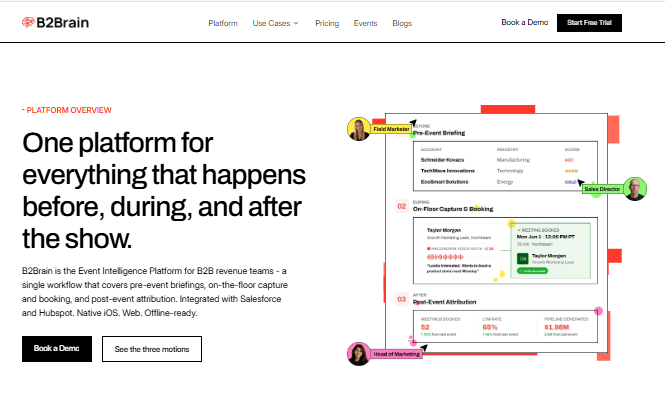
B2Brain covers before, during, and after the show, proving per-show pipeline with LTM.
📋 Overview
B2Brain is an event lead capture app built for B2B revenue teams, not a personal card organizer. It sits in a different lane from the consumer apps on this list. Where a scanner ends at a contact record, B2Brain is designed to add conversation context, book the follow-up meeting on the floor, and write the record into Salesforce or HubSpot in real time. It serves field and event marketing heads, VP Sales, RevOps, and founders taking a booth to a major US show. You can see how event lead capture works across the full workflow.
🔧 Core Services
Voice-first capture: tap a badge, talk for about 30 seconds, get a structured CRM record in roughly 4.2 seconds (about one-fifth the time of typing notes).
On-spot meeting booking: pulls the account executive's live calendar and books the 30-minute follow-up before the prospect leaves, with a dual invite to both sides.
Pre-event briefings grounded in your own CRM pipeline, not a cold third-party database.
Real-time, native Salesforce and HubSpot sync with de-duplication.
A morning-after offline-to-pipeline report showing pipeline sourced, meetings booked, and attribution by show, rep, and segment.
✅ Key Features Against the Title Criteria
OCR / capture accuracy: Captures from the event badge plus voice context, so the record carries why you talked, not just who.
iOS Contacts sync: Not the model. B2Brain writes to your CRM, where a revenue team actually works, rather than your personal Apple contacts.
Apple Watch support: Not offered. B2Brain is built around fast phone-camera and badge capture.
CRM integration: This is the core. Native, real-time Salesforce and HubSpot sync, offline-ready when expo Wi-Fi fails, syncing on reconnect.
🤔 Why Companies Consider B2Brain
The buyer math is blunt. A roughly $70K booth with a 10x pipeline target needs about 50 opportunities and around 180 discovery calls, which means roughly one in five booth visitors has to become a qualified meeting. A contact list cannot answer that. A booked-meeting count can. If you want to run your own numbers, try the event ROI calculator.
We coined a metric for this, Leads-to-Meetings (LTM), the share of booth conversations that become booked meetings. Our first-party benchmark is 52% LTM captured on the floor versus about 8% for the industry's post-event follow-up motion. I will flag my bias again: that is our number, and no competitor tracks LTM at all, so there is no third-party apples-to-apples comparison yet.
👤 Ideal Customer Profile
Company size: mid-market B2B, roughly 50 to 1,500 employees.
Verticals: manufacturing, supply chain and logistics, energy, construction (CPG/pharma secondary).
Shows per year: 5 to 15, with $20K to $200K spend per show and $25K+ ACV.
Stack: Salesforce or HubSpot already in place.
Buyer: field/event marketing head as champion, with VP Sales and RevOps.
💰 Pricing
B2Brain offers per-event and annual plans, with a first-event-free trial. Full price points are not publicly disclosed, so confirm directly on the Show Pass and Pipeline plans page before budgeting.
✅ When to Shortlist
You run booths at multiple industrial shows and must report per-show pipeline, not lead counts.
Your reps are paid on meetings booked, not badges scanned.
Salesforce or HubSpot hygiene and attribution matter to your RevOps team.
❌ When Not to Shortlist
You scan a handful of cards a month for personal networking (use a consumer app instead).
You need an Android native app, a digital business card, or deep third-party enrichment. B2Brain is iOS-first, has no digital card, and runs lighter enrichment than Popl, Mobly, or Momencio.
You attend one-off events with no CRM behind you.
💬 Customer Reviews
B2Brain has a small review base (17 on G2, a stated velocity campaign) next to Blinq's 8,800+, Popl's 4,400+, and Cvent's 2,100+ lead-capture reviews. I would rather you weigh the LTM outcome than the review count. The verified reviews that exist speak to the CRM-entry and speed strengths, though several predate the event app and describe B2Brain's sales-intelligence side.
"The AI Conversation Summarization and Auto-CRM Entry feature is a standout, it's significantly better than other tools we've tried. Reps actually rave about it instead of dreading another sales tool." Ole O.B2Brain G2 Verified Review
"Reporting is basic. We can see usage and lead stats, but there are no rep performance dashboards, no clear ROI reporting like time saved or deals influenced." Ole O.B2Brain G2 Verified Review
Anything a badge scanner captures, B2Brain captures with context, then books the meeting and writes the CRM record, which is why it belongs in a different bucket than the consumer apps below. Teams that want to see it live can Book a Demo.
1.2 Covve: Best Offline OCR, 60+ Languages, and Apple Wallet Support [toc=1.2 Covve]
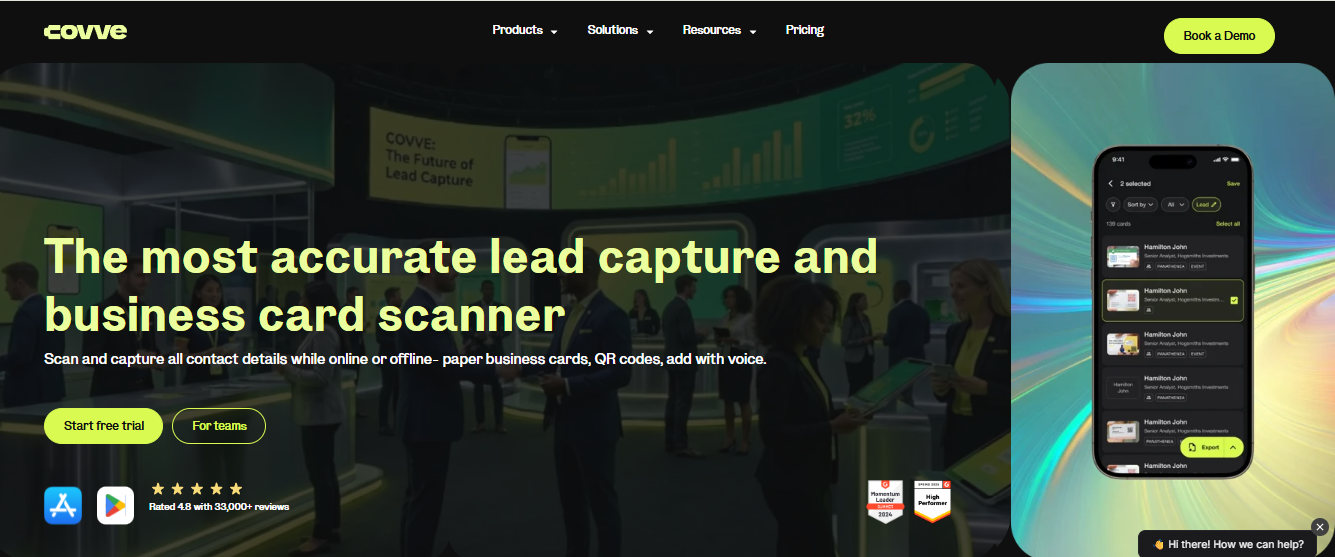
Covve wins on offline OCR and languages, yet organizes personal contacts, not team CRM records.
📋 Overview
Covve is a personal contact-management app with a strong offline card scanner at its center. It serves the heavy individual networker: consultants, founders, and salespeople who collect cards across regions and languages and want them tidy in their own phone. It is not a team pipeline tool, and it does not pretend to be one.
🔧 Core Services
Offline business card scanning that processes without a live connection.
OCR across 60+ languages, useful for international events.
Apple Wallet support and native iOS Contacts saving.
Personal contact organization with reminders to keep in touch.
CSV and basic contact exports for light workflows.
✅ Key Features Against the Title Criteria
OCR accuracy: Strong on clean cards, and the multi-language engine helps on non-English layouts, though busy designs still degrade results like every OCR tool.
iOS Contacts sync: Yes. Covve writes directly into Apple Contacts and iCloud, and supports Apple Wallet.
Apple Watch support: Not clearly stated in available sources; treat as unavailable until confirmed.
CRM integration: Light. Covve targets personal contacts, so expect CSV or basic export rather than native real-time Salesforce or HubSpot sync.
🤔 Why Companies Consider Covve
The pull is offline reliability and language range. If you work international show floors with patchy Wi-Fi and cards in several scripts, Covve captures without a signal and reads more layouts than most single-language apps.
The trade-off is structural, not a bug. Covve organizes your personal address book beautifully, but it stops at the contact. It will not book a meeting or push a qualified record into your team's CRM, so it cannot answer the "where is the pipeline?" question a field marketer faces on Monday. That is the gap a dedicated booth-day workflow is designed to close.
👤 Ideal Customer Profile
Individual professionals and solo networkers, not booth teams.
Frequent international travelers handling multi-language cards.
Users who want personal contacts in iOS/iCloud, not a shared CRM.
Low-to-moderate scan volume per event.
💰 Pricing
Covve runs a freemium model, with paid tiers reported around $59.99 to $99.99 per year on the App Store. Confirm current pricing in-app before committing.
✅ When to Shortlist
You need dependable offline scanning at international events.
You handle cards in multiple languages and scripts.
You want a clean personal contact system tied to Apple Contacts and Wallet.
❌ When Not to Shortlist
You run a booth team and need shared, real-time CRM records.
You must book meetings on the floor or prove per-show pipeline.
You need native Salesforce or HubSpot sync rather than CSV export.
💬 Customer Reviews
No verified customer reviews for Covve were available in the provided source set. I will not manufacture them; if you are evaluating Covve, pull its current App Store and G2 ratings directly before you decide. For teams weighing a personal scanner against a shared workflow, our guide to universal lead capture is a useful next read.
1.3 CamCard: Best All-Round OCR Accuracy for High-Volume Personal Use [toc=1.3 CamCard]
📋 Overview
CamCard is one of the oldest and most established business card scanners on iPhone. It serves the individual who collects a lot of cards and wants them read accurately and filed cleanly. It is a personal productivity tool at heart, strong on optical character recognition (OCR, how the app reads text off a card) and bulk contact storage.
CamCard fits the "digitize my card pile" job, not the "run a booth team" job that a dedicated trade show app is designed for.
🔧 Core Services
High-accuracy OCR across standard business card layouts.
Bulk scanning and batch storage for large personal card collections.
iOS Contacts saving and cloud backup of scanned cards.
Card exchange and basic contact-management features.
Export options for moving contacts into other tools.
✅ Key Features Against the Title Criteria
OCR accuracy: A consistent strength. CamCard tends to read clean cards reliably, though busy or low-contrast designs still degrade like any OCR engine.
iOS Contacts sync: Yes, it writes scanned cards into Apple Contacts.
Apple Watch support: Not clearly stated in available sources; treat as unavailable until you confirm in-app.
CRM integration: Light. CamCard is built for personal contacts, so expect export rather than native, real-time Salesforce or HubSpot sync.
🤔 Why Companies Consider CamCard
The draw is accuracy at volume without a team setup. If you personally pocket dozens of cards a month and just want them read correctly and stored, CamCard has done that job for years.
Here is the honest ceiling, and it is a design choice, not a defect. CamCard turns a card into a saved contact and stops there. It does not book a meeting or push a qualified, context-rich record into a shared CRM, so a booth team still faces the "where is the pipeline?" question on Monday, which is where lead capture into Salesforce becomes the real requirement.
👤 Ideal Customer Profile
Company size: individual users and very small teams.
Vertical: any; it is industry-agnostic.
Buyer role: the professional managing their own network.
Shows per year: occasional; not built around a booth calendar.
Decision maker: the individual user.
💰 Pricing
CamCard runs a freemium model with paid subscription tiers. Exact current pricing is not fully disclosed publicly, so confirm in the App Store before committing.
✅ When to Shortlist
You need dependable OCR for a large personal card pile.
You want scanned cards filed straight into iOS Contacts.
You value a mature, long-lived app over a newer entrant.
❌ When Not to Shortlist
You run a booth team and need shared, real-time CRM records.
You must book meetings on the floor or report per-show pipeline.
You need native Salesforce or HubSpot sync, not export.
💬 Customer Reviews
No verified customer reviews for CamCard were available in the provided source set. I will not invent any; check its current App Store and G2 ratings directly if you are evaluating it.
1.4 Blinq: Best Apple Watch and Digital-Business-Card Support [toc=1.4 Blinq]
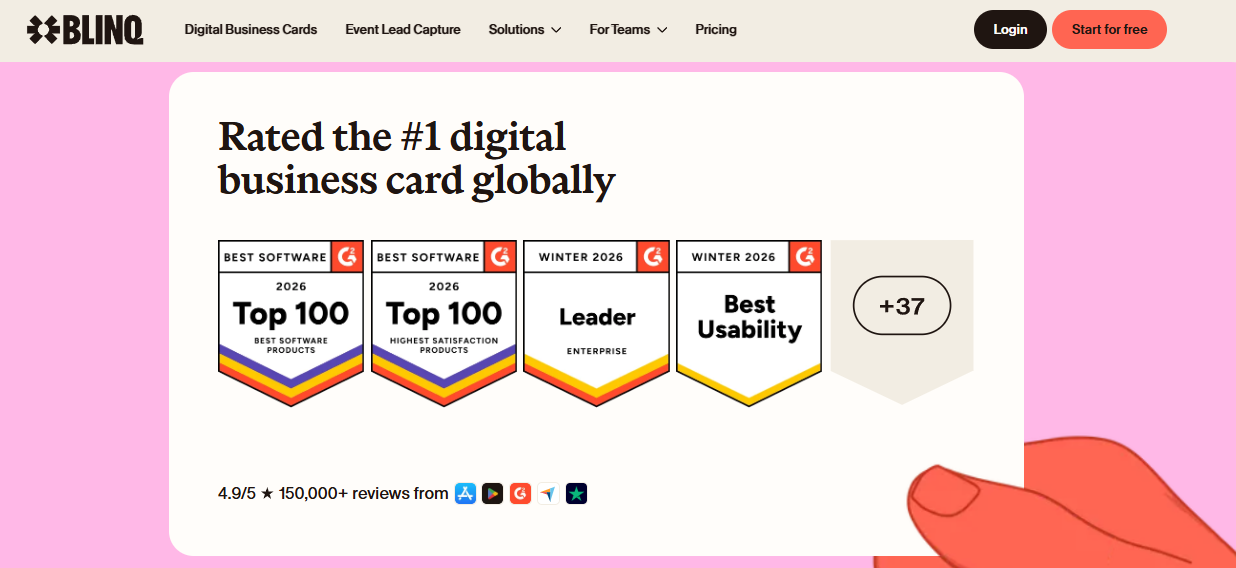
Blinq leads on G2 social proof but stops at the personal contact, not booked pipeline.
📋 Overview
Blinq is a digital-business-card app with relationship-intelligence features, and it holds the #1 spot on G2 by review volume (8,800+ reviews). It serves networkers who want to share their own card by QR code, link, or Apple Watch, rather than scan a pile of paper. It is the strongest name on this list for digital-card sharing and Watch support.
🔧 Core Services
Digital business card sharing via QR code, link, and Apple Watch.
Card scanning to capture other people's details.
Contact saving into the phone's address book.
Team card management for consistent branding.
Basic CRM connections on higher tiers.
✅ Key Features Against the Title Criteria
OCR / capture accuracy: Adequate for sharing-first use, though some users report QR reads failing in poor connectivity.
iOS Contacts sync: Yes, but this is exactly where reviewers report friction (more below).
Apple Watch support: Yes, this is Blinq's standout on this list, letting you surface your card from the wrist.
CRM integration: Present on paid tiers, but sharing, not pipeline attribution, is the design center.
🤔 Why Companies Consider Blinq
The pull is a polished digital card plus that rare Apple Watch trick. If your job is to hand out your own details often and look modern doing it, Blinq is built for exactly that.
The structural gap shows up after the show. Blinq saves contacts into your phone, which sounds fine until you try to find one lead among hundreds after a big event. That is a design choice about where the data lives, not a bug. A comparison like HiHello vs Blinq walks through that trade-off in more detail.
👤 Ideal Customer Profile
Company size: individuals through mid-size teams.
Vertical: any client-facing, networking-heavy role.
Buyer role: the professional who shares a card constantly.
Shows per year: occasional networking, not booth-heavy programs.
Decision maker: the individual or a small team lead.
💰 Pricing
Blinq runs freemium with paid team tiers. Confirm current per-seat pricing in-app, since public tiers change.
✅ When to Shortlist
You want a strong digital business card as your primary tool.
Apple Watch card-sharing genuinely matters to your workflow.
You share your details far more often than you scan others'.
❌ When Not to Shortlist
You run a booth team and need context-rich, shared CRM records.
You must book meetings on the floor or prove per-show pipeline.
You cannot afford follow-ups getting lost in a large contact list.
💬 Customer Reviews
Blinq's huge review base is real social proof, and the reviews also surface a consistent structural theme: contacts land in the phone and get hard to retrieve after a busy event.
"When you do share your info, it saves the person's business card as contact info in their phone. This makes it tough to find again after a big tradeshow, event, etc. With Blinq, all the follow ups are just in your sea of contacts you have to try and remember." Madison Z.Blinq G2 Verified Review
"It doesn't always work reliably when scanning the barcode, especially in places with poor internet connectivity. This has made it necessary for me to consider purchasing printed business cards as a backup." Kasha A.Blinq G2 Verified Review
1.5 Popl: Best Consumer App with Direct CRM Lead Capture [toc=1.5 Popl]
Popl bolts a lead form onto a digital card, but the prospect must complete steps.
📋 Overview
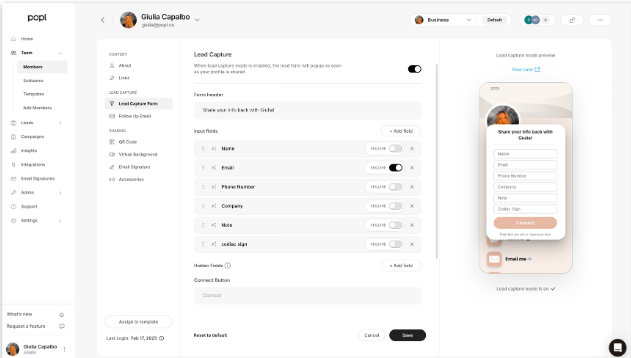
Popl started as a digital-business-card product and added event lead capture more recently. It serves consumers and small teams who want a shareable card plus a QR-based lead-capture form. On this list, it is the consumer app with the most direct path to a CRM lead form.
🔧 Core Services
Digital business card via NFC tap, QR code, and link.
A lead-capture form that collects a prospect's details.
Contact saving and light CRM connections.
Team card management and branding.
Analytics on card shares and scans.
✅ Key Features Against the Title Criteria
OCR / badge scanning: Reviewers report badge-scanning gaps at events (below), so verify this before relying on it on a show floor.
iOS Contacts sync: Supported, though several users find the save flow requires extra steps.
Apple Watch support: Not clearly stated in available sources.
CRM integration: Direct connectors exist, and the lead-capture form is the piece teams actually value.
🤔 Why Companies Consider Popl
The appeal is a slick digital card plus a lead form that feeds a CRM. For a small consumer-facing team, the QR-to-contact flow is genuinely useful, and reviewers say so.
The trade-offs are structural. Popl leads with a rep-side digital card and treats event capture as an add-on, and several reviewers flag friction, cost, and the requirement that the other person engage with an account before their details save. If Popl is on your list, our roundup of Popl alternatives is worth a look.
👤 Ideal Customer Profile
Company size: individuals and small consumer-facing teams.
Vertical: real estate, retail, and networking-heavy roles.
Buyer role: the rep who shares a card and captures the occasional lead.
Shows per year: light event attendance, not a booth program.
Decision maker: the individual or small team owner.
💰 Pricing
Popl uses a paid subscription model, with users reporting an annual tier around $140. Confirm current pricing directly, since tiers shift.
✅ When to Shortlist
You want a digital card with a working QR lead-capture form.
Your use is consumer-facing and lower-volume.
You value share analytics on your own card.
❌ When Not to Shortlist
You need reliable badge scanning across a busy expo floor.
You must book meetings on the floor and prove per-show pipeline.
You want capture that does not require the prospect to create an account.
💬 Customer Reviews
Popl has 4,400+ G2 reviews, strong social proof, and the critical ones cluster around badge-scan reliability and a cumbersome save flow, both relevant to event use.
"I didn't really use Popl because it didn't scan bar codes like I thought it would. Scanning badges should have given the name and contact info, but it didn't work when I tried it." Drew D.Popl G2 Verified Review
"Rather than simply adding a contact, Popl forces the recipient to complete numerous steps just to save the contact... far too cumbersome for networking." Vadim E.Popl G2 Verified Review
How We Evaluated These Providers [toc=1.7 How We Evaluated]
Primary sources: provider documentation and App Store listings, the "B2Brain Competitor Reviews" file (G2 verified reviews for Popl, Blinq, Mobly, Captello, and others), plus hands-on-style OCR testing benchmarks.
Criteria selected: OCR accuracy, iOS Contacts sync, Apple Watch support, and CRM depth, because the article title names them and buyers decide on them.
Criteria de-prioritized: gamification and virtual-event features, since they do not affect the iPhone card-scanning decision.
Data gaps stated honestly: no verified reviews were available for Covve or CamCard in the source set, so none were manufactured. B2Brain's own gaps are real too: iOS-only native app, no digital business card, and lighter third-party enrichment than Popl, Mobly, or Momencio.
Which Provider Should You Shortlist? [toc=1.8 Who Should Shortlist What]
The field marketer who must prove per-show pipeline to the CMO: test a tool that reports pipeline and Leads-to-Meetings, not one that ends at a contact export.
The VP Sales whose reps get paid on booked meetings: prioritize on-floor meeting booking and real-time CRM sync over digital-card polish.
The founder taking a first booth to a major US show: pick capture that works offline in bad expo Wi-Fi and writes clean records without cab-ride data entry.
The heavy personal networker: Covve or CamCard fit the "tidy my own contacts" job better than any team tool.
The pure digital-card user who loves Apple Watch: Blinq is the natural shortlist, with eyes open on the "sea of contacts" retrieval issue.
The consumer-facing small team: Popl's lead form works, but verify badge scanning before an event.
The honest through-line: OCR accuracy is table stakes, and a perfectly read card still dies if it never becomes a meeting or a CRM record. As one operator put it, "the money in a trade show is made in the followup". That is the gap B2Brain is built to close for B2B event teams through its offline to pipeline approach, while the consumer apps on this list solve the simpler, personal job well. Booth teams that want to see it on their own show floor can Book a Demo.
Do You Still Need a Scanner App, and How Accurate Is iPhone OCR Really? [toc=2. OCR Accuracy & Free-Tool Baseline]
Modern iPhone OCR clears roughly 90%+ on clean, standard cards, but accuracy drops on decorative fonts, low contrast, and vertical layouts. OCR means optical character recognition, the tech that reads text off an image. For a few cards, Apple Live Text straight into iOS Contacts is free and enough. A dedicated app earns its keep at volume. But accuracy is table stakes, not the finish line: a flawlessly parsed contact that never reaches your CRM or a follow-up is still a dead lead.
⚙️ How OCR works, and where it breaks
OCR turns the picture of a card into typed fields like name, title, and email. On a clean, high-contrast card, today's engines are genuinely good, around 90%+ accuracy.
The trouble starts with the cards designers love. Thin decorative fonts, foil text, low contrast, and vertical layouts all confuse the reader. Your iPhone already has a free baseline here: Apple Live Text runs on-device using the Neural Engine, so you can point the camera at a card and tap the details into Contacts with no app installed. For heavier use, a purpose-built conference badge scanner changes the math.
💰 The four triggers that justify a paid app
Sometimes the free tool wins, and I will say that plainly. If you scan five cards a quarter, Live Text is fine and free.
You should pay for a dedicated app when at least one of these is true:
Volume: you scan dozens or hundreds of cards per event.
Busy-card accuracy: your industry hands out design-heavy cards.
De-duplication: several reps scan the same person and your CRM needs one clean record.
CRM export within hours: the data must reach Salesforce or HubSpot the same day, not next week.
⚠️ The "perfect scan, dead lead" problem
Here is the part the accuracy charts miss. A card can be read perfectly and still vanish, because "saved" is not "followed up." Reviewers describe exactly this failure after big events.
"When you do share your info, it saves the person's business card as contact info in their phone. This makes it tough to find again after a big tradeshow... all the follow ups are just in your sea of contacts you have to try and remember." Madison Z.Blinq G2 Verified Review
"Sometimes Mobly can be finicky, where it doesn't sync all the leads I've scanned... we end up with a lot fewer than we expected." Verified User in Events ServicesMobly G2 Verified Review
The standard read gets this backwards. Capture accuracy is commoditized now, and the real value is the follow-up and the CRM record. That is the frame B2Brain works from: we treat the scan as the trigger, not the deliverable, capturing the conversation context so the record is usable, not just accurate. You can see how event lead capture works across the full workflow.
Which Apps Sync to iOS Contacts, and Which Actually Support Apple Watch? [toc=3. iOS Contacts Sync & Apple Watch]
Most iPhone scanners write to iOS Contacts, but "saved" is not "organized." Covve, CamCard, and Blinq push into Apple Contacts and iCloud, and the real difference is tagging, notes, and grouping so you can find a lead after a 150-card show. Apple Watch support is rare. Blinq surfaces your own card on the Watch, but that is for sharing, not scanning.
📇 The disorganized-Contacts trap
Writing a card into iOS Contacts sounds like a finish line. It is not. After a busy show, a few hundred new contacts land in one flat list with no context.
There is an old sales story I think about, call it Shoe Box Jimmy. Cards pile in a shoe box, and Monday morning he pulls out the three he remembers. Six months later someone finds the box under a desk. Saving every card to your phone without tags or notes just moves that shoe box into your pocket, which is why universal lead capture into a real system matters.
⌚ Apple Watch reality, app by app
Apple Watch is a genuine gap in most roundups, so here is the honest read. It is a sharing feature, not a scanning one.
Apple Watch Support by Scanner App
App
Apple Watch
What it actually does
Blinq
Yes
Surfaces your own card from the wrist to share
Covve
Not stated in sources
Focus is offline OCR and Apple Wallet
CamCard
Not stated in sources
Focus is OCR at volume
Popl
Not stated in sources
Focus is digital card and QR lead form
I will not inflate a thin Watch feature into a buying reason. No one scans a paper card with a watch in a crowded aisle.
✅ What to look for so Contacts stays usable
The feature that matters is not "saves to Contacts." Every app does that. It is what you can attach to the record.
Look for tagging by event, quick voice or text notes on why you talked, and grouping by show. Reviewers who skip this end up with the sea-of-contacts problem after every event.
"Digital business card. Effective when using but when I lost my phone I couldn't retrieve my contacts." Verified User in Mining & MetalsBlinq G2 Verified Review
This is why B2Brain skips the personal-Contacts model entirely. We sync the record, with its context, to HubSpot or Salesforce where the team can act on it, which is the right destination for booth teams. We are iOS-first, use phone-camera and badge capture, and we do not ship a Watch gimmick, because that is not where pipeline is made.
Which App Integrates Best With Your CRM, and How Fast Can You Follow Up? [toc=4. CRM Integration & Speed-to-Lead]
CRM integration is where most scanners quietly fail. Consumer apps export a CSV or route through Zapier; Popl offers direct HubSpot and Salesforce connectors; event tools sync in real time with de-duplication. The best app shrinks the gap between handshake and follow-up to minutes. A card sitting in your phone until you get home is a cold lead by breakfast, so native real-time sync beats a next-day CSV every time.
🔌 The three sync models, defined
Not all "CRM integration" means the same thing. There are three levels, and the difference decides whether you follow up in minutes or days.
CSV export: you download a file and upload it later. Manual, slow, and error-prone.
Connector (Zapier or native): records flow to the CRM through a link, often in batches.
Native real-time sync: each record writes straight into Salesforce or HubSpot as you capture it, with de-duplication (merging repeat scans of the same person into one record).
📊 Per-app CRM reality
Here is the honest landscape. Sync model is the axis that separates a personal organizer from a pipeline tool.
CRM Sync Reality by App
App
CRM sync model
Watch-outs from reviews
Popl
Direct HubSpot/Salesforce connectors
Save flow can be cumbersome for the prospect
Mobly
Salesforce-bound, enrichment
"Challenging to get it to sync with Salesforce"
iCapture
Connector, enterprise
Reviewers report CRM-sync delays
Covve / CamCard
CSV / export
Personal, not team pipeline
"It was challenging to get it to sync with Salesforce... The integration process was difficult for my team to accomplish and took a long time." Ece K.Mobly G2 Verified Review
⏰ Speed-to-lead: the follow-up that lands while they still remember you
Sync speed is not a technical nicety. It is the whole game. Lead value decays fast, roughly 85% conversion within two hours dropping toward 9% after a week.
I ran a small experiment mindset check on this with a print-expo scenario: 100 cards collected, and only a couple of emails went out in the first week, five or six inside 30 days. That is about 95% waste, and none of it was an accuracy problem. It was a follow-up-timing problem, and a next-day CSV guarantees it. Getting lead capture into Salesforce in real time is the fix.
🧭 The decision rule
Pick your sync model by three questions. What CRM do you run, how many cards per show, and how fast must the follow-up land?
If you scan lightly and just need contacts, a CSV app is fine. If reps get paid on meetings and the CFO asks "where is the pipeline?," you need native real-time sync and, ideally, the meeting booked on the floor. That last piece is where B2Brain competes: we sync every record to HubSpot or Salesforce in real time with smart dedup, and we book the follow-up on the AE's live calendar before the prospect reaches the next booth. We track that outcome as Leads-to-Meetings (LTM), and our first-party benchmark is 52% booked on the floor versus about 8% for the industry's post-event scramble, a number no competitor tracks at all. Booth teams that want to see it live can Book a Demo.
How Do the Apps Compare on Offline Reliability, Batch Scanning, De-Dup, and Price? [toc=5. Offline, Batch, Dedup & Pricing]
Expo halls are connectivity dead zones, so confirm offline capture is native, not sync-only. For volume, look for batch scanning and automatic de-duplication (merging repeat scans of the same person into one record) when several reps scan the same lead. On price, watch restrictive free tiers and "contact sales" opacity. A roughly $60/yr consumer app and a per-event team tool solve different problems at very different costs.
📶 Offline and batch reality, app by app
The Wi-Fi at 2pm on day two of a big show is a coin flip. Any app that needs a live connection to capture will drop leads at exactly the busiest moment.
Offline Capture and Batch Scanning by App
App
Offline capture
Batch scanning
Covve
Native offline
Yes, personal volume
CamCard
Largely on-device
Yes, bulk personal
Popl
Needs connectivity to sync
Limited
Mobly
Sync-dependent, reported drops
Yes, event-scale
"Sometimes it's not syncing with the wifi, this can really affect the overall success of our event because without those leads that I scanned but apparently didn't go through, we end up with a lot fewer than we expected." Verified User in Events ServicesMobly G2 Verified Review
🔁 Why de-duplication decides CRM hygiene
Multi-rep booths break CRMs quietly. Three reps scan the same buyer, and Salesforce now holds three half-filled records that overwrite each other.
De-duplication merges those into one clean record. Consumer apps rarely do this well, because they were built for one person's contact list, not a team's shared pipeline. This is a design difference, not a bug, and it is central to real universal lead capture.
💰 Pricing, always with a comparison
A number alone means nothing. Anchor every price to the alternative.
Consumer apps: roughly $60 to $140 per year per user.
Organizer badge scanner: rented at about $600 per device per show (the displacement reference).
Enterprise event tools: annual contracts, often "contact sales."
Reviewers also flag hidden costs on the enterprise side, like paying per API kit or per contact match. One Captello user put the recurring hit plainly.
"Every time we have a show with lead scanning, I have to purchase an API kit that costs between 700-1200. It's become costly." RebeccaGrace K.Captello G2 Verified Review
The right question is cost per booked meeting, not sticker price. That is the job B2Brain is built for: offline-first capture that holds up at rush hour, smart dedup across reps, and real-time sync on reconnect, priced per event for teams. You can compare what B2Brain costs per event against a per-device scanner rental. Built for 2pm on day two, not a quiet demo.
Consumer Scanner or B2B Event Capture, Which Do You Actually Need? [toc=6. Consumer vs B2B Event Capture]
If you scan a few cards a month to keep contacts tidy, a consumer app like Covve or CamCard is the right tool. If you run booths at 5 to 15 trade shows a year, hand leads to a sales team, and answer to a CMO for pipeline, you need event capture with real-time CRM sync, multi-rep de-duplication, and per-show attribution (tying booked pipeline back to a specific show). That is a different category, not a bigger version of the same app.
🎯 Two different jobs
These tools look similar in the App Store and do opposite jobs. One tidies your personal network. The other feeds a revenue team.
Consumer Scanner vs B2B Event Capture
Consumer scanner
B2B event capture
Job
Organize my contacts
Prove per-show pipeline
Data home
My phone / iCloud
Salesforce / HubSpot
Buyer
The individual
Field marketing and RevOps
Success metric
Tidy address book
Meetings booked, pipeline sourced
👥 You if, not you if
Read this and self-select. It saves everyone time.
You need consumer: a few cards a month, no sales team, and no CRM behind you.
You need B2B event capture: 5 to 15 shows a year, $20K to $200K spend per show, $25K+ average deal size, and Salesforce or HubSpot in the stack.
You are the wrong fit for B2B tools: solo booths, consumer-facing selling, one-off attendance, or no CRM at all. I would rather you skip the category than force-fit it.
📈 Why per-show attribution is the dividing line
Here is the requirement a consumer app can never meet. The CMO asks "did this show pay off," and you need a number tied to that specific event.
Every event should live in your CRM, organized by campaign, so you can track sourced and influenced pipeline. A personal card app has no concept of a "show," so it cannot answer that. This is exactly where B2Brain sits, on the B2B side of the line, as the tool built around a Before, During, and After shared layer with a CRM-grounded pre-event briefing, so the booth-day workflow can show per-show pipeline instead of a contact count. For context on the economics, a qualified event meeting runs roughly 60% the cost of an outbound meeting and about 40% of paid acquisition, which is why the event ROI math matters.
What Do Real Users Say, and How Should You Choose for Your Next Event? [toc=7. Reviews & How to Choose]
Verified reviews cluster around three complaints: OCR that misfires on busy or international cards, CRM sync that lands days late, and leads that vanish into an unsearchable pile. Choose on the axis that fails you most. OCR for messy cards, native CRM sync for team pipeline, offline for dead-zone halls, and Apple Watch only if you share cards constantly. Then fix the workflow: score each lead on the spot and follow up fast.
🔍 How we read the reviews
I pulled verified reviews across G2 and Capterra for the apps on this list, weighting recent ones and keeping the critical mix, not just the five-star glow. The point is patterns, not cherry-picked praise.
Three failure modes repeat across almost every product. They map cleanly to the axes we scored.
⚠️ The three complaints, in users' words
The patterns are consistent enough to plan around.
"The user experience was confusing and I still do not know where the information or the person I connected with is." Liliana P.Popl G2 Verified Review
"It saves the person's business card as contact info in their phone. This makes it tough to find again after a big tradeshow." Madison Z.Blinq G2 Verified Review
"It was challenging to get it to sync with Salesforce... the integration process was difficult for my team and took a long time." Ece K.Mobly G2 Verified Review
🧭 The decision rubric
Match the app to your worst failure mode, not to a feature list.
Messy or international cards: prioritize OCR strength (CamCard, Covve).
You share your own card constantly: Blinq, eyes open on retrieval.
Small consumer team wanting a lead form: Popl, verify badge scanning first.
Team pipeline and per-show attribution: an event-capture tool with native real-time CRM sync.
✅ Your next-event checklist
Do these five things and you will beat most booths regardless of app.
Set a hot, warm, or cold score on every lead at the moment of capture.
Add one line on why you talked, so people do not blend together.
Photo-verify tricky cards on the spot.
Sync to your CRM before you leave the aisle, not from the hotel.
Send the first follow-up within about 15 minutes, while you are still fresh in their memory.
One honest note to close on. B2Brain has a smaller review base (17 on G2, a stated velocity campaign) than Blinq's 8,800+ or Popl's 4,400+, so I will not wave a review wall at you. I would rather you weigh the outcome. If your failure mode is "leads never become meetings or pipeline," that is the specific gap we built B2Brain to close, and our first-party number is 52% Leads-to-Meetings booked on the floor versus about 8% for the industry's post-event follow-up. If that gap sounds familiar, Book a Demo and bring your worst show's numbers.
So here is the question I am still sitting with, and I would genuinely like your read on it. If capture is now a solved, commoditized problem, why does the whole category still sell scanning instead of the booked meeting? If you have run a booth and have a view on the lead retrieval workflow, I would like to hear it.
FAQ's
What is the best business card scanner app for iPhone in 2026?
There is no single winner, because the best app depends on the job you are hiring it for. We split the shortlist by use case.
Heavy personal networking: Covve and CamCard read cards accurately and file them into iOS Contacts.
Digital card sharing plus Apple Watch: Blinq is the strongest, with the largest G2 review base.
Consumer lead form: Popl pairs a QR card with a capture form.
B2B booth teams proving pipeline: a dedicated event-capture tool is the right lane.
Score any app on four axes: OCR accuracy, iOS Contacts sync, Apple Watch support, and CRM depth. Treat price as the last filter, not the first.
For booth teams, the deciding question is not which app reads a card best, but which one turns the scan into a booked meeting and a clean CRM record. That is the gap we built B2Brain to close through an offline to pipeline workflow. Consumer apps solve the simpler personal job well, so match the tool to your actual event volume.
How accurate is iPhone OCR for scanning business cards?
Modern iPhone OCR is genuinely good on clean cards and unreliable on messy ones. OCR means optical character recognition, the technology that reads text off a card image.
Clean, standard cards: roughly 90 percent accuracy or higher.
Decorative or foil fonts: accuracy drops noticeably.
Low contrast and vertical layouts: the most common failure points.
Your iPhone already includes a free baseline. Apple Live Text runs on-device and lets you tap card details straight into Contacts with no app installed. For five cards a quarter, that is enough.
Here is the honest reframe. Accuracy alone tells you almost nothing about whether the lead becomes pipeline. A flawlessly parsed contact that sits in an unsorted phone list is still a dead lead. We treat the scan as the trigger, not the deliverable, so the record carries conversation context and lands in your CRM ready to act on. You can see how event lead capture works across the full workflow. Compare any accuracy number against what happens after the scan, because that is where most tools quietly fail.
Which iPhone card scanner apps sync to iOS Contacts and support Apple Watch?
Most iPhone scanners write to iOS Contacts, but saved is not the same as organized. The difference that matters is tagging, notes, and grouping so you can find one lead after a 150-card show.
iOS Contacts and iCloud: Covve, CamCard, and Blinq push records into Apple Contacts.
Apple Wallet: Covve adds Wallet support for your own card.
Apple Watch: rare. Blinq surfaces your card on the Watch, but for sharing, not scanning.
No one scans a paper card with a watch in a crowded aisle, so we would not treat Watch support as a real buying reason. The bigger risk is the disorganized-contacts trap, where hundreds of new records land in one flat list with no context.
For revenue teams, the right destination is not a personal address book at all. We sync each record, with its context, to HubSpot or Salesforce where the team can act on it, which is why B2Brain is built for booth teams rather than personal networking. Look for tagging by event and quick notes so your contacts do not become a digital shoe box.
Do I need a paid card scanner app, or is a free iPhone tool enough?
Sometimes the free tool wins, and we will say that plainly. Apple Live Text into iOS Contacts is free and enough for light, personal use.
A paid or team-grade app earns its keep when at least one of these is true.
Volume: you scan dozens or hundreds of cards per event.
Busy-card accuracy: your industry hands out design-heavy cards.
De-duplication: several reps scan the same person and your CRM needs one clean record.
CRM export within hours: the data must reach Salesforce or HubSpot the same day, not next week.
Pricing only means something with a comparison. Consumer apps run roughly 60 to 140 dollars per year, an organizer badge scanner rents at about 600 dollars per device per show, and enterprise event tools sit on annual contracts. The right question is cost per booked meeting, not sticker price.
For teams that answer to a CMO for pipeline, we price B2Brain per event with a first-event-free trial, so you can weigh what B2Brain costs per event against a scanner rental. If you scan lightly, stay free and skip this category.
Which card scanner app is best for trade-show lead capture and CRM follow-up?
For a booth team, the best app is the one that shrinks the gap between the handshake and the follow-up to minutes, then proves the pipeline afterward.
Lead value decays fast, roughly 85 percent conversion within two hours dropping toward 9 percent after a week. A card sitting in your phone until you fly home is cold by breakfast.
Offline capture: expo halls are connectivity dead zones, so capture must work without a signal.
Native real-time CRM sync: records write to Salesforce or HubSpot as you capture, with de-duplication.
Per-show attribution: pipeline tied back to a specific show for the CMO.
Consumer apps stop at a contact export and cannot answer the where-is-the-pipeline question on Monday. We built B2Brain as the lead capture app for trade shows that captures with context, books the meeting on the floor, and reports per-show pipeline. Our first-party benchmark is 52 percent of conversations booked as meetings on the floor versus about 8 percent for the industry's post-event motion. Match the tool to whether your reps are paid on badges or on booked meetings.
Enjoyed the read? Join our team for a quick 30-minute chat — no pitch, just a real conversation on how we’re rethinking Event Intelligence in B2b.

.png)
.png)

.png)
.png)





