6 Best Badge Scanning Apps for Trade Shows: Show Badge Compatibility, Real-Time CRM Sync, Team Management, and Multi-Event Pricing
Written by
Sridhar Ranganathan
Last Updated :
July 17, 2026
Skim in:
13
mins
TL;DR
The six best badge scanning apps for trade shows in 2026 are B2Brain, iCapture, Captello, Popl, Momencio, and Blinq, and they differ most on offline reliability, on-floor meeting booking, and per-event versus annual pricing.
A badge scanning app is exhibitor-owned capture that reads QR, barcode, NFC, or OCR and syncs to your CRM in real time, unlike the organizer's rented scanner that returns a delayed CSV.
The criterion that decides booth ROI is not scan speed but whether a scan becomes a booked meeting, measured by Leads-to-Meeting (LTM), a ratio no competitor on the list tracks.
Because convention WiFi fails at peak traffic, we recommend an airplane-mode test 48 hours before move-in, since lead conversion runs near 85% within two hours and falls to roughly 9% after a week.
At a multi-rep booth, dedupe on ingest and a shared workspace matter as much as scan speed, so sales receives a graded list rather than a duplicate-filled garbage handoff.
Match the tool to the buyer: field marketers weight attribution and LTM, VP Sales weight on-floor booking, RevOps weight native sync and dedupe, and founders weight per-event pricing with a free first event.
Q1: What Are the 6 Best Badge Scanning Apps for Trade Shows in 2026? [toc=1. The 6 Best Badge Scanning Apps]
The six best badge scanning apps for trade shows in 2026 are B2Brain, iCapture, Captello, Popl, Momencio, and Blinq. Each reads QR, barcode, NFC, or AI/OCR badges and syncs to Salesforce or HubSpot. They differ sharply on offline reliability, whether they book meetings on the floor, and whether pricing is per-event or annual. Those are the axes that actually decide booth ROI.
💸 The buyer's real job before a show
Your booth spend is already gone. Somewhere between $20K and $200K is sunk into the floor space, the build, and the flights. Now the boss wants pipeline, not a contact list.
The job here is simple. Shortlist two or three apps you can actually test, rather than read a promotional ranking. So this section leads with the answer and a table, then explains how to read it. If you want the underlying model, see how offline to pipeline works before you shortlist.
One veteran seller put the pain of the rented scanner bluntly:
"Do not rely on the badge scanner. It collects leads for them, it does nothing for you. There's like one out of 20 businesses who get this lead list, and then they act on it three months later." Field-marketing practitioner, operator interview (2026)
That is the trap this guide helps you avoid. The scan is easy. Turning it into a booked meeting is the hard part.
⭐ The 6 badge scanning apps compared
I scored each app on the four dimensions in the title, plus one that no other roundup tracks, meetings booked on the floor. That last column matters because a badge is just a name until someone commits to a follow-up meeting.
6 Best Badge Scanning Apps for Trade Shows in 2026
Provider
Best For
Key Strength
Pricing Model
B2Brain
Field marketers and founders proving per-show pipeline on Salesforce or HubSpot
Books the meeting on the floor and writes it to the CRM with context (LTM)
Per-event Show Pass (from ~$200), annual Pipeline plan, first event free
iCapture
Enterprise teams running 10+ shows a year who need reliable capture and event metrics
Proven offline reliability and staff performance reporting
Teams that want gamification and 6,000+ integrations at the booth
Flexible forms plus games to draw booth traffic
Annual license, per-event API kit (~$700 to $1,200) add-on
Popl
Individual reps and small teams leading with digital business cards
Fast NFC/QR contact sharing with enrichment
Freemium, per-seat annual (~$140/yr and up)
Momencio
Marketers who want post-event microsites and content engagement
Capture, score, and nurture with LiveMicrosites
Annual subscription, custom quote
Blinq
Networkers and teams wanting the fastest universal scanner plus AI notes
Speed, clean UX, and heavy social proof on G2
Freemium, per-seat annual
Aggregate satisfaction on G2 clusters tightly: Blinq near 4.5, Captello around 4.6, iCapture around 4.5, and Popl around 4.4. Ratings tell you a tool works. They do not tell you whether it books meetings.
✅ How to read this table against your own stack
Weight the columns to your reality, not to a generic "best." If you run 3 shows a year, per-event pricing wins. If you run 15, an annual plan is cheaper per event. Compare the Show Pass and Pipeline plans against your show count before you decide.
If your reps get paid on meetings booked, the on-floor booking column outranks everything else. If you are RevOps, native CRM sync and dedupe decide it. Match the tool to who has to answer for the ROI on Monday morning.
1.1 B2Brain: Best for Proving Per-Show Pipeline on the Floor [toc=1.1 B2Brain]
B2Brain badge scanning app books meetings on the floor and proves per-show pipeline
🧠 Overview
B2Brain is an event lead capture app, not a badge scanner and not "lead retrieval" as an identity. It captures the booth conversation with context, books the discovery meeting while the buyer is still standing there, and writes the whole record to Salesforce or HubSpot in real time. The frame we use internally is before, during, and after the show: capture, meeting booked, attributable pipeline.
It fits B2B revenue teams running 5 to 15 shows a year in industrial verticals like manufacturing, supply chain, energy, and construction. Named customers include Zetwerk, Adobe, FourKites, and Auditoria.
🛠️ Core Services
Voice-first capture: tap once, talk for about 30 seconds, and get a structured CRM record out in roughly 4.2 seconds, about one-fifth the time of typed notes.
On-spot meeting booking that pulls the AE's live calendar and sends a dual invite before the prospect leaves.
Pre-event briefings built from the customer's own CRM pipeline, not a cold prediction database.
Salesforce-native and HubSpot-native sync, not "integrates with".
Morning-after offline-to-pipeline report showing pipeline sourced, meetings booked, and LTM by show, booth area, rep, and segment.
⭐ Key Features Against the Title Criteria
Badge compatibility: universal capture across QR, barcode, and business cards, plus voice context on top.
Real-time CRM sync: native two-way write-back to Salesforce and HubSpot, including the voice note, not just the contact.
Team management: one shared workspace across reps with dedupe on ingest and per-rep attribution.
Multi-event pricing: per-event Show Pass from about $200, or an annual Pipeline plan for teams running 8+ shows.
On-floor meeting booking (LTM): the core design, not a bolt-on. B2Brain reports about 52% Leads-to-Meeting on the floor versus roughly 8% industry average post-event.
💰 Why Companies Consider B2Brain
The decision usually starts with a painful Monday. A field marketer sits in the pipeline review, the CEO asks "where is the pipeline?", and the team has a contact list, not meetings. B2Brain exists to answer that question with a number.
The buyer's ROI math is the other driver. A qualified event meeting costs roughly 60% of an outbound meeting and about 40% of paid acquisition. If a rep runs about 31 productive scans a day and books meetings on the spot, the cost per booked meeting drops well below post-show SDR chasing. You can run your own numbers with the event ROI calculator.
🎯 Ideal Customer Profile
Company size: 50 to 500 employees, $5M to $100M revenue.
Verticals: manufacturing, supply chain and logistics, energy, and construction.
Buyer roles: Field/Event Marketing head (the champion), VP Sales, RevOps, or a founder running a first US show.
Shows per year: 5 to 15, with 2 or more booth reps and Salesforce or HubSpot in the stack.
💵 Pricing
Per-event Show Pass starts around $200, with an annual Pipeline plan for teams running eight or more shows. The first event is free for two people, which lets a founder test a real show before paying. See the booth-day workflow for how this plays out on the floor.
✅ When to Shortlist
You must prove per-show pipeline to a CMO or CFO, not just count scans.
Your reps get paid on meetings booked, and speed-to-meeting matters.
You run Salesforce or HubSpot and want native sync with context. See how lead capture into Salesforce works end to end.
❌ When Not to Shortlist
You run solo booths, sell consumer-facing, or have no CRM. B2Brain is built for CRM-backed B2B teams.
You need a deep third-party enrichment database. Popl, Mobly, and Momencio lean heavier on enrichment.
Your reps are Android-only or you want a digital business card. B2Brain's native app is iOS-first and does not ship a digital card.
⚠️ A note on social proof, honestly
Blinq holds the #1 G2 wall with more than 8,800 reviews, Popl has 4,400+, and Cvent has 2,100+ lead-capture reviews. B2Brain has about 17, with a stated review-velocity campaign underway. That is a real gap. The counter is the outcome, not the review count. No competitor on this list tracks LTM at all.
The reviews B2Brain does have point at the workflow that matters here:
"The AI Conversation Summarization and Auto-CRM Entry feature is a standout, it's significantly better than other tools we've tried. Reps actually rave about it instead of dreading another sales tool." Ole O.B2Brain G2 Verified Review
The same reviewer named the honest gap:
"Reporting is basic. We can see usage and lead stats, but there are no rep performance dashboards, no clear ROI reporting like time saved or deals influenced." Ole O.B2Brain G2 Verified Review
That review predates the offline-to-pipeline report, which now answers exactly that reporting request. I would rather show you the critique than hide it.
Where B2Brain fits: if the Monday question is "how much pipeline did the show produce?", B2Brain is built to answer it with a booked-meeting number, not a CSV. If you just need a cheap scanner for a one-off booth, it is overkill, and I would tell you to skip it. When you are ready to see it live, Book a Demo.
1.2 iCapture: Best for Enterprise Teams Running 10+ Shows a Year [toc=1.2 iCapture]
Cvent iCapture badge scanning app delivers reliable capture, fast routing, and clean event data
🧠 Overview
iCapture is the enterprise-reliability lane of this category. It is a universal lead capture tool, now part of the Cvent ecosystem, built for large exhibitors who run many events and need capture that simply does not fail on the floor. It leads with offline dependability and staff-performance metrics, not an AI narrative.
It serves companies doing 10 or more shows a year with multiple booth staff and a need for clean event ROI reporting. For a deeper split on rep-led tools, see this Popl vs iCapture breakdown.
🛠️ Core Services
Universal badge and business-card scanning across most show formats.
Custom lead-capture forms with qualifier fields.
Staff-performance and event-metrics dashboards.
Multi-device deployment for large booth teams.
CRM and marketing-automation delivery of captured leads.
⭐ Key Features Against the Title Criteria
Badge compatibility: broad format support, with manual entry as a fallback when a show has no API kit.
Real-time CRM sync: delivers to CRM, but reviewers note it does not natively integrate with every CRM, so mapping matters.
Team management: strong. Multi-device use and per-rep performance tracking are core strengths.
Multi-event pricing: annual subscription model, referenced around $8K/year, better suited to high show volume.
On-floor meeting booking: not a native capability. iCapture ends at qualified capture and CRM delivery, not a booked meeting.
💰 Why Companies Consider iCapture
Teams pick iCapture when reliability at scale is the whole point. If you staff a big booth across a dozen shows, you cannot afford a scanner that drops leads or confuses non-technical staff. iCapture's ROI reporting also gives events managers a way to hold staff accountable event over event.
The trade-off is architectural. iCapture is excellent at capturing and reporting, but the workflow still ends at a lead list handed to sales, not a meeting on the calendar.
🎯 Ideal Customer Profile
Company size: mid-market to enterprise with a dedicated events function.
Shows per year: 10 or more, with large multi-rep booths.
Buyer role: events manager or field-marketing ops owner focused on capture reliability and metrics.
Stack: uses a CRM, though sync depth varies by setup.
💵 Pricing
iCapture uses an annual subscription, commonly referenced around $8K/year, with custom quotes by deployment size. Per-event pricing is not the model, so it suits high show volume better than a team running two or three shows.
✅ When to Shortlist
You run 10+ shows a year and need capture that never drops leads.
You want per-rep performance metrics to manage a large booth team.
You value a proven, Cvent-backed enterprise vendor.
❌ When Not to Shortlist
You need meetings booked on the floor. iCapture ends at capture and delivery.
You want native, guaranteed CRM sync out of the box. Reviewers flag it does not natively integrate with every CRM.
You run only a handful of shows and want per-event pricing. The annual model is heavy for low volume.
Customer Reviews
"We recently used iCapture at an event and it was seamless. It made capturing leads and pushing them into our systems incredibly simple. Easy to use, efficient, and it just works!" Natalie S.iCapture G2 Verified Review
The second review names the structural gap RevOps buyers should test before signing. Capture is smooth, and the CRM handoff needs setup work.
Where iCapture fits, and where B2Brain differs: iCapture wins on reliability and metrics for high-volume enterprise booths. But it saves the lead and ends at the CSV. B2Brain captures the same conversation with context, then books the meeting on the floor before the buyer walks away and ties it to per-show pipeline the CFO can see. If your problem is "our capture is fine but our leads still go cold," that difference is the whole point.
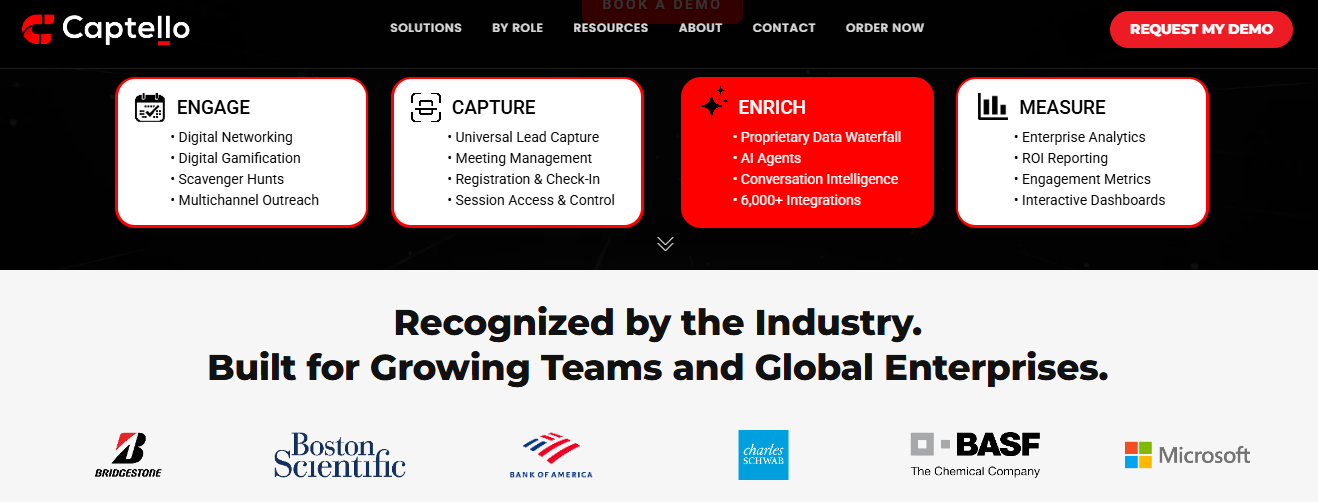
1.3 Captello: Best for Gamification-First Booth Capture [toc=1.3 Captello]
Captello badge scanning app pairs gamified capture with enrichment and enterprise-grade ROI reporting
🧠 Overview
Captello is a lead-capture and booth-engagement platform built around gamification, which means interactive games that pull attendees to your booth. It captures leads through custom forms, then pushes them into your CRM. It suits teams that want to drive foot traffic with activities, not just scan quietly.
It fits mid-market and enterprise event teams running many shows who value flexible forms and a wide integration list. If gamification is not your priority, a straight conference badge scanner comparison may frame the choice better.
🛠️ Core Services
Custom lead-capture forms with qualifier fields.
Interactive booth games and activations to draw traffic.
Badge and business-card scanning across shows.
Integrations into CRM and marketing-automation tools.
⭐ Key Features Against the Title Criteria
Badge compatibility: works across shows, but scanning depends on the organizer providing an API kit.
Real-time CRM sync: imports into CRM with buildable forms, per reviewers.
Team management: built for multi-rep event programs.
Multi-event pricing: annual license, plus a per-show API kit add-on reviewers price at roughly $700 to $1,200.
On-floor meeting booking: not a core capability. Captello leads with engagement and capture, not booked meetings.
💰 Why Companies Consider Captello
Teams pick Captello when booth traffic is the problem. Games and activations give reps a reason to start conversations, then the form captures the lead. The wide integration list also appeals to marketers who want leads flowing into existing systems.
The recurring catch is cost and show dependency. If a conference does not provide an API kit, integration can break, and the per-show kit fee adds up fast.
🎯 Ideal Customer Profile
Company size: mid-market to enterprise with an events team.
Vertical: broad B2B, especially teams wanting booth activations.
Buyer role: field-marketing or demand-gen owner.
Shows per year: multiple, with staffed booths.
💵 Pricing
Captello uses an annual license. Reviewers report a per-show API kit for lead scanning that costs roughly $700 to $1,200 each time. Exact list pricing is not publicly disclosed.
✅ When to Shortlist
You want gamification to drive booth traffic.
You need a wide integration list into existing marketing tools.
You run enough shows to justify an annual platform.
❌ When Not to Shortlist
You need meetings booked on the floor, not just captured leads.
You dislike per-show API kit fees stacking on top of the license.
You attend shows that do not offer an API kit for integration.
Customer Reviews
"Having all our leads from events go into one place makes it easier for the reps. Its saving time on manually uploading leads. Every time we have a show with lead scanning, I have to purchase an API kit that costs between 700-1200. Its become costly." RebeccaGrace K.Captello G2 Verified Review
"It does not always work with every conference, if the conference does not provide an API kit for integration." Verified User in ConsultingCaptello G2 Verified Review
Where Captello fits, and where B2Brain differs: Captello is strong at pulling a crowd and capturing forms. But it still ends the workflow at a lead in the CRM. B2Brain's design goal is the next step, booking the discovery meeting before the buyer leaves, then reporting the pipeline that meeting created. See how offline to pipeline closes that gap.
1.4 Popl: Best for Individual Reps Leading with Digital Cards [toc=1.4 Popl]
Popl badge scanning app scans badges and QR codes, then enriches contact data automatically
🧠 Overview
Popl started as a digital business card, which shares your contact info by tap or QR instead of paper. It added event lead capture more recently. It fits solo reps and small teams whose main goal is fast contact sharing at networking events.
Popl serves individuals and SMB sales teams more than large, CRM-heavy booth programs. For teams weighing the switch, this list of Popl alternatives is a useful starting point.
🛠️ Core Services
Digital business cards by NFC tap or QR code.
Lead-capture forms that collect a scanned contact's details.
Contact enrichment on captured leads.
CRM export of captured contacts.
⭐ Key Features Against the Title Criteria
Badge compatibility: QR and NFC focused. Some reviewers report badge barcode scanning did not work as expected.
Real-time CRM sync: exports to CRM, though the flow centers on the card exchange.
Team management: available on paid tiers, but the core is rep-side, not a shared booth workspace.
Multi-event pricing: per-seat subscription, with reviewers citing around $140 per year.
On-floor meeting booking: not a native capability.
💰 Why Companies Consider Popl
Reps like Popl because sharing a card is fast and modern. For a single seller working a networking floor, tapping a phone beats fumbling with paper. The lead-capture form adds a way to collect contact details on top.
The structural issue for booth teams is the model itself. Popl leads with the rep's card, and several reviewers found the recipient flow cumbersome or the badge scanning unreliable.
🎯 Ideal Customer Profile
Company size: individuals to small teams.
Vertical: broad, networking-heavy roles.
Buyer role: individual reps, small sales teams.
Shows per year: occasional networking events, not heavy booth programs.
💵 Pricing
Popl uses a freemium and per-seat subscription model, with reviewers citing around $140 per year for paid use. Exact team pricing is not publicly disclosed.
✅ When to Shortlist
You want a fast digital business card for individual reps.
You network more than you staff a large booth.
You want light lead capture without a heavy CRM setup.
❌ When Not to Shortlist
You need reliable badge scanning at a trade show. Reviewers report it failed for that use.
You want meetings booked on the floor tied to pipeline.
You dislike flows that require the recipient to take extra steps.
Customer Reviews
"I didnt really use Popl because it didnt scan bar codes like I thought it would. Scanning badges should have given the name and contact info, but it didnt work when I tried it." Drew D.Popl G2 Verified Review
"The only reason we use it is for the lead capture form. The ability for a lead to scan a QR code and then we get their information is huge. I HATE the notification spam." Verified User in Real EstatePopl G2 Verified Review
Where Popl fits, and where B2Brain differs: Popl is a rep-side card tool that recently added capture. For a solo networker, that is fine. For a booth team measured on pipeline, the card exchange is the start, not the finish. B2Brain captures the conversation with context and books the meeting, rather than leading with a digital card, which is the whole idea behind universal lead capture.
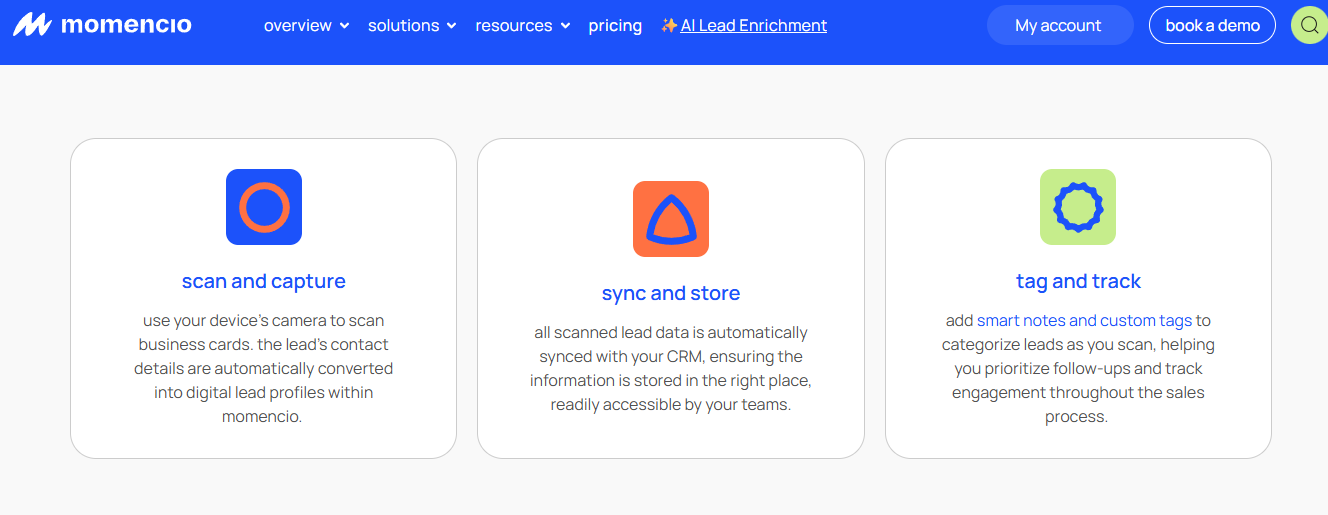
1.5 Momencio: Best for Post-Event Microsite Engagement [toc=1.5 Momencio]
Momencio badge scanning app captures, syncs to CRM, and tags trade-show leads for follow-up
🧠 Overview
Momencio captures leads and then nurtures them with LiveMicrosites, which are personalized landing pages sent after the scan. It leans on content engagement and automated follow-up email. It fits marketers who care about what happens after the badge scan.
It serves B2B marketing teams that want capture, scoring, and post-event nurture in one tool.
🛠️ Core Services
Badge and business-card lead capture.
Automated follow-up email after capture.
Personalized LiveMicrosites for content engagement.
Lead scoring and CRM integration.
⭐ Key Features Against the Title Criteria
Badge compatibility: business-card and badge capture supported.
Real-time CRM sync: CRM integration is a stated strength, though login and SSO friction appears in reviews.
Team management: built for sales and marketing teams at events.
Multi-event pricing: annual subscription. Exact pricing is not publicly disclosed.
On-floor meeting booking: not a core capability. The emphasis is post-event nurture, not on-floor booking.
💰 Why Companies Consider Momencio
Momencio appeals to marketers who feel the follow-up gap. Instead of a lead going cold, the microsite and automated email keep the prospect engaged with content. Reviewers also praise the CRM integration and the team behind it.
The trade-off is timing. Nurture happens after the show, which still leaves the buyer to decide later, rather than committing to a meeting at the booth.
🎯 Ideal Customer Profile
Company size: SMB to mid-market marketing teams.
Vertical: content-driven B2B.
Buyer role: marketing owner focused on engagement and nurture.
Shows per year: multiple, with a content follow-up motion.
💵 Pricing
Momencio uses an annual subscription. Exact pricing is not publicly disclosed, so request a quote scoped to your show count. It helps to compare against B2Brain's Show Pass and Pipeline plans first.
✅ When to Shortlist
You want automated, content-rich follow-up after the show.
You value CRM integration and a responsive vendor team.
Post-event nurture is a real gap in your motion.
❌ When Not to Shortlist
You need meetings booked on the floor, not nurtured later.
Login and SSO friction would slow a busy booth.
You want a per-event price for a low show count.
Customer Reviews
"We were on the market for a lead acquisition software to replace our clunky incumbent. Momencio fit our needs perfectly in terms of CRM integration. Feedback from the sales team is very positive." Martin D.Momencio G2 Verified Review
"The lead capture is benefitting me and making my work faster. Logins are a little slow, and the single sign on does not work, it requires syncing on the mobile app." Jia Li T.Momencio G2 Verified Review
Where Momencio fits, and where B2Brain differs: Momencio is strong at post-event engagement. But nurture assumes the buyer left without committing. B2Brain's frame is to book the meeting while the buyer is still at the booth, so follow-up is a confirmed calendar invite, not a hopeful microsite. That is what gets captured on the floor.
1.6 Blinq: Best for Fast Universal Scanning Plus AI Notes [toc=1.6 Blinq]
🧠 Overview
Blinq is a digital business card and relationship tool that added fast universal scanning and an AI notetaker. It holds the largest social-proof wall on G2 with more than 8,800 reviews. It fits networkers and teams who want speed and a clean interface.
It serves individuals and teams that prioritize quick contact capture and sharing. For a head-to-head on the card side, see this HiHello vs Blinq comparison.
🛠️ Core Services
Digital business cards by QR and tap.
Universal badge and card scanning.
AI notetaker for capturing context.
Team admin tools and CRM export.
⭐ Key Features Against the Title Criteria
Badge compatibility: universal scanning, though reviewers note QR reliability drops on weak Wi-Fi.
Real-time CRM sync: CRM export supported, with admin backend flagged as buggy by some reviewers.
Team management: backend tools exist but are described as unreliable by some admins.
Multi-event pricing: freemium and per-seat annual. Exact team pricing is not publicly disclosed.
On-floor meeting booking: not a native capability.
💰 Why Companies Consider Blinq
Blinq wins on speed, polish, and reputation. When it works, the exchange is clean and the branding looks sharp. For teams that just want a fast, modern card and scanner, that is compelling.
The structural limits show up at a busy booth. Reviewers report QR failures on poor connectivity and follow-ups getting lost in a sea of phone contacts after a big show.
🎯 Ideal Customer Profile
Company size: individuals to teams.
Vertical: broad, networking-focused.
Buyer role: reps and teams wanting a fast card plus scanner.
Shows per year: mixed networking and booth events.
💵 Pricing
Blinq uses a freemium model with per-seat annual plans. Exact team pricing is not publicly disclosed.
✅ When to Shortlist
You want the fastest, cleanest card-and-scan experience.
You value heavy social proof and a polished interface.
You need light AI notes on top of capture.
❌ When Not to Shortlist
You need meetings booked on the floor tied to pipeline.
Your convention Wi-Fi is unreliable and QR must work every time.
You want organized post-show follow-up, not contacts lost in your phone.
Customer Reviews
"Blinq looks great and when it works its a good user experience. Using the backend panel as an administrator is buggy and unreliable." Verified User in HospitalityBlinq G2 Verified Review
"When you share your info, it saves the persons business card as contact info in their phone. This makes it tough to find again after a big tradeshow." Madison Z.Blinq G2 Verified Review
Where Blinq fits, and where B2Brain differs: Blinq is the polished, high-volume card and scanner. But scanning fast is not the same as booking a meeting. B2Brain's whole design is the layer above capture, the booked meeting and the pipeline report, which no card tool on this list tracks. See how before, during, and after the show ties together.
How We Evaluated These Providers [toc=1.7 How We Evaluated]
Primary sources: provider documentation, the B2Brain Competitor Reviews file, verified G2 reviews with exact URLs, and industry benchmarks on lead decay and follow-up failure.
Criteria selected: badge compatibility, real-time CRM sync, team and dedupe, multi-event pricing, and on-floor meeting booking, because those four title axes plus LTM decide booth ROI.
Criteria de-prioritized: raw review counts and card aesthetics, because they measure adoption, not pipeline.
Honest gaps: B2Brain's native app is iOS-first, its third-party enrichment is lighter than Popl, Mobly, or Momencio, and it ships no digital business card. Some competitor pricing is not publicly disclosed and is named by structure only.
Which Provider Should You Shortlist? [toc=1.8 Which to Shortlist]
Field marketer who must prove per-show pipeline: shortlist B2Brain for the LTM report, and test its offline-to-pipeline output against your last show's CSV.
VP Sales whose reps are paid on meetings booked: weight on-floor booking. B2Brain is built for it, while the others treat booking as an afterthought.
Enterprise team running 10+ shows for reliability: shortlist iCapture, then check CRM mapping before you sign.
Team wanting booth traffic and activations: shortlist Captello, and budget for the per-show API kit.
Marketing team focused on post-event nurture: shortlist Momencio for its LiveMicrosites.
Solo rep or networker who wants a fast card: shortlist Popl or Blinq, and skip the heavier pipeline tools.
When you are ready to see the booked-meeting workflow live, Book a Demo.
G2 and Capterra category ratings and review counts, 2026.
Q2: What Exactly Is a Badge Scanning App, and Why Isn't It the Organizer's Rented Scanner? [toc=2. What Is a Badge Scanning App]
A badge scanning app turns a phone into an exhibitor-owned lead-capture tool. It reads a badge by QR, barcode, NFC, or AI text recognition, adds context, and syncs the contact to your CRM in real time. Unlike the organizer's rented scanner, which routes your leads through their system and returns a CSV days later, a badge scanning app gives you the lead the moment you scan it.
💸 The rented-scanner trap
Here is the setup most exhibitors accept without thinking. You pay the convention organizer to rent a scanner, often around $600 per device per show. Then you wait for a spreadsheet after the event.
That spreadsheet is where deals go to die. One operator put it bluntly:
"Do not trust the badge scan, you stupid little tag. There's like one out of 20 businesses who get this lead list, and then they act on it three months later." Field-marketing practitioner, operator interview (2026)
The problem is structural, not a bug. The organizer sits between you and your own leads, and sometimes hands the data to a broker before it reaches you. Convention centers already overcharge for basics, and renting you access to your own leads is the same model.
🛠️ What the app actually does
A badge scanning app removes the middleman. It reads the four common badge formats, each doing a different job:
QR code: a square pattern the camera reads instantly. Most 2026 badges use it.
Barcode: the older striped code, still common on industrial floors.
NFC: a chip you tap the phone against, no camera needed.
OCR (AI text recognition): the phone reads printed text off a badge or business card when no code exists.
On manufacturing, energy, and logistics floors, barcode and OCR still matter, because not every show has upgraded to QR. The app captures the contact, lets you add why you talked, and writes it to your CRM in seconds. This is the foundation of universal lead capture.
✅ Why data ownership is the real criterion
Speed of scanning is not the point. Owning the lead in real time is. A scan you control on the floor can become a booked meeting, while a scan trapped in the organizer's system becomes a cold CSV.
Industry benchmarks back this up. Research from the Center for Exhibition Industry Research shows most trade-show leads are never properly followed up. The delay, not the data, is what kills the pipeline. If you want the mechanics, see how a conference badge scanner should work.
Where B2Brain fits: B2Brain is exhibitor-owned universal lead capture, not a badge scanner as an identity and not the organizer's rented device. It captures anything a badge scanner captures, adds context, then books the meeting and writes the CRM record you own from the first second. That is the core of the booth-day workflow.
Q3: How Should You Choose a Badge Scanning App? The Criteria That Decide Booth ROI [toc=3. How to Choose]
Judge a badge scanning app on five things: which badge formats it reads (QR, barcode, NFC, OCR), whether it books meetings on the floor, how it handles multi-rep dedupe, whether pricing is per-event or annual, and the ROI lens above all. The hidden test: does it convert a scan into a booked meeting, or just add a name to a list?
💰 Start with the ROI math, not the feature list
Before you compare apps, do the booth math. It reframes every other criterion. A rough model I use with buyers:
A booth costs about $70K all in.
The boss wants roughly 10x pipeline, so about $700K.
At a 20% close rate, that is about 2x revenue ROI.
To hit that, roughly one in five booth visitors must become a qualified meeting.
That last number changes how you shop. You are not buying a scanner. You are buying a machine that turns visitors into qualified meetings. You can pressure-test the numbers with the event ROI calculator.
⭐ The five criteria and their field tests
Weight these to your own show count and CRM stack. Each has a test you can run in a demo:
Badge compatibility: does it read QR, barcode, NFC, and OCR? Test it on last year's badge and a business card.
On-floor meeting booking: can it book a meeting on the AE's calendar at the booth? Ask to see a live calendar pull, not a "save for later" note.
Multi-rep dedupe: does it merge two reps scanning the same buyer? Have two people scan one badge and check the export.
Pricing model: per-event or annual? Match it to whether you run 3 shows or 15.
Capture with context: can a rep mark a scan hot, warm, or cold on the spot? A badge alone tells you nothing.
Field marketers I trust score every scan in the moment, so qualification is already done. As one put it, scanners are for scoring, not just collecting.
⏰ The 48-hour rule and what it means
Speed of context capture is a criterion too. There is a "drinking rule" among veteran reps: organize your contacts within 48 hours, before your brain loses the detail of why the conversation mattered.
If the app makes capture harder than a notebook, reps will not use it. So test rep adoption, not just features. CRM sync and offline reliability are the next big axis, and I cover those in the following section. For the full picture, see the three-motion workflow.
Where B2Brain fits: on the on-floor booking criterion, B2Brain competes on the outcome, not the feature checkbox. It is built around booking the meeting in the moment and routing it to the right AE's calendar, while most tools bolt booking on as an afterthought. That is how it helps teams generate new pipeline from events.
Q4: Which Apps Sync to Salesforce and HubSpot in Real Time, and Which Just Dump a CSV Once WiFi Dies? [toc=4. Real-Time CRM Sync and Offline]
Real-time native sync means a scanned lead lands in Salesforce or HubSpot, with its notes and score, before the rep leaves the booth. A CSV model means someone uploads a file days later, after the scan has gone cold. Because convention-center WiFi fails at peak traffic, the app must also capture offline and auto-sync on reconnect. Test both in airplane mode 48 hours before move-in.
⚠️ The disconnected-systems failure
The classic booth disaster is not a lost lead. It is a lead that lands in the wrong place, broken. I have seen the rental scanner's export not talk to the sales system: names would not match, images went missing, and the CRM turned into a mess.
Then there is rush hour. At peak booth traffic the WiFi dies, and a sync-only app silently drops scans. One reviewer described exactly that failure:
"Sometimes Mobly can be finicky, where it doesnt sync all the leads Ive scanned. Its not syncing with the wifi. Without those leads we end up with a lot fewer than we expected." Verified User in Events ServicesMobly G2 Verified Review
📊 Sync model and offline capture compared
The buying decision comes down to two axes: how the lead reaches your CRM, and whether capture survives dead WiFi. Here is how the models differ.
CRM Sync Model and Offline Capture by App
App
CRM sync model
Offline capture
CRMs supported
B2Brain
Native real-time write-back
Yes, buffers and syncs on reconnect
Salesforce, HubSpot (native)
iCapture
API delivery to CRM
Yes
Varies, not native to every CRM
Mobly
API sync (WiFi-dependent)
Finicky per reviewers
Salesforce
Captello
Import via API kit
Depends on show kit
Wide integration list
Blinq
Export to CRM
QR unreliable on weak WiFi
Multiple via export
Popl
Export to CRM
Not emphasized
Multiple via export
Ratings do not reveal this. You have to read the one-star reviews, where the sync and offline failures live.
🛠️ Why field mapping matters for RevOps
For a RevOps lead, the sync model is not a detail. It decides CRM hygiene, which means clean, deduped, and correctly-mapped records. If the app dumps a CSV, someone hand-maps fields on Monday, and errors creep in.
Reviewers repeatedly flag this gap. Mobly and iCapture users both note that Salesforce sync took real setup work, and did not just happen. The tactical fix is to keep every event living in Salesforce, organized by campaign, so you track both sourced and influenced pipeline. See how lead capture into Salesforce should behave.
"It was challenging to get it to sync with Salesforce. The integration process was difficult for my team and took a long time." Ece K.Mobly G2 Verified Review
✅ The airplane-mode pre-show test
Here is a repeatable test any buyer can run. Put the phone in airplane mode, which fully cuts connectivity. Then capture five leads with notes.
If the scans save and sync cleanly when you reconnect, the app is booth-ready.
If any scan vanishes, that app will fail you at rush hour.
Run this 48 hours before move-in, not on show morning. Lead decay is brutal: conversion runs around 85% within two hours of contact and drops to roughly 9% after a week. A CSV uploaded Monday has already lost most of its value.
Where B2Brain fits: B2Brain uses native real-time write-back, so the record, including the voice-note context, lands in Salesforce or HubSpot as you capture it. That same real-time record powers the morning-after per-show pipeline report the CFO sees by 9am, turning offline capture into attributable pipeline instead of a Monday CSV.
Q5: Which App Handles a Multi-Rep Booth Without Creating Duplicate, Ungraded Leads? [toc=5. Team Management and Dedupe]
At a five-rep booth, two reps will scan the same buyer within an hour, so dedupe and a shared workspace matter as much as scan speed. The best badge scanning apps merge duplicate scans, assign leads by rep or territory, score on capture, and give the booth captain a live view of who scanned whom. That way, the export is not the ungraded "garbage" list sales refuses to work.
⚠️ The "here you go, sales" garbage handoff
Here is the pattern that kills booth ROI. Five reps scan all day, nobody dedupes, and the field marketer hands sales a raw list on Monday. Sales opens it, sees duplicates and unqualified names, and quietly ignores it.
That is the real miss. As one operator said, the mistake is scanning every badge and telling sales "here you go", then making them filter out all the garbage themselves. The raffle crowd chasing a free iPad are often the non-decision-making employees, and they clog the list.
Reviewers see the duplicate problem directly:
"The app is a little buggy. I think the contacts made a few duplicates." Verified User in Consumer GoodsMobly G2 Verified Review
✅ What good team management looks like
The fix is a shared workspace, meaning one live view all reps write into, not separate phones. Good team management does four things:
Merges duplicate scans of the same buyer on ingest, before they hit the CRM.
Assigns leads by rep or territory automatically.
Lets reps score each scan hot, warm, or cold at capture.
Gives the booth captain a live dashboard of who scanned whom.
Card-first tools struggle here. Blinq users report follow-ups scattering into a personal phone contact list after a big show, with no shared booth view. This is exactly the gap that a shared booth-day workflow is meant to close.
"When you share your info, it saves the persons business card as contact info in their phone. This makes it tough to find again after a big tradeshow." Madison Z.Blinq G2 Verified Review
Where B2Brain fits: B2Brain runs one shared intelligence layer across the whole team, not per-rep digital cards. It dedupes on ingest, keeps per-rep attribution, and routes each scan by a configurable Next-Best-Action, so sales gets a graded list, not a garbage dump. That is the core of universal lead capture for a full booth team.
Q6: What Do Badge Scanning Apps Cost, Per Event vs Annual Across an 8 to 15-Show Season? [toc=6. Multi-Event Pricing]
Badge scanning app pricing comes in three shapes: free tiers with export limits, per-event pricing (often from around $200), and annual platform subscriptions for teams running eight or more shows. Compared with renting the organizer's scanner at roughly $600 per device per show, an owned app usually pays for itself by the second event. The right shape depends on whether you run 3 shows or 15.
💰 The three pricing shapes
Before you compare prices, understand the structure. Each shape fits a different show calendar.
Badge Scanning App Pricing Shapes
Pricing shape
What it is
Best for
Free / freemium
Capture with export or feature limits
Testing before a first show
Per-event (Show Pass)
Pay per show, often from ~$200
Teams running 3 to 5 shows
Annual platform
One subscription, unlimited shows
Teams running 8 to 15 shows
Organizer rental
~$600 per device per show
The default you are trying to escape
The organizer rental is the reference point. At about $600 per device per show, a two-device booth across five shows is roughly $6,000, and you still get a delayed CSV. If you want a free starting point, see the free lead capture app options first.
💸 The real number: cost per booked meeting
Cost per scan is the wrong metric. Cost per booked meeting is the one that survives a CFO conversation. Here is the discipline I use:
A qualified event meeting costs roughly 60% of an outbound meeting.
It costs about 40% of a paid-acquisition meeting.
A productive rep runs about 31 scans a day.
Now compare that to booth waste. I have watched a team spend $35,000 just decorating a booth, money that could have funded the whole follow-up motion. A well-run second show came in at only $950. Your cost per head, even with travel, should land between $300 and $450. You can model your own break-even with the event ROI calculator.
The math flips how you shop. If an app books meetings on the floor, the cost per meeting drops far below chasing cold leads with an SDR (a sales rep who does outbound) weeks later.
Where B2Brain fits: B2Brain uses a per-event Show Pass from about $200 and an annual Pipeline plan for higher show counts, and the first event is free. For a founder taking a first US show, that free on-ramp lets you measure cost per booked meeting on real pipeline before you commit a rupee or a dollar. Compare the Show Pass and Pipeline plans against your season.
Q7: Why Do Most Scanned Leads Never Become Pipeline, and Which App Fits Your Team? [toc=7. From Scans to Pipeline]
Most scanned leads die because a badge is just a name, with no context, no qualification, and no commitment. The fix is capturing context and booking the meeting while the buyer is still at the booth, then measuring Leads-to-Meeting (LTM) instead of scan count. From there, match the app to your motion: field marketers weight attribution and LTM, VP Sales weight on-floor booking, RevOps weight native sync and dedupe, and founders weight per-event pricing.
📦 The shoe-box graveyard
Every veteran has met Jimmy. He works the booth, collects a stack of business cards, stuffs them in his bag, and six months later finds them in a shoe box at home. Those leads never had a chance.
The truth the category avoids is that the money in a trade show is made in the follow-up, not the scan. A badge captured with no context and no next step is a name you paid $450 to forget.
📊 What LTM is and why it matters
LTM, or Leads-to-Meeting, is a simple ratio. It is meetings booked divided by qualified booth leads. No competitor on this list tracks it, yet it is the only number that ties a scan to pipeline.
The timing windows explain the urgency:
Send a verification or follow-up touch within about 15 minutes while the conversation is fresh.
Organize every contact within 48 hours, before the detail fades.
Conversion runs around 85% within two hours and falls to roughly 9% after a week.
The category has moved through three generations: paper cards, rented scanners, and AI universal capture apps. The next layer up is pipeline activation, where booking the meeting on the floor beats chasing it later. Poor qualification is expensive too, with research long showing a large share of lost sales trace back to leads never properly qualified. That is the logic behind treating events as offline to pipeline.
⭐ The verdict by buyer type
There is no single winner. The right pick depends on who answers for the ROI. Here is how I would match them:
Field/Event Marketer (the champion): you must prove per-show pipeline to the CMO. Weight attribution and LTM reporting. B2Brain fits, because it produces the morning-after pipeline report.
VP Sales / CRO: your reps get paid on meetings booked. Weight on-floor booking. Use photo or selfie verification tactics to keep capture honest at the booth.
RevOps: you own CRM hygiene. Weight native real-time sync and dedupe on ingest, and test it in airplane mode first.
Founder at a first US show: cash is finite. Weight per-event pricing and a free first event, so you learn before you spend.
Reviews confirm the split. Reps love fast context capture, and they punish clunky sync:
"We really like the voice notes feature, because when youre short on time between talking to people, its very easy to get information on a lead." Ece K.Mobly G2 Verified Review
"The AI Conversation Summarization and Auto-CRM Entry feature is a standout. Reps actually rave about it instead of dreading another sales tool." Ole O.B2Brain G2 Verified Review
Where B2Brain fits, and where it does not: B2Brain is the only shortlisted tool built around on-floor booking and LTM reporting, which suits pipeline-accountable vertical B2B teams on Salesforce or HubSpot running 5 to 15 shows. It is not the right pick for solo booths, consumer-facing sellers, no-CRM teams, or one-off attendance, and I would tell you so before you paid. When you want to see the LTM report on real pipeline, Book a Demo.
🤔 The question I am sitting with
Here is what I keep turning over. If LTM is the number that actually predicts pipeline, why does the whole category still sell on scan count and review walls? My hypothesis is that the industry measures what is easy, not what pays. I would genuinely like to hear how your last show's LTM compared to your scan count, because that gap is where the real conversation starts. If you want the mechanics first, see the three-motion workflow.
FAQ's
What is a badge scanning app, and how is it different from the organizer's rented scanner?
A badge scanning app turns a phone into an exhibitor-owned lead-capture tool. It reads a badge by QR, barcode, NFC, or AI text recognition, adds context, and syncs the contact to your CRM in real time.
The organizer's rented scanner is different in one structural way. It routes your leads through their system and hands you a CSV days later, often after the scan has gone cold. That delay, not the data, is what kills the pipeline.
QR and barcode: the camera reads the code instantly, with barcode still common on industrial floors.
NFC: a chip you tap the phone against, no camera needed.
OCR: the phone reads printed text off a badge or business card when no code exists.
We built B2Brain as exhibitor-owned universal lead capture, not the organizer's device. We capture anything a scanner captures, add the conversation context, then book the meeting and write a CRM record you own from the first second, which is the core of the booth-day workflow.
Which badge scanning apps sync to Salesforce and HubSpot in real time?
Real-time native sync means a scanned lead lands in Salesforce or HubSpot, with its notes and score, before the rep leaves the booth. A CSV model means someone uploads a file days later, after the scan has gone cold.
The models differ sharply:
Native real-time write-back: the record, including context, appears in the CRM as you capture it.
API delivery: reliable but not native to every CRM, so field mapping matters.
Export to CRM: a manual upload that introduces delay and mapping errors.
Because convention WiFi fails at peak traffic, the app must also capture offline and auto-sync on reconnect. We recommend an airplane-mode test 48 hours before move-in: capture five leads with notes, then reconnect and confirm every scan syncs cleanly.
We use native real-time write-back, so the record and the voice-note context land in Salesforce or HubSpot as you capture. That same record powers the morning-after per-show pipeline report, turning lead capture into Salesforce from a Monday CSV into attributable revenue pipeline the CFO sees.
How should we choose a badge scanning app for our booth?
Judge a badge scanning app on five things, weighted to your own show count and CRM stack.
Badge compatibility: does it read QR, barcode, NFC, and OCR? Test it on last year's badge and a business card.
On-floor meeting booking: can it book a meeting on the AE's calendar at the booth? Ask for a live calendar pull, not a save-for-later note.
Multi-rep dedupe: does it merge two reps scanning the same buyer? Have two people scan one badge and check the export.
Pricing model: per-event or annual, matched to whether you run 3 shows or 15.
Capture with context: can a rep mark a scan hot, warm, or cold on the spot?
Start with the booth math, not the feature list. A booth costs roughly $70K all in, the boss wants about 10x pipeline, so one in five visitors must become a qualified meeting. You can pressure-test the numbers with our event ROI calculator. On the booking criterion, we compete on the outcome, helping teams generate new pipeline from events rather than a longer feature checklist.
What does a badge scanning app cost, per event versus annual?
Badge scanning app pricing comes in three shapes, plus the rental you are trying to escape.
Free or freemium: capture with export or feature limits, good for testing before a first show.
Per-event (Show Pass): pay per show, often from around $200, best for teams running 3 to 5 shows.
Annual platform: one subscription, unlimited shows, best for teams running 8 to 15 shows.
Organizer rental: roughly $600 per device per show, and you still get a delayed CSV.
Cost per scan is the wrong metric. Cost per booked meeting is the one that survives a CFO conversation. A qualified event meeting costs roughly 60% of an outbound meeting and about 40% of a paid-acquisition meeting, so booking on the floor drops the cost far below chasing cold leads later.
We use a per-event Show Pass from about $200 and an annual Pipeline plan for higher show counts, and the first event is free. Compare our Show Pass and Pipeline plans against your season before you commit.
How do we stop a multi-rep booth from creating duplicate, ungraded leads?
At a five-rep booth, two reps will scan the same buyer within an hour, so dedupe and a shared workspace matter as much as scan speed. Without them, the field marketer hands sales a raw list on Monday, sales sees duplicates and unqualified names, and quietly ignores it.
Good team management does four things:
Merges duplicate scans of the same buyer on ingest, before they hit the CRM.
Assigns leads by rep or territory automatically.
Lets reps score each scan hot, warm, or cold at capture.
Gives the booth captain a live dashboard of who scanned whom.
Card-first tools struggle here, because follow-ups scatter into a personal phone contact list after a big show, with no shared booth view.
We run one shared intelligence layer across the whole team, not per-rep digital cards. We dedupe on ingest, keep per-rep attribution, and route each scan by a configurable Next-Best-Action, so sales gets a graded list rather than a garbage dump. That is the point of what gets captured on the floor.
Enjoyed the read? Join our team for a quick 30-minute chat — no pitch, just a real conversation on how we’re rethinking Event Intelligence in B2b.

.png)



.png)

.png)
.png)





