8 Best Apps to Collect Email Addresses at Events: Signup Speed, Email Platform Integration, Offline Capture, and Branded Forms
Written by
Sridhar Ranganathan
Last Updated :
July 16, 2026
Skim in:
13
mins
TL;DR
The 8 best apps to collect email addresses at events in 2026 are B2Brain, iCapture, Captello, Momencio, Popl, Blinq, OnSpot Social, and SignUpAnywhere, split across three jobs.
The three jobs are kiosk and form list builders, badge-scan capture-and-enrich tools, and offline-to-pipeline platforms, and each leaves you with a different thing on Monday.
Judge apps on signup speed, email platform and CRM integration, offline capture, and branded forms, then add the fifth ignored criterion: what happens after capture.
Up to 80% of event leads never reach the CRM and around 87% get no proper follow-up, so a list nobody acts on has zero value.
Conversion odds fall from about 85% within two hours to roughly 9% after a week, so speed after capture beats volume of capture.
B2Brain competes on the meeting, not the scan, tracking Leads-to-Meeting at 52% booked on the floor versus an 8% industry average post-event.
Q1: What are the 8 best apps to collect email addresses at events in 2026? [toc=1. Best Apps Overview]
The 8 best apps to collect email addresses at events in 2026 are B2Brain, iCapture, Captello, Momencio, Popl, Blinq, OnSpot Social, and SignUpAnywhere. They split into three jobs: kiosk-and-form list builders, badge-scan capture-and-enrich tools, and offline-to-pipeline platforms that book the meeting on the floor. Choose on signup speed, email-platform integration, offline capture, and branded forms.
I have watched a rep type business cards into Salesforce in the cab back to the hotel, half the context already gone by the second card. That is the real problem here. The email is easy to grab. Acting on it before it goes cold is the hard part. One veteran field seller put it bluntly in a talk I keep coming back to: the rented badge scanner "collects leads for them, it does nothing for you," and roughly one in twenty businesses ever act on that list. So before you shortlist an app, get honest about which of three jobs you actually need it to do. This is why we built B2Brain around the offline to pipeline model.
🗂️ The three jobs these apps actually do
Most roundups list these tools flat, as if they are interchangeable. They are not. Each bucket leaves you with a different thing on Monday morning.
Kiosk and form list builders (OnSpot Social, SignUpAnywhere): an attendee types their own email into a branded form or iPad kiosk. You leave with a mailing list.
Badge-scan capture-and-enrich tools (iCapture, Captello, Momencio, Popl, Blinq): a rep scans a badge or card, the tool enriches it. You leave with a CSV of contacts for later follow-up. This is the universal lead capture layer many teams start with.
Offline-to-pipeline platforms (B2Brain): capture with context, then book the meeting on the floor. You leave with meetings on the AE's calendar, not just addresses.
⚠️ Why the wrong bucket produces a list nobody acts on
Pick a bucket that does not match your goal, and the spend is wasted. A newsletter tool at an industrial trade show gives you emails nobody qualified. A badge scanner at a booth where reps are paid on meetings gives you a CSV that ages into a cold list. Match the tool to the metric you are measured on. If the metric is emails collected, a form app is fine. If the metric is pipeline, you need the follow-up built in, which is what the booth-day workflow is designed to deliver.
📊 The 8 apps compared on the four scoring axes
8 Best Apps to Collect Email Addresses at Events Compared
App
Signup speed
Email platform / CRM integration
Offline capture
Branded forms
B2Brain
Voice-first, ~4.2s scan-to-record
Salesforce-native and HubSpot-native (bidirectional)
Offline-first iOS app, syncs on reconnect
Context capture beyond form fields
iCapture
Fast badge scan; manual entry slower without API
Connectors; not always native (one G2 reviewer notes "does not natively integrate with our CRM")
Yes
Custom lead forms
Captello
Fast lead scanning
Imports into CRM; needs per-show API kit
Yes
Buildable forms
Momencio
Business-card capture with auto follow-up email
CRM integrations
Yes
LiveMicrosite / landing assets
Popl
Tap/scan; recipient steps add friction
Connectors; digital-card core
Partial
QR lead-capture form
Blinq
Tap-to-share; QR read reliability complaints
Connectors
Weak on poor connectivity (per reviews)
Digital card branding
OnSpot Social
Attendee-typed kiosk form
Native email-platform + CSV export
Yes (stores locally)
Yes, customizable
SignUpAnywhere
Attendee-typed form
Email-platform sync + CSV export
Yes
Yes, customizable
Where B2Brain fits: we built B2Brain as the offline-to-pipeline layer, the one option here that books the meeting before the prospect walks away and covers before, during, and after the show on a single shared intelligence layer. That is a category fit, not a claim that it wins for everyone. If you only want to grow a newsletter list, a form tool is the honest answer.
1.1 B2Brain: Best for B2B revenue teams whose KPI is meetings booked, not emails collected [toc=1.1 B2Brain]
🧭 Overview
B2Brain is an event lead capture app built for B2B teams that exhibit at trade shows and need the captured contact to become an attributable meeting. It is not a badge scanner and not a digital business card. We frame it as the offline-to-pipeline layer: capture with context, book the follow-up on the floor, and hand the CFO a per-show pipeline number. It serves Field/Event Marketing heads, VP Sales, RevOps, and founders running their first US booth.
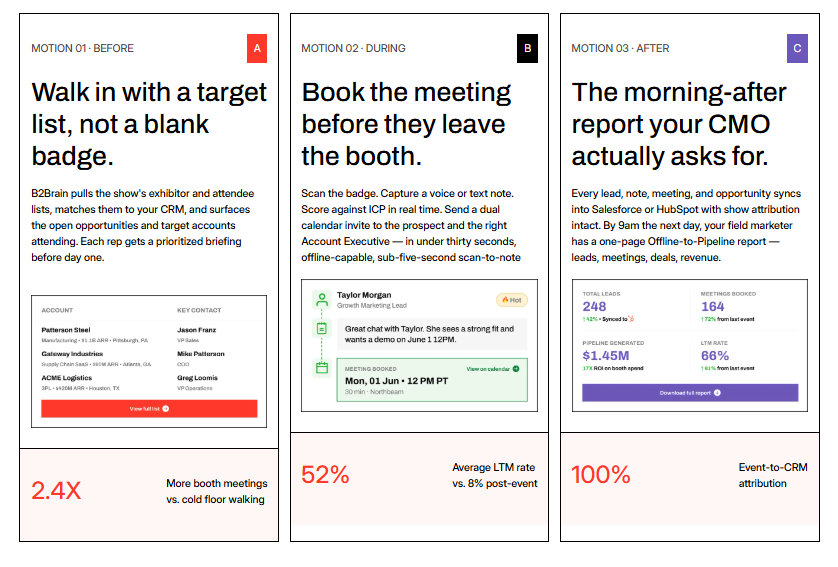
B2Brain turns captured event emails into booked meetings across its three-motion pipeline workflow
🛠️ Core services
Voice-first capture: tap once, talk for about 30 seconds, get a structured CRM record in roughly 4.2 seconds.
On-spot booth meeting-booking that pulls the AE's live calendar and sends a dual invite before the prospect leaves.
Pre-event briefings grounded in the customer's own CRM pipeline, not a cold prediction database.
Morning-after offline-to-pipeline report: pipeline sourced, meetings booked, and attribution by show, booth area, rep, and segment.
✅ Key features against the four criteria
Signup speed: voice-first capture runs about one-fifth the time of typed notes; the "Recent Leads" view solves the rush-hour "scan now, note later" problem.
Email platform / CRM integration: Salesforce-native and HubSpot-native (parity), not "integrates with." Records sync bidirectionally with dedup, as covered in our guide to lead capture into Salesforce.
Offline capture: offline-first iOS app that works in hostile expo-hall Wi-Fi and syncs on reconnect.
Branded forms: captures conversation context and Next-Best-Action beyond a static form field, which is the point of difference from a form tool.
💡 Why teams consider B2Brain
The buyer math is simple and brutal. On a roughly $70K booth, the boss wants 10x pipeline. At a 20% close rate, that is about 2x revenue ROI, and it means roughly one in five booth visitors has to become a qualified meeting. A contact list does not get you there. A booked meeting does. That is the job B2Brain is built for, and you can run the numbers with our event ROI calculator.
The honest expectation I hold: someone will say "BoothIQ books meetings too, so what?" The difference is the three-phase shared layer, the CRM-grounded briefing, and the owned LTM (Leads-to-Meeting) number, 52% on the floor versus an 8% industry average post-event. No competitor tracks LTM at all.
👤 Ideal customer profile
Company size: growth-stage to enterprise vertical B2B.
Verticals: manufacturing, supply chain and logistics, energy, infrastructure, and construction.
Shows per year: 5 to 15, with $20K to $200K spend per show and ACV of $25K+.
Stack: Salesforce or HubSpot already in place.
💰 Pricing
B2Brain offers a per-event (Show Pass) and annual (Pipeline plan) structure, plus a first-event-free trial. Exact numbers depend on rep count and shows per year, so verify a quote for your season rather than estimating. See current Show Pass and Pipeline plans for details.
⭐ When to shortlist
Reps are paid on meetings booked, and you need booking to happen at the booth.
You must answer "where is the pipeline?" at the QBR with a real per-show number.
You run Salesforce or HubSpot and want native, not bolted-on, sync.
❌ When not to shortlist
Solo booths, consumer-facing sellers, or teams with no CRM.
One-off attendance or developer/AI-summit events.
You need deep third-party enrichment or a digital business card, both of which are lighter here. The native app is iOS-only, so an Android-first team should weigh that honestly.
"The AI Conversation Summarization and Auto-CRM Entry feature is a standout, it's significantly better than other tools we've tried. Reps actually rave about it instead of dreading another sales tool." Ole O. B2Brain G2 Verified Review
"Reporting is basic. We can see usage and lead stats, but there are no rep performance dashboards, no clear ROI reporting like time saved or deals influenced." Ole O. B2Brain G2 Verified Review
"The main thing is the contact data. It's just not very good. The accuracy of emails is hit or miss, around 60-70%. That's not reliable enough, so we end up using a separate tool for enrichment." Jorgealfa P. B2Brain G2 Verified Review
One social-proof reality worth stating plainly: B2Brain currently holds 17 G2 reviews against Blinq's 8,800-plus. That is a young review wall. I would rather you judge us on the LTM outcome than the review count, and I would rather concede the enrichment gap above than hide it. If you want to see it live, Book a Demo.
1.2 iCapture: Best for enterprise event teams running 10+ shows a year on reliability [toc=1.2 iCapture]
🧭 Overview
iCapture is a universal lead capture and event-metrics platform aimed at larger exhibitors who attend many shows a year. It sits in the reliability lane: fast onsite capture, back-office analytics, and staff-performance tracking. It is a mature, no-frills workhorse rather than an AI-narrative newcomer.
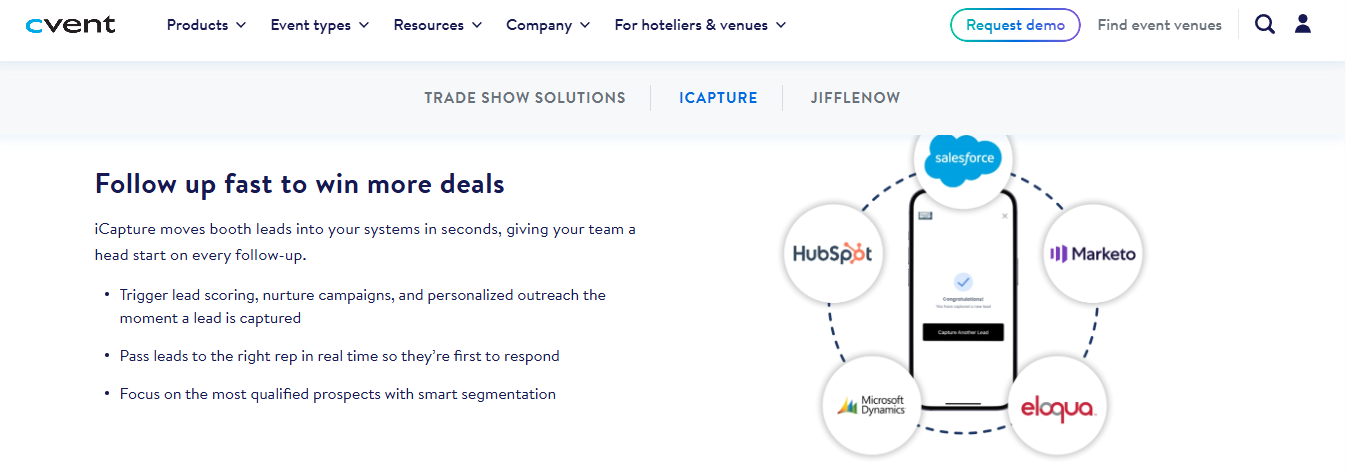
iCapture pushes captured event emails into Salesforce and HubSpot for faster booth follow-up
🛠️ Core services
Onsite badge and business-card scanning across multiple devices.
Buildable lead forms with field mapping from registration to capture.
Back-office analytics on busiest times and per-rep scan performance.
Speed-to-lead routing that assigns a captured lead to a rep automatically.
✅ Key features against the four criteria
Signup speed: fast when an API kit is available; manual entry is slower at shows without integration, which reps flag as a training issue.
Email platform / CRM integration: connectors exist, but native depth is inconsistent. One reviewer states plainly it "does not natively integrate with our CRM".
Offline capture: supported across devices.
Branded forms: customizable lead forms, with a caution that fields must be mapped correctly end to end or data drops.
💡 Why teams consider iCapture
The pull is dependability and reporting. Teams that run more than ten events a year want ROI numbers and staff accountability, and iCapture delivers both. As one reviewer framed it, it solves the "inability to calculate event ROI" and keeps sales teams accountable across repeat shows.
The trade-off is structural, not a bug. iCapture is excellent at capturing and reporting the lead, but the workflow still centers on the contact and the CSV, not on booking the meeting at the booth. If your reps are measured on meetings, you are adding that step after the show, unlike a tool built to retrieve leads and book on the floor.
👤 Ideal customer profile
Company size: mid-market to enterprise.
Shows per year: 10+, multi-rep booths.
Buyer role: event marketing operations owning ROI reporting.
Stack: CRM present, willing to manage field mapping.
💰 Pricing
iCapture is typically an annual subscription (widely referenced around the $8K/year range for its enterprise lane). Pricing is not fully published, so confirm a quote for your event volume.
⭐ When to shortlist
You run many shows a year and need consistent cross-event reporting.
Staff-performance and busiest-time analytics matter to you.
You have mixed tech-savvy reps who need a simple, reliable scanner.
❌ When not to shortlist
You need native, real-time CRM sync out of the box.
Your KPI is meetings booked on the floor, not contacts captured.
You want an AI voice-capture or on-spot booking workflow.
"We recently used iCapture at an event and it was seamless. It made capturing leads and pushing them into our systems incredibly simple. Easy to use, efficient, and it just works!" Natalie S. iCapture G2 Verified Review
"Business card transactions can be inaccurate at times, which has caused incorrect email addresses or phone numbers in a few cases." Verified User in Transportation/Trucking/Railroad iCapture G2 Verified Review
1.3 Captello: Best for event teams that want gamified lead capture plus enterprise form control [toc=1.3 Captello]
🧭 Overview
Captello is a lead capture and event-engagement platform known for its games, activations, and buildable forms. It serves mid-market and enterprise event teams that want to draw traffic to the booth and route captured leads into one place. It sits in the engagement lane, capture plus gamification, rather than the meeting-booking lane.
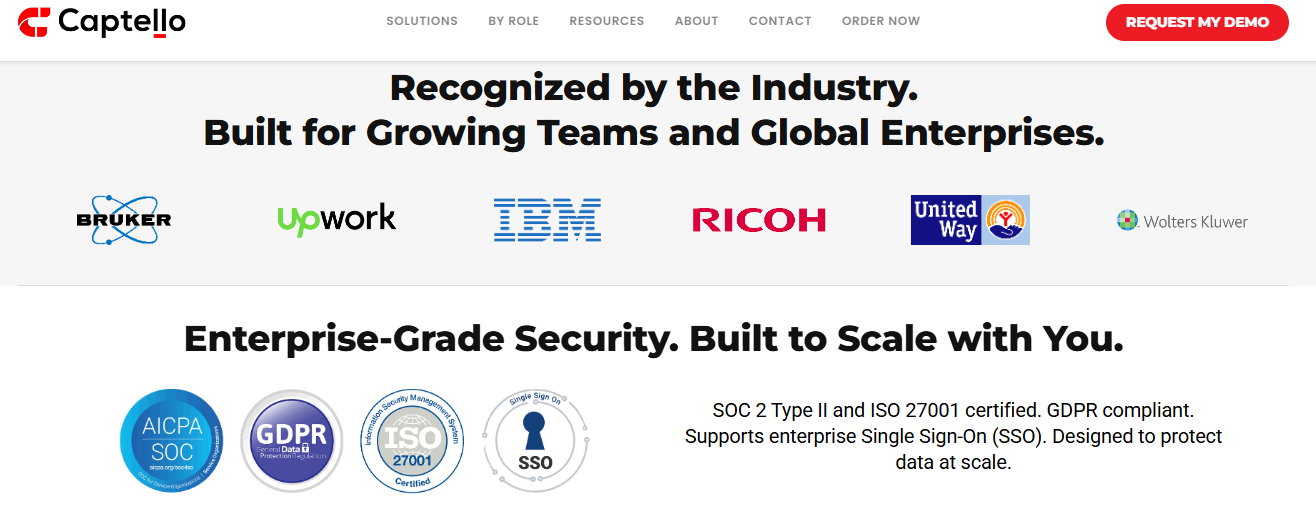
Captello signals enterprise-grade security and GDPR compliance for event lead capture at scale
🛠️ Core services
Universal lead capture across badge scan, business card, and manual entry.
Buildable, branded lead forms mapped to CRM fields.
Booth games and interactive activations to pull traffic.
Lead routing and consolidation from multiple shows into one dashboard.
✅ Key features against the four criteria
Signup speed: fast lead scanning is a repeated strength in reviews.
Email platform / CRM integration: imports into CRM with buildable forms, but depends on per-show API kits (a real cost, see reviews below).
Offline capture: supported.
Branded forms: a genuine strength, with flexible form building.
💡 Why teams consider Captello
The draw is traffic and control. If your problem is an empty booth, the games work, and the form builder gives marketing tight control over fields and branding. Teams standardizing capture across many shows like that everything lands in one place.
The structural trade-off is the same one that runs through this whole bucket. Captello captures and consolidates the lead beautifully, but the workflow ends at the CRM record, not a booked meeting. You are still chasing the follow-up after the show, rather than closing the loop with offline to pipeline booking.
👤 Ideal customer profile
Company size: mid-market to enterprise.
Buyer role: event marketing wanting engagement plus capture.
Shows per year: multiple, with booth-traffic goals.
Stack: CRM present, budget for API kits.
💰 Pricing
Captello is a subscription, with a notable per-show cost: reviewers report buying an API kit priced between $700 and $1,200 per show for lead scanning. Confirm current pricing directly, as this stacks up over a season.
⭐ When to shortlist
Booth traffic is your bottleneck and games would help.
Marketing needs deep, branded form control.
You want multi-show lead consolidation in one dashboard.
❌ When not to shortlist
Your KPI is meetings booked on the floor, not leads captured.
You want to avoid per-show API-kit fees.
You need native pipeline attribution and an LTM number.
"Every time we have a show with lead scanning, I have to purchase an API kit that costs between $700 to $1,200. It's become costly." RebeccaGrace K. Captello G2 Verified Review
"It does not always work with every conference, if the conference does not provide an API kit for integration." Verified User in Consulting Captello G2 Verified Review
1.4 Momencio: Best for teams that want a follow-up email and microsite fired right after capture [toc=1.4 Momencio]
🧭 Overview
Momencio is an event lead capture app built around business-card capture and instant, personalized follow-up. Its signature feature is the LiveMicrosite, a landing page of curated content sent to the prospect after a scan. It serves marketing teams that want the first follow-up touch to happen automatically.
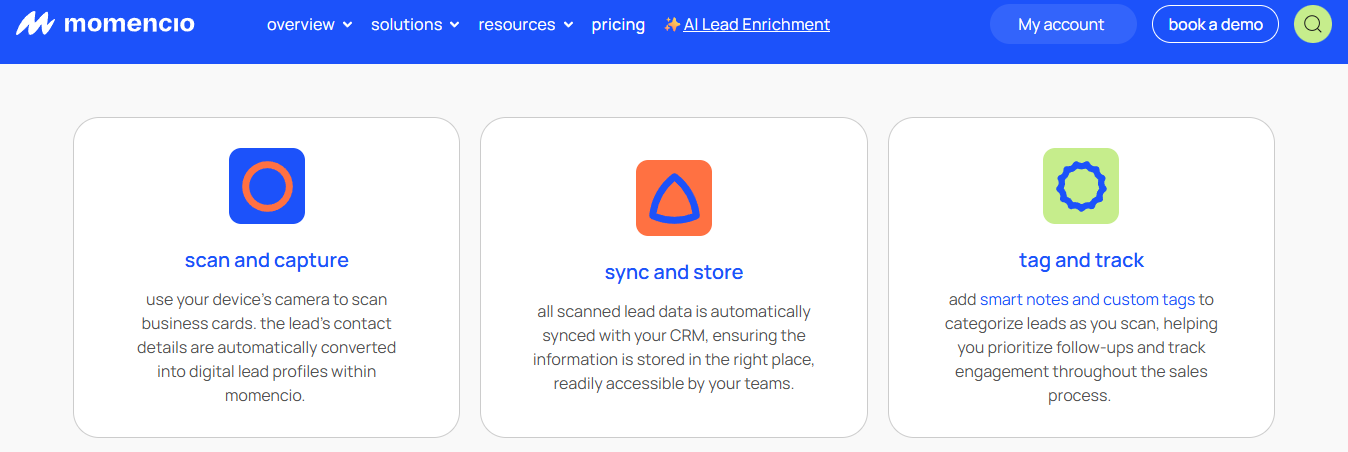
Momencio scans business cards, syncs to CRM, then tags and tracks each event lead
🛠️ Core services
Business-card and badge capture with data enrichment.
Automated follow-up email triggered right after capture.
LiveMicrosite personalized content pages for each lead.
CRM integrations for lead export.
✅ Key features against the four criteria
Signup speed: business-card capture is quick; reviewers note login and single sign-on can be slow.
Email platform / CRM integration: CRM integrations present; the auto follow-up email is the standout.
Offline capture: supported.
Branded forms: strong on branded content delivery via the microsite.
💡 Why teams consider Momencio
The appeal is the instant follow-up. Getting a branded content page into the prospect's inbox minutes after the conversation is genuinely useful, and it maps to the lead-decay reality: conversion odds fall fast from roughly 85% within two hours to about 9% after a week. Momencio attacks that window with content, not a meeting.
That is the honest line to draw. Momencio sends the prospect content; it does not put a 30-minute discovery meeting on the AE's calendar before they walk away. Content nurtures. A booked meeting is pipeline, which is where booth meeting-booking changes the math.
👤 Ideal customer profile
Company size: SMB to mid-market marketing teams.
Buyer role: field marketing wanting automated post-scan nurture.
Shows per year: several, content-led follow-up motion.
Stack: CRM present.
💰 Pricing
Momencio uses a subscription structure. Exact pricing is not consistently published, so request a current quote for your rep count.
⭐ When to shortlist
You want the first follow-up touch automated at capture.
Personalized content pages fit your nurture motion.
Business-card capture is your primary input.
❌ When not to shortlist
You need the meeting booked on the floor, not a content email.
You want native per-show pipeline attribution and LTM.
Fast, single-tap logins during rush hour are non-negotiable.
"Logins are a little slow, and the single sign-on does not work, it requires syncing on the mobile app." Jia Li T. Momencio G2 Verified Review
1.5 Popl: Best for reps who want a digital business card with lead capture attached [toc=1.5 Popl]
🧭 Overview
Popl started as a digital business card, a phone-based contact card you share by tap or QR code, and added event lead capture later. It serves individual reps and teams who want to stop carrying paper cards. Event capture is a bolt-on to that card-first core.
Popl leans on Fortune 500 trust logos to sell its card-first capture app
🛠️ Core services
Digital business card sharing by tap, QR, or link.
Lead capture form via QR scan.
Contact sync to phone and connected tools.
Team card management for larger groups.
✅ Key features against the four criteria
Signup speed: the card share is quick, but reviewers repeatedly flag friction: the recipient is pushed to create an account.
Email platform / CRM integration: connectors exist; the core is card-and-contact, not deep CRM.
Offline capture: partial and inconsistent per user reports.
Branded forms: a basic QR lead-capture form.
💡 Why teams consider Popl
The pull is simple and personal. Reps like not carrying paper, and the QR lead-capture form is the piece B2B teams actually use. As one reviewer put it, "the ability for a lead to scan a QR code and then we get their information is huge."
The recurring complaint is friction and cost, not a support bug but a design choice. Recipients are prompted to make an account to see the info, and reviewers call the notification behavior "pushy" and the price high for what is largely a card app. Teams weighing this often review Popl alternatives before committing.
👤 Ideal customer profile
Company size: individuals to small teams.
Buyer role: reps wanting a personal digital card.
Shows per year: occasional, networking-led.
Stack: light CRM needs.
💰 Pricing
Popl uses a subscription, with reviewers citing figures around $140/year and noting there is no free version, only a trial. Confirm current tiers before buying for a team.
⭐ When to shortlist
You want a digital business card first, capture second.
Reps do a lot of one-to-one networking.
A simple QR lead form covers your capture needs.
❌ When not to shortlist
You need a friction-free capture that does not force recipient accounts.
Your KPI is booked meetings and attributable pipeline.
You want reliable offline badge scanning (reviewers report it failing).
"The only reason we use it is for the lead capture form. The ability for a lead to scan a QR code and then we get their information is huge." Verified User in Real Estate Popl G2 Verified Review
"I didn't really use Popl because it didn't scan bar codes like I thought it would. Scanning badges should have given the name and contact info, but it didn't work when I tried it." Drew D. Popl G2 Verified Review
"The cost is very high considering it's mostly a digital business card sharing app; it's not much different than adding a QR code to my business card." Brooke N. Popl G2 Verified Review
1.6 Blinq: Best for professionals who want a polished digital card and the biggest review base [toc=1.6 Blinq]
🧭 Overview
Blinq is a digital business card platform with strong design and the largest social-proof wall in this group. It holds the #1 spot on G2 with 8,800-plus reviews. It is card-first, with lead capture and relationship features layered on, aimed at professionals and teams sharing contact info at scale.
🛠️ Core services
Polished digital business cards shared by QR, link, or tap.
Contact capture and address-book sync.
Team card management and backend admin.
Social and profile integrations.
✅ Key features against the four criteria
Signup speed: tap-to-share is quick, but reviewers report QR-read failures and slow load on poor connectivity.
Email platform / CRM integration: connectors exist; the core is contact capture, not CRM pipeline.
Offline capture: weak; reviewers specifically flag failures "in places with poor internet connectivity."
Branded forms: strong card branding; capture is form-based and can feel cumbersome to recipients.
💡 Why teams consider Blinq
The pull is polish and proof. Blinq looks great, sets up in minutes, and the enormous review base reassures a cautious buyer. For pure networking, it is a clean, credible digital card, and buyers often compare it head to head in a HiHello vs Blinq breakdown.
The honest gap sits in the same place as Popl. Captured cards land in "a sea of contacts," as one reviewer put it, with no built-in path to a booked meeting or per-show pipeline. On the review count: Blinq's 8,800-plus is real, but review volume measures card adoption, not whether your booth produced pipeline.
👤 Ideal customer profile
Company size: individuals to teams sharing cards widely.
Buyer role: professionals prioritizing a polished card.
Shows per year: networking-led, not booth-ROI-led.
Stack: light CRM needs.
💰 Pricing
Blinq offers a free tier plus paid subscriptions. Confirm current team pricing directly.
⭐ When to shortlist
A polished, reliable digital card is your main goal.
You value a large, verifiable review base.
Networking, not booth pipeline, is the use case.
❌ When not to shortlist
You exhibit on convention floors with unreliable Wi-Fi.
You need booked meetings and per-show attribution.
Recipients should not have to fill a form or download an app.
"Blinq looks great and when it works it's a good user experience and good branding. [But] using the backend panel as an administrator is buggy and unreliable." Verified User in Hospitality Blinq G2 Verified Review
"When you do share your info, it saves the person's business card as contact info in their phone. This makes it tough to find again after a big tradeshow. With Blinq, all the follow ups are just in your sea of contacts." Madison Z. Blinq G2 Verified Review
"It doesn't always work reliably when scanning the barcode, especially in places with poor internet connectivity. This has made it necessary for me to consider purchasing printed business cards as a backup." Kasha A. Blinq G2 Verified Review
1.7 OnSpot Social: Best for high-traffic kiosk email capture and newsletter list building [toc=1.7 OnSpot Social]
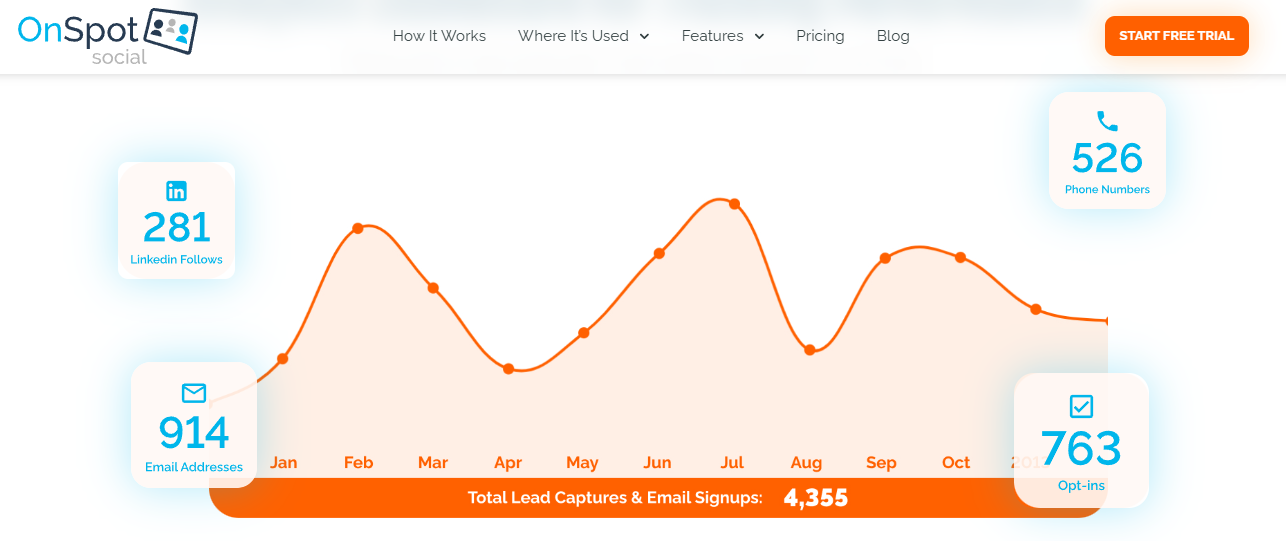
OnSpot Social kiosk shows how a self-serve app collects email addresses at events
🧭 Overview
OnSpot Social is a kiosk and form app built to collect emails at events on an iPad or tablet. An attendee types their own details into a branded form, and the app stores and syncs them to your email platform. It is a list-building tool, not a badge-scan or meeting-booking platform.
🛠️ Core services
iPad/tablet kiosk mode for self-serve email entry.
Customizable, branded signup forms.
Offline capture with local storage and later sync.
Native email-platform integrations plus CSV export.
✅ Key features against the four criteria
Signup speed: depends on the attendee typing, so it is slower than a badge scan.
Email platform / CRM integration: native connectors to major email platforms, plus CSV export.
Offline capture: yes, stores locally and syncs on reconnect.
Branded forms: a core strength, fully customizable.
💡 Why teams consider OnSpot Social
The fit is top-of-funnel list building. If your goal is a bigger newsletter or promo list from a busy, consumer-leaning event, a self-serve kiosk is simple and cheap. It respects a real truth: gated, forced capture leaves a bad taste, so an opt-in form the attendee fills themselves feels cleaner.
The trade-off is qualification. A self-serve form does not tell you why someone signed up, and at an industrial B2B booth it can attract the "free iPad" crowd rather than the buyer. As one veteran seller warns, the person chasing swag is usually "the non-decision-making employee," not the decision maker. For qualified B2B booths, a universal lead capture approach fits better.
👤 Ideal customer profile
Company size: SMB to mid-market, marketing-led.
Buyer role: marketers building email lists.
Events: high-traffic, consumer-leaning shows.
Stack: email platform (Mailchimp and similar) more than CRM.
💰 Pricing
OnSpot Social offers tiered subscription plans. Confirm current pricing on the vendor site.
⭐ When to shortlist
Your metric is emails collected for a newsletter.
You want a simple, branded self-serve kiosk.
Offline reliability on a busy floor matters.
❌ When not to shortlist
You need qualified B2B leads with conversation context.
Your KPI is booked meetings and pipeline.
You rely on scanning badges rather than typed entry.
No verified customer reviews were available in the provided source set for this provider.
1.8 SignUpAnywhere: Best for simple, offline, GDPR-friendly form capture on any device [toc=1.8 SignUpAnywhere]
🧭 Overview
SignUpAnywhere is a lightweight form and email capture tool that works on any device, online or offline. It is built for quick, branded signup forms with field validation and consent capture. Like OnSpot Social, it is a list-building tool, not a badge scanner or meeting platform.
🛠️ Core services
Custom signup forms usable on tablets, phones, or laptops.
Offline capture that syncs when connectivity returns.
Field validation to reduce bad or typo'd emails.
Email-platform sync and CSV export, with consent capture.
✅ Key features against the four criteria
Signup speed: attendee-typed entry, so it is form-paced, not scan-paced.
Email platform / CRM integration: email-platform sync plus CSV export.
Offline capture: yes, a core selling point.
Branded forms: yes, customizable, with GDPR consent handling.
💡 Why teams consider SignUpAnywhere
The pull is simplicity and compliance. For European events, explicit consent capture (recording that a person agreed to be contacted) is a deal gate, not a footer detail, and SignUpAnywhere handles it cleanly. Field validation at capture also prevents the dead-address problem that quietly breaks lists later.
The ceiling is the same as any form tool. It builds a clean, compliant list, but it does not qualify the lead, capture conversation context, or book a meeting. It is the right tool for the list job and the wrong tool for the pipeline job, which is better served by a tool built for booth teams.
SignUpAnywhere offers a free tier plus paid plans. Confirm current pricing on the vendor site.
⭐ When to shortlist
You need GDPR-compliant consent capture.
You want field validation to keep emails clean.
Offline, any-device form capture fits your booth.
❌ When not to shortlist
You need badge scanning or context capture.
Your KPI is booked meetings and attributable pipeline.
You want native CRM sync with dedup and attribution.
No verified customer reviews were available in the provided source set for this provider.
How we evaluated these providers [toc=1. How We Evaluated]
Primary sources consulted: provider documentation and App Store listings, verified G2 reviews from the B2Brain Competitor Reviews source set (iCapture, Captello, Momencio, Popl, Blinq, and B2Brain), and category follow-up benchmarks (CEIR).
Criteria selected and why: signup speed, email-platform and CRM integration, offline capture, and branded forms, because the title and the buyer's real decision hinge on these four.
Criteria de-prioritized: deep enrichment depth and gamification, which matter to some buyers but do not decide the core "collect the email" question for most B2B booths.
Data gaps stated honestly: no verified reviews were available for OnSpot Social or SignUpAnywhere in the source set. On B2Brain's own gaps: the native app is iOS-only, third-party enrichment is lighter than Popl, Mobly, or Momencio, and there is no digital business card.
Which provider should you shortlist? [toc=1. Which To Shortlist]
The field marketer who must prove per-show pipeline to the CMO: shortlist B2Brain for the offline-to-pipeline report and the LTM number, and consider iCapture for cross-event ROI reporting.
The VP Sales whose reps are paid on meetings booked: shortlist B2Brain, since it books the meeting on the floor rather than after the show.
The founder taking a first 5-rep booth to a US show: start with B2Brain's first-event-free trial, and keep Captello in view if booth traffic is the bigger worry.
The marketer just building a newsletter list at a busy, consumer-leaning event: OnSpot Social or SignUpAnywhere are the honest, low-cost fit.
The rep who mainly wants to drop paper business cards: Popl or Blinq, with eyes open to recipient friction and thin pipeline reporting.
The EU-heavy team where consent is a deal gate: SignUpAnywhere for clean GDPR capture and field validation.
There is no single winner here. The right tool is the one whose output matches the number you are measured on: a mailing list, a CSV of contacts, or a meeting on the AE's calendar. If pipeline is your number, Book a Demo to see the booth-to-pipeline workflow in action.
References [toc=1. References]
Perry Belcher and field-seller commentary on badge scanners and follow-up (operator receipts), 2024 to 2025.
CEIR, "Event Lead Follow-Up Benchmarks," Center for Exhibition Industry Research, 2024 to 2026.
Q2: What should an event email-capture app do, and why do most captured lists die? [toc=2. Criteria & Follow-Up Gap]
A capable event email-capture app captures a contact in under five seconds, syncs natively to your email platform or CRM, works offline when Wi-Fi fails, and shows a branded, consent-compliant form. The fifth, ignored criterion is what happens next. Up to 80% of event leads never reach the CRM, and around 87% get no proper follow-up, so a list nobody acts on has zero value.
Let me define the rubric in plain English first. These four criteria are the ones every roundup agrees on, and each maps to a real booth moment.
🧭 The four criteria, with a booth example each
Signup speed. Can you capture a contact in under five seconds? At rush hour, anything slower gets skipped.
Email platform and CRM integration. Does the email land in Mailchimp, HubSpot, or Salesforce cleanly, or sit in a spreadsheet?
Offline capture. When the hall Wi-Fi drops, does the app still work and sync later?
Branded forms. Is the form on-brand, and does it validate the email so you do not collect typos?
Here is the survival-metric point most specs pages skip. Signup speed is not a nice-to-have. If the app hesitates at 2pm on day two, the rep quietly reverts to phone photos, and your shiny tool is dead by lunch. A faster path is the lead capture app for trade shows model built for the floor.
⚠️ The fifth criterion nobody names: what happens after capture
There is a seven-second rule for booths: a passerby decides in about seven seconds whether your booth is worth stopping for. The same impatience applies to your follow-up. Speed after capture decides whether the email becomes pipeline or clutter.
I have seen the "peacemealing" problem up close, where a field marketer runs five disconnected tools to do one job. The email lives in one, the notes in another, and the meeting never gets booked. The captured address is only step one, which is why we frame the work as offline to pipeline.
💸 Meet Jimmy and the shoe box
Picture the classic scene. Jimmy works the booth all week, brings the box of leads back on Friday, and Monday morning pulls out three business cards. He calls three people, a colleague asks him to lunch, and the box slides under the desk. Six months later, someone finds it.
That is not laziness. That is what happens when the tool orphans the data and leaves the follow-up to memory and goodwill.
📊 The stat bank, every number paired with a comparison
The data backs the shoe box. Up to 80% of event leads never reach the CRM, so four in five conversations vanish before anyone can act. Around 87% of trade-show leads never get proper follow-up, and average response time runs near 42 hours, long after the buyer has forgotten your booth.
The decay is steep. Conversion probability sits near 85% within two hours of the conversation and collapses to roughly 9% after a week. As the operators say, "the money in a trade show is made in the follow-up," and about 60% of lost sales trace back to poor qualification, not poor products. You can model this with the event ROI calculator.
"I HATE the notification spam. I get push, email, AND a text when I scan a Popl card. Why!?" Verified User in Real Estate Popl G2 Verified Review
"It provides customers' contact details from name badges. [But] never sure if details are saved." Thor C. Mobly G2 Verified Review
✅ The structural fix: capture with context, book on the floor
The fix is not a faster scanner. It is a workflow that captures why you talked to someone and books the follow-up before they walk away. That is the offline-to-pipeline model we built B2Brain around: add context to the capture, put the meeting on the AE's calendar at the booth, and the shoe box never fills up. Contact information is not where anything happens. Pipeline is, and it starts with the booth-day workflow.
Q3: How do the 8 apps compare on signup speed at the booth? [toc=3. Apps Ranked On Speed]
For raw signup speed, tap-and-scan tools (Popl, Blinq) and native badge-scan apps (iCapture, Captello) capture in seconds, while kiosk form-fillers (OnSpot Social, SignUpAnywhere) depend on the attendee typing. B2Brain benchmarks scan-to-note at about 4.2 seconds and books the meeting in the same flow. The real test is 2pm on day two with a queue and one bar of Wi-Fi, not a quiet demo.
⏰ Why capture method decides speed under load
Speed is not one number. It changes with the method and with the crowd. A quiet demo hides the truth; a queue of three at rush hour reveals it. One seasoned seller swears by a low-tech workaround, taking a photo and sending it to a virtual assistant to type up, because he finds it "faster and more accurate than OCR" (optical character recognition, the tech that reads text from an image).
Here is the honest caveat. The fastest app in the world fails if the person working the booth is a "swag broker," a paid rep who cannot actually do business. Speed only helps a booth staffed by people who qualify.
📊 The eight apps on speed and rush-hour reliability
8 Apps Compared on Signup Speed and Rush-Hour Reliability
App
Capture method and speed
Standout or trade-off
1.1 B2Brain
Voice-first, ~4.2s structured record, books the meeting in the same flow
About one-fifth the time of typed notes; native app is iOS-only
1.2 iCapture
Fast badge scan with API kit; manual entry slower without it
Reliable, cross-event capture; workflow ends at the CSV
1.3 Captello
Fast lead scanning
Games pull traffic; per-show API kits add cost and setup
1.4 Momencio
Quick business-card capture, fires an instant follow-up email
Reviewers report slow logins, a rush-hour risk
1.5 Popl
Fast card share, capture adds friction (recipient must make an account)
One reviewer's badge scan simply "didn't work"
1.6 Blinq
Tap-to-share is quick when it connects
QR reads fail on poor Wi-Fi; load times lag at busy events
1.7 OnSpot Social
Kiosk capture, only as fast as the attendee types
Self-serve frees the rep; slower per contact than a scan
"Sometimes Mobly can be finicky, where it doesn't sync all the leads I've scanned. This can really affect the overall success of our event." Verified User in Events Services Mobly G2 Verified Review
Do not judge speed in the sales demo. Judge it at day two, 2pm, with a queue of three and Wi-Fi at one bar. A simple field tactic helps regardless of app: photograph the prospect holding their badge or card, so you never lose track of who said what. With B2Brain, that context and the booked meeting happen in the same 4.2-second flow, which is why we compete on speed-to-meeting, not just scan latency. See how the three-motion workflow handles the floor.
Q4: How well does each app sync to your email platform and CRM, and verify the addresses? [toc=4. Integration, Sync & Verification]
Integration splits into native real-time sync (best for HubSpot and Salesforce shops that need attribution) and CSV or manual export (fine for a Mailchimp newsletter). Kiosk tools lean on export; badge-scan tools offer connectors of varying depth; B2Brain syncs bidirectionally with deduplication and event attribution. If you leave with names but no emails, a verification tool like Hunter turns a name-and-company CSV into verified addresses.
🔗 Native sync versus CSV export, and why it is an attribution question
Sync is not a features question. It is an attribution question, meaning can you prove which show produced which pipeline. A CSV that imports without source data cannot answer the CFO's "which event was this?" A native, real-time connection can, especially with lead capture into Salesforce.
I have watched the cost of shallow integration first-hand. One team described systems that "didn't talk," where the CRM was "a mess," the from-name would not match, and images were missing. Bad plumbing turns good conversations into dirty records.
📊 How the tools sync
Email Platform and CRM Sync Compared
Tool
Sync model
Native CRMs
Dedup
Attribution
B2Brain
Native, real-time, bidirectional
Salesforce, HubSpot
Yes
Per-show, rep, segment
iCapture
Connectors (depth varies)
Not always native
Varies
Event metrics
Captello
CRM import (needs API kit)
Via connectors
Varies
Basic
Momencio
CRM integrations
Via connectors
Varies
Basic
Popl
Connectors, card-first
Light
Limited
Limited
Blinq
Connectors, card-first
Light
Limited
Limited
OnSpot Social
Native email sync + CSV
Email platforms
Limited
Limited
SignUpAnywhere
Email sync + CSV
Email platforms
Limited
Limited
⚠️ Dedup and the multi-rep problem
Here is the quiet list-killer. When five reps scan the same booth, you get five records of one person unless the tool deduplicates. Multi-rep scanning without dedup does not build a list; it inflates a mess.
✉️ When you leave with names but no emails
Sometimes you capture a name and company but no address. A verification tool like Hunter (which finds and verifies work emails) can turn that CSV into usable contacts. Worth naming honestly: even good tools miss here. One reviewer flagged that B2Brain's own contact-data accuracy runs "around 60-70%," which is why some teams pair a dedicated enrichment tool for that step. The category context sits in our universal lead capture guide.
"The accuracy of emails is hit or miss, around 60-70%. That's not reliable enough, so we end up using a separate tool for enrichment." Jorgealfa P. B2Brain G2 Verified Review
"It was challenging to get it to sync with Salesforce. The integration process was difficult for my team and took a long time." Ece K. Mobly G2 Verified Review
"I like how it imports into our CRM and has a buildable form. [But] it does not always work with every conference." Verified User in Consulting Captello G2 Verified Review
✅ Where B2Brain competes: the attribution job
On sync, we compete on attribution, not connector count. B2Brain is Salesforce-native and HubSpot-native (parity, not "integrates with"), records sync bidirectionally with dedup, and the morning-after offline-to-pipeline report lands on the CMO's desk by 9am with pipeline sourced and meetings booked, attributed by show, booth area, rep, and segment. That is how a field marketer answers "where is the pipeline?" with a number, not a CSV. To see it live, Book a Demo.
Q5: Which apps work offline, and which offer branded, consent-compliant forms? [toc=5. Offline Capture & Forms]
Convention floors kill Wi-Fi, so offline capture is non-negotiable. OnSpot Social, SignUpAnywhere, and B2Brain store captures locally and sync on reconnect, and B2Brain even scans business cards in airplane mode. On forms, SignUpAnywhere and OnSpot Social offer branded, validated fields. For European events, explicit GDPR consent capture (recorded proof the person agreed to be contacted) is a deal gate, not a footer item.
Block A: Offline capture
📡 Why convention floors break Wi-Fi
Thousands of phones and scanners hammer one overloaded network. By day two, the signal is a rumor. I have watched a booth build where "everything that could go wrong went wrong," and connectivity is the first thing to fail.
So "offline" is not a nice bonus. It is the difference between capturing the lead and losing it, which is why offline reliability sits at the core of the lead capture app for trade shows.
⚠️ "Works offline" versus "offline-first with a confirmation queue"
There is a real gap between the two. "Works offline" is a checkbox. "Offline-first with a confirmation queue" means the app stores each capture locally, shows you it saved, and syncs when the signal returns.
The silent-failure risk is the one that hurts. If the app drops captures without telling you, you find out three days later that the leads are gone.
Offline Capture Reliability Compared
Tool
Offline capture
Sync on reconnect
Visible confirmation
B2Brain
Offline-first (airplane-mode card scan)
Yes
Yes ("Recent Leads")
OnSpot Social
Yes (local storage)
Yes
Yes
SignUpAnywhere
Yes
Yes
Yes
iCapture
Yes
Yes
Varies
Blinq
Weak on poor connectivity
Partial
Inconsistent
Popl
Partial
Partial
Inconsistent
"It doesn't always work reliably when scanning the barcode, especially in places with poor internet connectivity." Kasha A. Blinq G2 Verified Review
Block B: Branded, consent-compliant forms
✅ Branding and field validation start deliverability at capture
A branded form does two jobs. It keeps the experience on-brand, and it validates the email so you do not collect typos. Validation at capture prevents the dead-address problem that quietly breaks lists later, a step no roundup seems to mention.
Skip validation and you pay for it in the newsletter. Half your bounces were typos you could have caught at the booth, a problem the universal lead capture approach is designed to prevent.
💰 GDPR consent, and the case against the raffle
For EU shows, consent capture is a gate. No recorded consent, no legal contact, full stop. SignUpAnywhere and OnSpot Social handle this cleanly.
The related trap is the raffle. A "win an iPad" form attracts junk, because the free-iPad crowd is usually "the non-decision-making employee" who signs up for everything. A branded, validated, value-first form beats an open raffle every time.
"I like how it imports into our CRM and has a buildable form that we can create." Verified User in Consulting Captello G2 Verified Review
We built B2Brain offline-first for exactly these hostile halls, so a rep can scan a badge or card in airplane mode and sync later with a visible "Recent Leads" check. On forms, our difference is not a prettier field. B2Brain captures the conversation context and the next-best-action behind the contact, which is what a static form can never hold. See how this fits the booth-day workflow.
Q6: Which capture model fits your event, and what does each app cost? [toc=6. Choosing A Model & Pricing]
Match the model to your metric. Kiosk and self-serve forms suit high-traffic newsletter list building. Badge-scan capture-and-enrich suits contacts for later follow-up. Offline-to-pipeline platforms suit B2B teams whose KPI is meetings booked. On cost, tools span free form tiers to per-event and annual subscriptions, so compare against the organizer's roughly $600-per-device scanner rental, and judge cost-per-email-you-actually-act-on.
🧭 Three models, three different metrics
The model must match the number you are measured on. Pick by KPI, not by feature list.
Kiosk / self-serve forms (OnSpot Social, SignUpAnywhere): metric is emails collected. Good for a newsletter.
Badge-scan capture-and-enrich (iCapture, Captello, Momencio, Popl, Blinq): metric is contacts captured. Good for later follow-up.
Offline-to-pipeline (B2Brain): metric is meetings booked. Good when reps are paid on pipeline.
👥 Event type and booth-staffing reality
Route by the room. A consumer-leaning, high-traffic show rewards a self-serve kiosk; there is even a case of 85 paying customers won from a three-day booth using iPads and headphones. A qualified B2B floor rewards a rep who captures context and books the meeting.
One selection tip from the floor: use the ratio rule. Favor shows with a low exhibitor-to-attendee ratio, because your booth competes for fewer eyeballs per attendee. Our event ROI calculator helps size this before you commit.
💸 Pricing shapes, anchored to the rented scanner
Start every cost conversation at the organizer's badge scanner: roughly $600 per device per show. A five-rep team across fifteen shows can burn $30,000 to $45,000 on contextless scans that mostly die in the CSV. That is your anchor, and it is the exact gap a conference badge scanner leaves open.
Booth economics dwarf the app cost anyway. I have seen $35,000 spent on booth decorating alone, then the same result achieved later for $950, and a healthy cost-per-head lands around $300 to $450 with travel.
Capture Model and Pricing Compared
Tool
Pricing model
Free tier
Anchor comparison
B2Brain
Per-event (Show Pass) + annual (Pipeline)
First-event-free trial
Judged on cost-per-booked-meeting
iCapture
Annual subscription
No
Enterprise reliability lane
Captello
Subscription + per-show API kit ($700 to $1,200)
No
API kit stacks per show
Momencio
Subscription
Varies
Content-led follow-up
Popl
Subscription (~$140/yr cited)
Trial only
Card-first pricing
Blinq
Freemium + paid tiers
Yes
Card-first pricing
OnSpot Social
Tiered subscription
Varies
List-building fit
SignUpAnywhere
Freemium + paid
Yes
Simple form capture
Only verified structures shown; confirm current numbers with each vendor.
💰 The real metric: cost-per-usable-email
Cost-per-email is a vanity number. Cost-per-email-you-actually-act-on is the real one. A cheap scan that dies in a spreadsheet costs more than a pricier capture that becomes a meeting. This is where B2Brain competes: we track Leads-to-Meeting (LTM), and the owned benchmark is 52% booked on the floor versus an 8% industry average post-event, with a qualified event meeting costing roughly 60% of an outbound meeting. Review current Show Pass and Pipeline plans to run your own math.
Q7: How do you turn a captured email into a booked meeting within 48 hours? [toc=7. Capture-to-Meeting Playbook]
Speed after capture beats volume of capture. Score each contact hot, warm, or cold on the floor while the conversation is fresh, send a verification email within 15 minutes so they remember you, and organize every contact within 48 hours before the memory decays. The tools that automate context-rich follow-up and book the meeting at the booth turn a mailing list into pipeline you can attribute.
⏰ Step one: score on the floor, not later
Grade every contact the moment they walk away. It takes two seconds and saves hours.
Hot: right title, real interest, wants a demo. Book the meeting now.
Warm: interested but wrong title or timing. Nurture with intent.
Cold: vendors and swag-seekers. Do not waste a rep on them.
Roughly 60% of lost sales trace to poor qualification, so this triage is not busywork. It is the front end of a working offline to pipeline motion.
📨 Step two: the 15-minute and 48-hour windows
Send a short verification email within 15 minutes: "Great talking with you, here's my contact, I'll follow up next week." The prospect thinks you enjoyed the conversation, and you stay top of mind while the badge lanyard is still on.
Then organize everything within 48 hours, before you go out that night. Do not "give them a few days to get settled," because that is how the shoe box fills up. A quick selfie with the prospect also makes your follow-up instantly recognizable.
✅ Step three: automate the cadence and attribute the pipeline
Manual works, but it depends on a tired rep at 11pm. That is the whole point of B2Brain's Leads-to-Meeting workflow: capture the context by voice, book the discovery meeting on the AE's live calendar before the prospect leaves, and let the morning-after report attribute pipeline by show, rep, and segment. The Golden Workflow is simple, scan, add context, execute the next-best-action, and today that action is usually the booked meeting. This is the heart of the three-motion workflow.
Here is the question I keep sitting with. If about 87% of trade-show leads never get proper follow-up, the winners will not be the teams that scan the most badges; they will be the ones who book the meeting before the prospect leaves the aisle. So what are you exhibiting at next, and what would it change if every good conversation left with a meeting already on the calendar? If you want to see the workflow live, Book a Demo.
FAQ's
What is the best app to collect email addresses at events in 2026?
There is no single winner, because the right app depends on the number you are measured on. We group the eight leaders into three jobs.
Kiosk and form list builders (OnSpot Social, SignUpAnywhere): an attendee types their own email into a branded form, and you leave with a mailing list.
Badge-scan capture-and-enrich tools (iCapture, Captello, Momencio, Popl, Blinq): a rep scans a badge or card, and you leave with a CSV of contacts.
Offline-to-pipeline platforms (B2Brain): capture with context, then book the meeting on the floor, and you leave with meetings on the AE's calendar.
Match the tool to your metric. If the metric is emails collected, a form app is fine. If the metric is pipeline, you need the follow-up built in, which is why we frame the work as offline to pipeline. Judge every option on signup speed, email platform and CRM integration, offline capture, and branded forms, then add the criterion most roundups skip: what actually happens after capture.
How fast should an app capture an email address at a busy booth?
Aim for under five seconds per contact, because anything slower gets skipped at rush hour. The honest test is not the quiet sales demo; it is 2pm on day two with a queue of three and one bar of Wi-Fi.
Tap and scan tools (Popl, Blinq) and native badge-scan apps (iCapture, Captello) capture in seconds when they connect.
Kiosk form-fillers (OnSpot Social, SignUpAnywhere) are only as fast as the attendee can type.
Voice-first capture benchmarks at about 4.2 seconds to a structured record, roughly one-fifth the time of typed notes.
Speed only helps a booth staffed by people who qualify, not a swag broker who cannot do business. A simple field tactic helps regardless of app: photograph the prospect holding their badge, so you never lose track of who said what. We compete on speed-to-meeting, not just scan latency, and you can see how the three-motion workflow handles the floor at rush hour rather than in a demo environment.
Which event apps work offline when the convention Wi-Fi fails?
Offline capture is non-negotiable, because thousands of phones and scanners hammer one overloaded network and by day two the signal is a rumor. Look for offline-first behavior with a confirmation queue, not just an offline checkbox.
Offline-first with visible confirmation: B2Brain stores each capture locally, scans business cards in airplane mode, and shows a Recent Leads check before syncing on reconnect.
Reliable local storage: OnSpot Social and SignUpAnywhere store captures and sync later.
Weak on poor connectivity: Blinq and Popl draw reviewer complaints about QR reads failing without signal.
The silent-failure risk is the one that hurts, when an app drops captures without telling you and you find out three days later. That is why offline reliability sits at the core of a serious lead capture app for trade shows. Before you buy, ask the vendor to demonstrate capture in airplane mode and then show you exactly where the queued leads appear once the connection returns.
Which apps sync email addresses natively to Salesforce and HubSpot?
Integration splits into two models, and the split is really an attribution question, meaning can you prove which show produced which pipeline.
Native, real-time sync: best for HubSpot and Salesforce shops that need attribution. B2Brain is Salesforce-native and HubSpot-native with bidirectional sync and deduplication.
Connectors of varying depth: iCapture, Captello, Momencio, Popl, and Blinq offer integrations, though one iCapture reviewer notes it does not natively integrate with their CRM.
CSV or manual export: fine for a Mailchimp newsletter, common with kiosk tools like OnSpot Social and SignUpAnywhere.
Watch the multi-rep problem: when five reps scan the same person, you get five records unless the tool deduplicates. A CSV that imports without source data cannot answer the CFO's question about which event sourced the pipeline, but a native connection can. Our deeper walkthrough of lead capture into Salesforce shows how bidirectional sync with dedup and per-show attribution turns booth conversations into records your RevOps team can actually trust and report on.
How do we collect GDPR-compliant email addresses at European events?
For EU shows, explicit consent capture is a deal gate, not a footer item. No recorded proof that a person agreed to be contacted means no legal contact, full stop.
Consent-ready forms: SignUpAnywhere and OnSpot Social record consent cleanly at the point of capture.
Field validation: validating the email at capture prevents the dead-address problem that quietly breaks lists later.
Branded, value-first forms: beat an open raffle, because a win-an-iPad form attracts the non-decision-making crowd who sign up for everything.
Branding does two jobs at once: it keeps the experience on-brand and it validates the address so you do not collect typos you pay for later in bounces. A clean, compliant, value-first form qualifies better than a swag magnet. For the broader category context on capturing consented, usable contacts across mixed B2B and B2C floors, see our guide to universal lead capture, which covers how validation and consent at the booth protect deliverability downstream.
Enjoyed the read? Join our team for a quick 30-minute chat — no pitch, just a real conversation on how we’re rethinking Event Intelligence in B2b.

.png)
.png)

.png)
.png)





